Participant
July 27, 2020
Answered

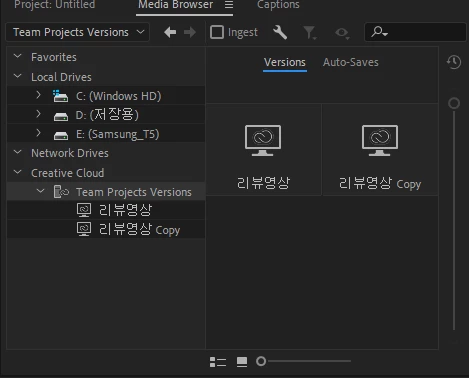
I want to delete the team project file.
  • July 27, 2020
  • 3 replies
  • 5791 views

I want to delete the team project file.

Correct answer Udo_Pawlik

Hi,

The owner of the Team Project can remove the Team Project in the 'Manage Team Projects' dialog (File > Open Team project...).
Just select the Team Project you want to remove and click the 'Archive' button. At this point the Project will no longer show in the Media Browser, but it can still be restored. If you want to delete the project permanently, select the Team Project in Archive tab and click 'Delete...'

Best,
Udo

3 replies

Participant
November 3, 2020

Thanks


Udo_PawlikCorrect answer
Adobe Employee
July 27, 2020

Hi,

The owner of the Team Project can remove the Team Project in the 'Manage Team Projects' dialog (File > Open Team project...).
Just select the Team Project you want to remove and click the 'Archive' button. At this point the Project will no longer show in the Media Browser, but it can still be restored. If you want to delete the project permanently, select the Team Project in Archive tab and click 'Delete...'

Best,
Udo

Participant
November 3, 2023

I have a problem, the ARCHIVE button (link) is greyed out which doesn't allow me to complete your instructions. Do you have any tips on how to get the greyed out archive button back?

H. Ayoub
Participant
March 12, 2025

Try closing the team project first. Once you do that, the archive button should become active again and you should be able to complete the action. Let me know if that works!

Community Expert
July 27, 2020

Go through your operating system to the file’s location and then delete it.