
June 25, 2022
Answered

Shape Fill Problems

  • June 25, 2022
  • 2 replies
  • 450 views

Hello,

I've been practising creating line charts following a tutorial and the technique essentially requires you to create a path with Pen Tool and then use "Create Nulls From Paths" to create nulls for each of the vertices for easier animation later (I guess). At the end of the tutorial, you can see that the guy also added a fill colour that colours everything below his path, however unfortunately he doesn't show how he has done it. I would really appreciate if someone would give me a hint on how to do it. 

I was thinking that the problem is in the fact that the shape is not closed, and I did manage to somehow add vertices and actually close it once by accident but no matter what I click after with/without Pen Tool, Ctrl without I can only resize the overall shape but can't edit it. 

What I need:


What I get:
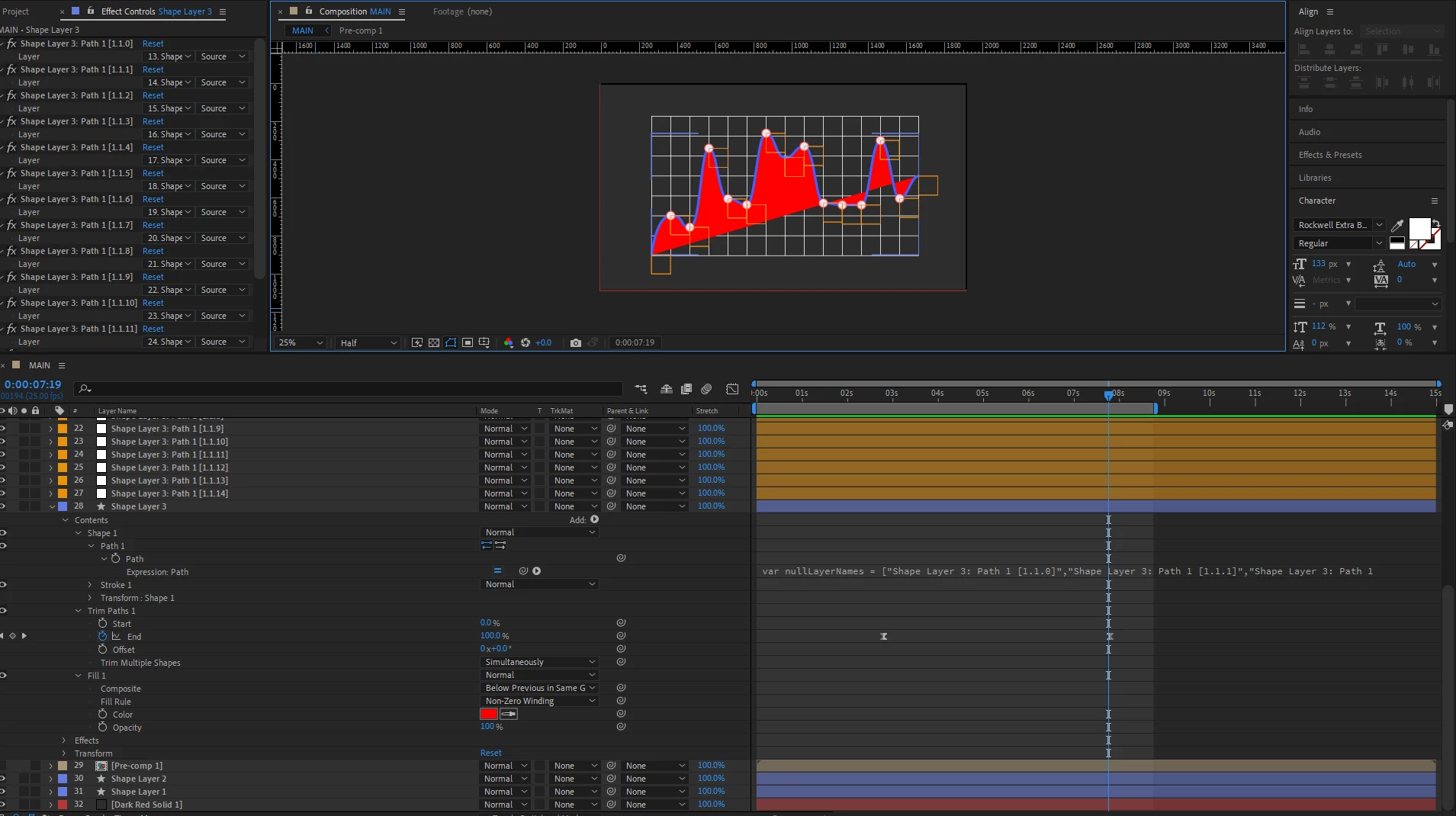
Thanks in advance

This topic has been closed for replies.
Correct answer Jqke

To remedy issues with the trim path property (which is not meant to be used with fills), duplicate the shape layer like this:


Shape Layer 2 (Duplicate) Fill: ON Stroke: OFF

Shape Layer 1 (Original): Fill: OFF Stroke: ON


Now you should have no issue animating Shape Layer 1 with trim paths.


Unfortunately, there is no way I know that you can hide the vertex points of the connection line. You can never really make a fill unless the shape is closed in some way.

2 replies

Jqke
Legend
June 25, 2022

As Dan said, just click the start of the path with the pen tool to close the shape. You can then add a fill by clicking on the color picker button.


~Jake
Dan Ebberts
Community Expert
Community Expert
June 25, 2022

When you create the path, you could add a couple of extra points (below the bottom of the comp window) to create a closed shape, before you run the script and then just don' t animate the extra nulls that get created.

June 26, 2022

Thank you for taking the time to reply. There are a couple of problems that I encounter after trying what you suggested. The first one is that when I animate the "trim path" property the fill doesn't stay below the line while it is being drawn. 

And the second problem is that fill is only being displayed properly when the whole length of the line is visible. I don't want to see how it wraps around the chart and goes back to the first vertex point.

Jqke
JqkeCorrect answer
Legend
June 26, 2022

To remedy issues with the trim path property (which is not meant to be used with fills), duplicate the shape layer like this:


Shape Layer 2 (Duplicate) Fill: ON Stroke: OFF

Shape Layer 1 (Original): Fill: OFF Stroke: ON


Now you should have no issue animating Shape Layer 1 with trim paths.


Unfortunately, there is no way I know that you can hide the vertex points of the connection line. You can never really make a fill unless the shape is closed in some way.

~Jake