rehana36276218
Known Participant
January 3, 2022
Answered

advance columns manipulation freely

  • January 3, 2022
  • 2 replies
  • 545 views

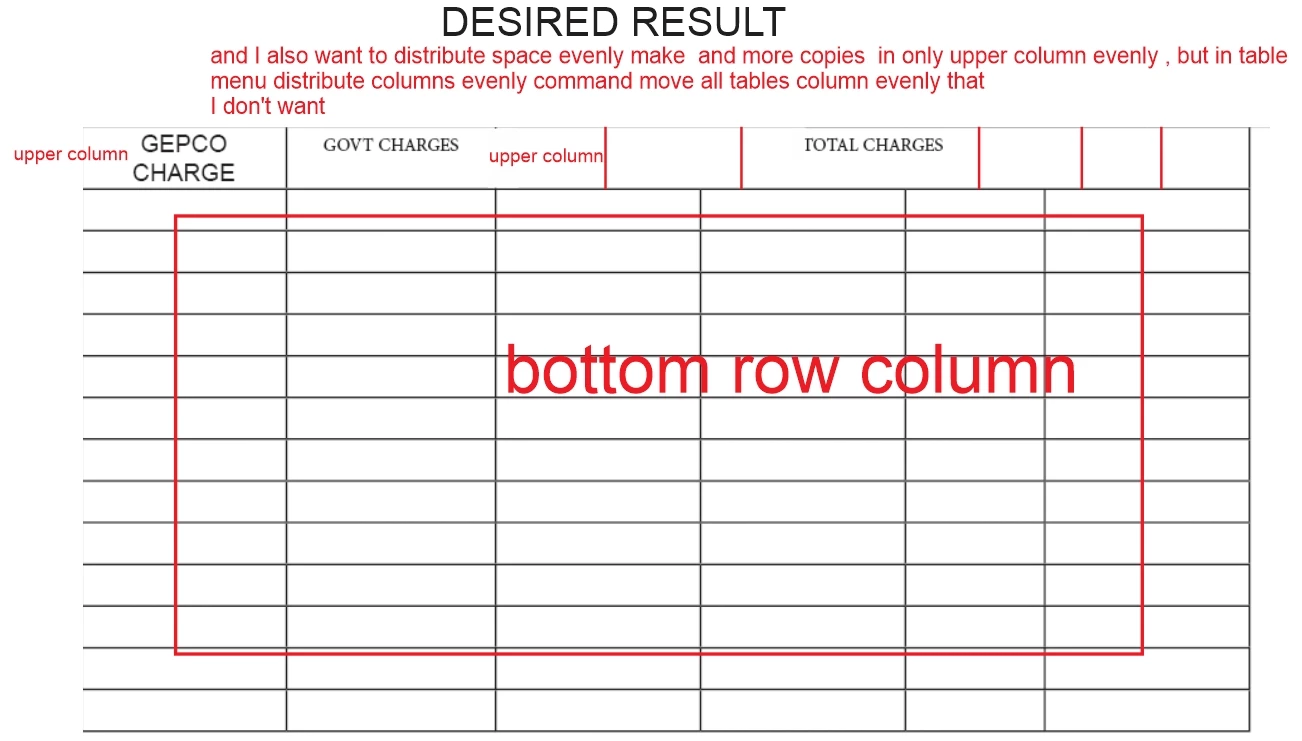
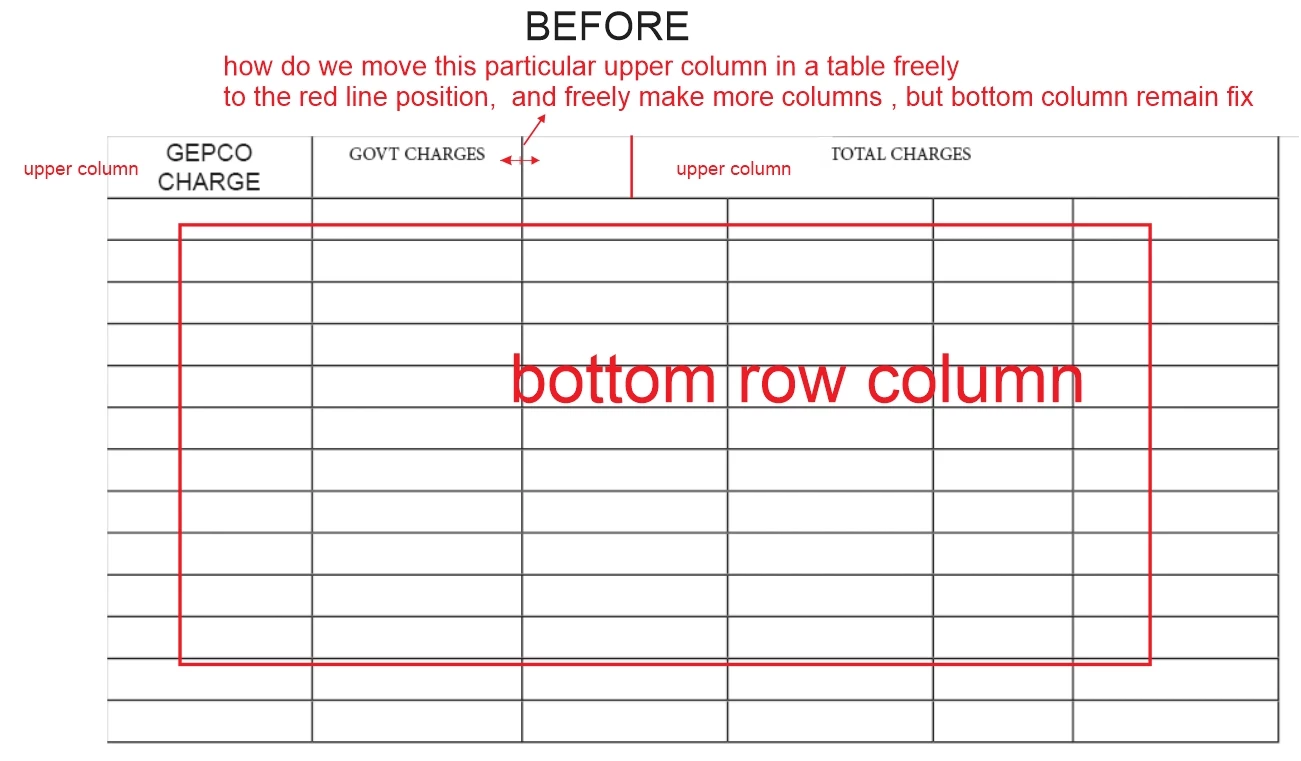
Hi all guys , i am new in indesign, i need your help i attach pic  for reference here before and after , i need your help , how can we move particular column in a raw not entire column 
thanks for your time 
This topic has been closed for replies.
Correct answer Scott Falkner

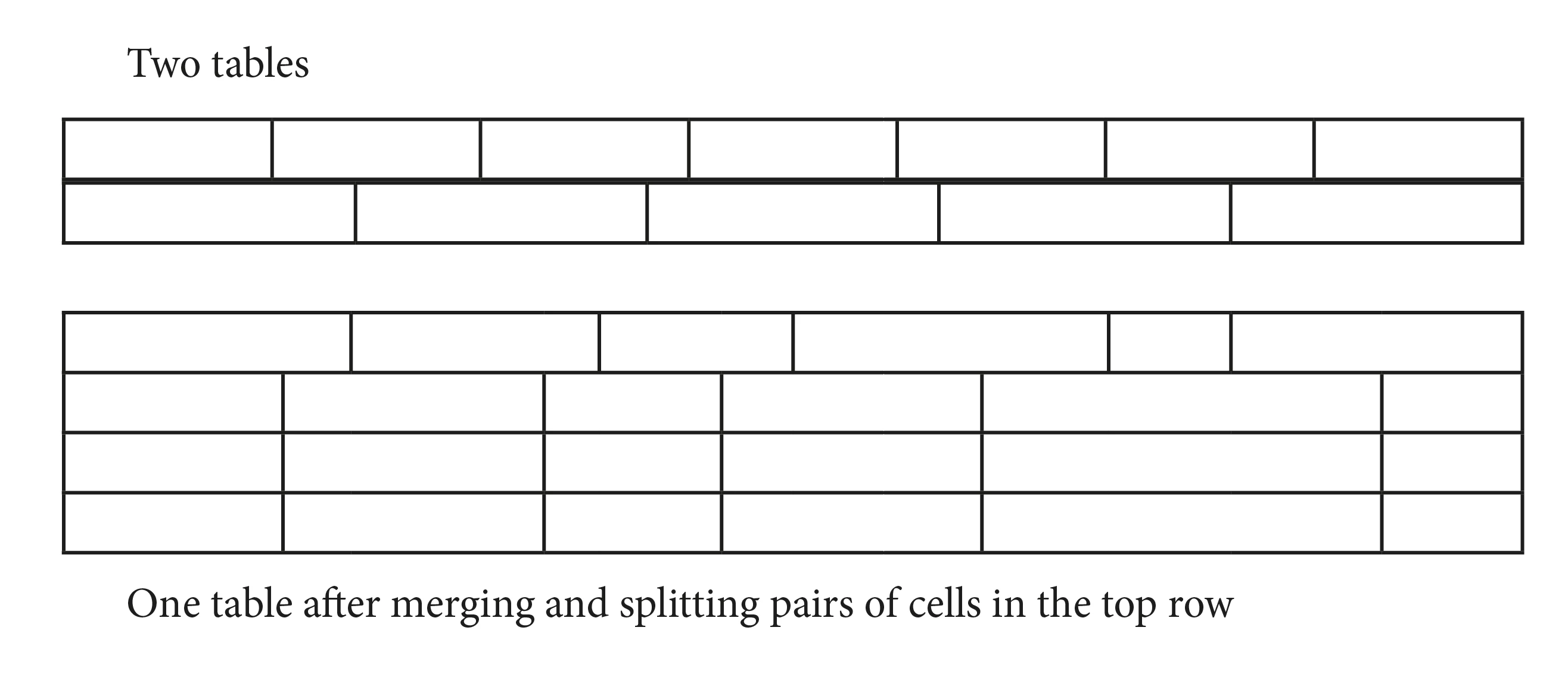
This is best done by stacking two tables.

You could also merge cells in the top row, either in pairs or altogether. Then adjust the widths of the columns you just merged in the rows below. That is, merge A1 and A2, then adjust the widths of columns A and B by holding shift as you drag the line betwen the columns. Then vertically split the newly merged cell. The cells will return to their original state, which will not match the widths of the columns below.

2 replies

Community Expert
January 3, 2022

I do agree with @Scott Falkner 


There is an alternate method if it suits better


If you do this cell - you can only move as far as the right hand side.

You're still limited by the column bounds.


So you have to play about with it a little - here I choose Split Cells Vertically (sorry it's not highlighted)

Then once you split the cell vertically - you can merge some together


And you get results like this.

It's not really splitting and merging - it's done quite fakely with InDesign.


Stacking might be a better option.


rehana36276218
Known Participant
January 3, 2022

yea its to good approach , little tricky i appreciate both of your co operation . very very thankful to you and new replies 

Scott Falkner
Community Expert
Scott FalknerCommunity ExpertCorrect answer
Community Expert
January 3, 2022

This is best done by stacking two tables.

You could also merge cells in the top row, either in pairs or altogether. Then adjust the widths of the columns you just merged in the rows below. That is, merge A1 and A2, then adjust the widths of columns A and B by holding shift as you drag the line betwen the columns. Then vertically split the newly merged cell. The cells will return to their original state, which will not match the widths of the columns below.

rehana36276218
Known Participant
January 3, 2022

yea i understand , but in one table you can't do it right.....?