Participant
September 20, 2019
Answered

Nach Update auf 8.4.1. können Dateien nicht mehr bearbeitet werden

  • September 20, 2019
  • 1 reply
  • 914 views

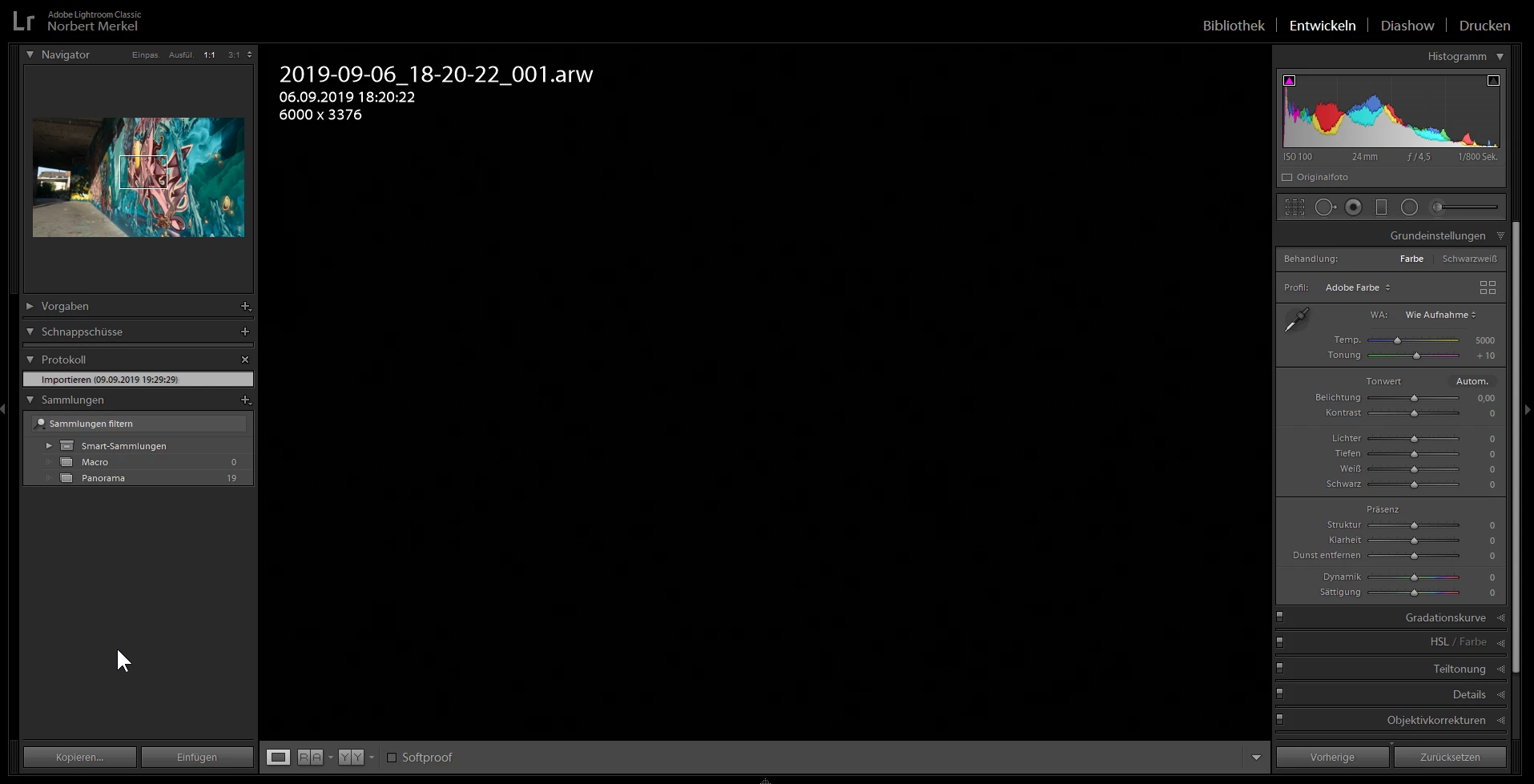
Nach den update auf 8.4.1 bleibt der Bildschirm unter 'Entwickeln' schwarz. Siehe Screenshot

After the update to 8.4.1 the editing screen stays black. I have tried it with defifernt photos and with a new catalog

    This topic has been closed for replies.
    Correct answer nikunj.m

    Hi there,


    We apologize for the issue you are facing while trying to use Lightroom Classic after the 8.4.1 update.


    Would you mind going to the Preferences for Lightroom Classic, then navigating to the Performance tab and setting the option to Use Graphic Processor to OFF.
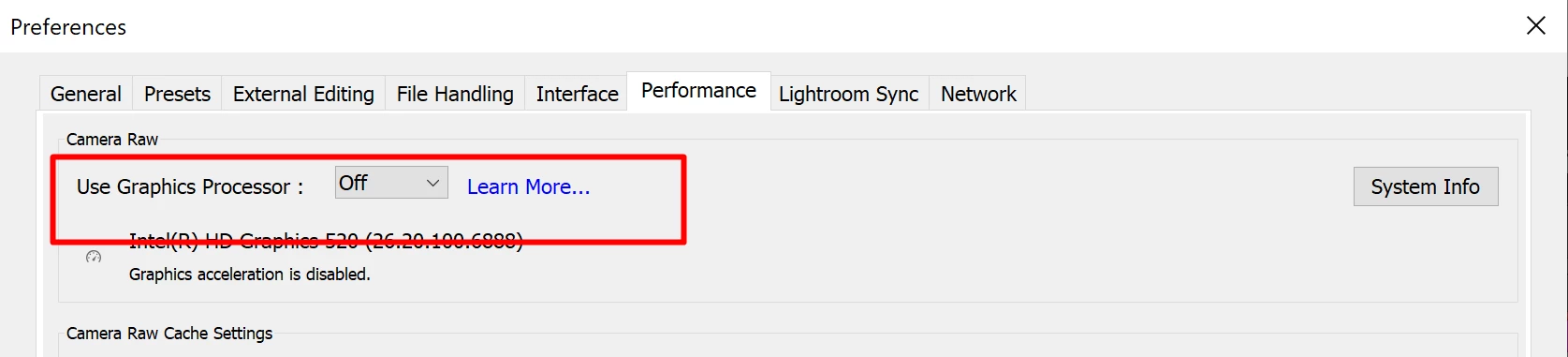
     

    Once you have made the changes, please quit and relaunch the Lightroom Classic and check if that helps.


    If you are able to see the images after setting the Graphic Processor OFF, then I would recommend installing the latest drivers from the manufacturers website prior to switching the option back ON.


    You can also check the below mentioned article for assistance.

    https://helpx.adobe.com/in/photoshop/kb/troubleshoot-gpu-graphics-card.html


    Regards

    Nikunj

    1 reply

    nikunj.m
    nikunj.mCorrect answer
    Legend
    September 20, 2019

    Hi there,


    We apologize for the issue you are facing while trying to use Lightroom Classic after the 8.4.1 update.


    Would you mind going to the Preferences for Lightroom Classic, then navigating to the Performance tab and setting the option to Use Graphic Processor to OFF.


    Once you have made the changes, please quit and relaunch the Lightroom Classic and check if that helps.


    If you are able to see the images after setting the Graphic Processor OFF, then I would recommend installing the latest drivers from the manufacturers website prior to switching the option back ON.


    You can also check the below mentioned article for assistance.

    https://helpx.adobe.com/in/photoshop/kb/troubleshoot-gpu-graphics-card.html


    Regards

    Nikunj
    Participant
    September 20, 2019
    Thanks for the quick support. I have found it the same time I received your message. When turing of GPU support it works again.
    nikunj.m
    Legend
    September 20, 2019
    Glad we got it working. I would recommend you check the manufacturers website to for drivers updates for your Graphic card since this may be happening due to old or incompatible drivers.