
Dave_Draws
Inspiring
September 8, 2020
Answered

Is there a way to adjust the vanishing point of an image with one point perspective?

  • September 8, 2020
  • 2 replies
  • 457 views

I have an image of a hallway, like this:
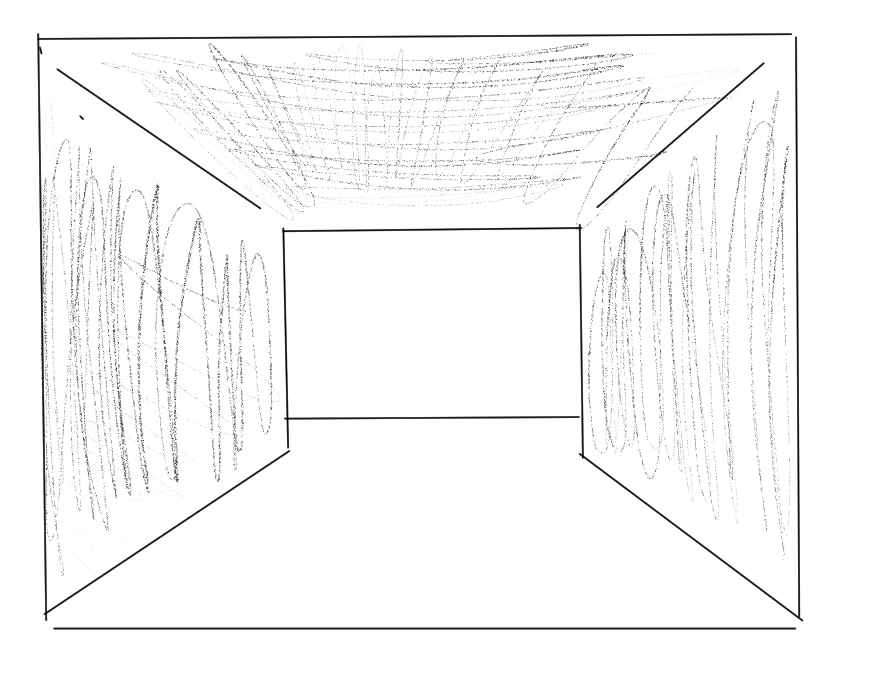
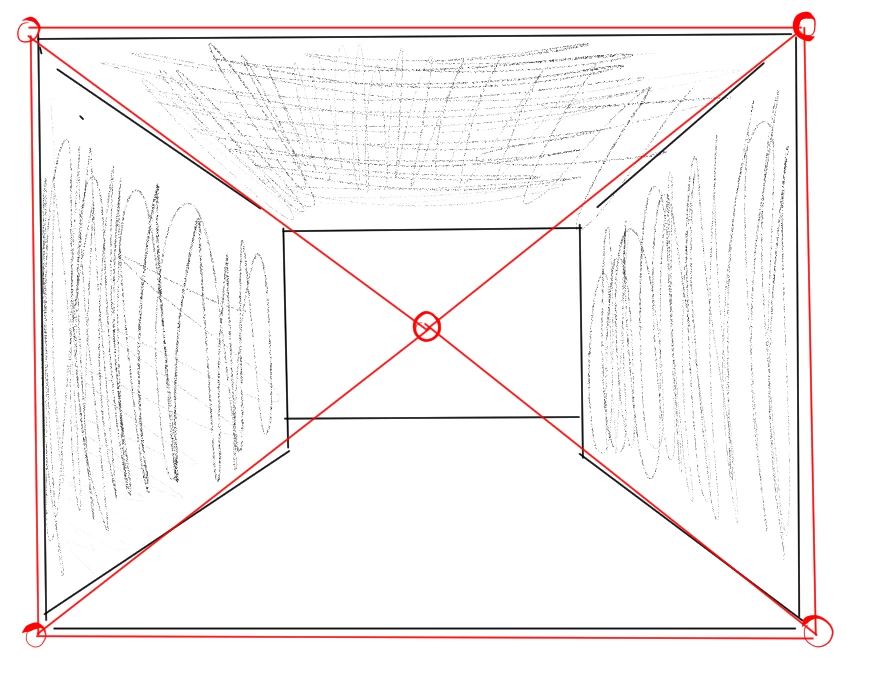
I want to be able to adjust the perspective by moving the central vanishing point. So in some way, be able to determine the center of the image like this:
 

... and then move it around, like this:
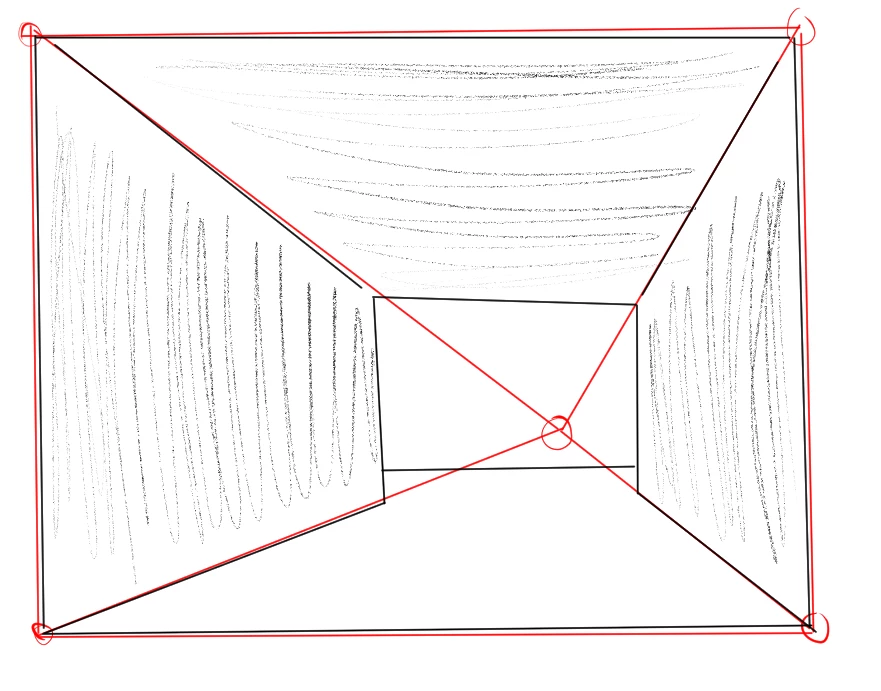
 

The tool under "Edit->Transform->Perspective" adjusts a layer by manipulating the outside edges, but I want to adjust the layer from the inside, while keeping the outside edges constant.


Is there any kind of tool that can adjust an image in this way?


This topic has been closed for replies.
Correct answer davescm

You can do 3D projection mapping using the vanishing point tool and  taking the output to 3D in Photoshop. Then just move the camera.

Alternatively you could try Perspective Warp which works differently to transform warp.


Dave 

a.

2 replies

davescm
Community Expert
davescmCommunity ExpertCorrect answer
Community Expert
September 8, 2020

You can do 3D projection mapping using the vanishing point tool and  taking the output to 3D in Photoshop. Then just move the camera.

Alternatively you could try Perspective Warp which works differently to transform warp.


Dave 

a.

Dave_Draws
Inspiring
September 10, 2020

Perspective Warp turned out to be exactly what I needed.

Thanks for the suggestion!

davescm
Community Expert
Community Expert
September 10, 2020

You're welcome 🙂

Dave

Mylenium
Legend
September 8, 2020

That's what 3D-based projection mapping techniques do. No simple answer here, even more so since x-point perspective is an artistic concept, not how a plausible physical camera works. In your case, though, what would be the problem of just slicing up your artwork into suitable segments and using the conventional transform/ warp tools with some snappy guides to align teh edges?


Mylenium