
Export is extremely laggy, low-quality, and has massive pixelated distortions
I am somewhat new to Premiere Pro, so I generally have no idea how to solve these problems that I'm having. I'm trying to export a ~15 minute video, and the final export constantly stutters, lags, dips in quality, and sometimes has massive pixelated distortions that take up the entire screen. They are inconsistent too; these errors do not happen at the same moments every time the video plays.
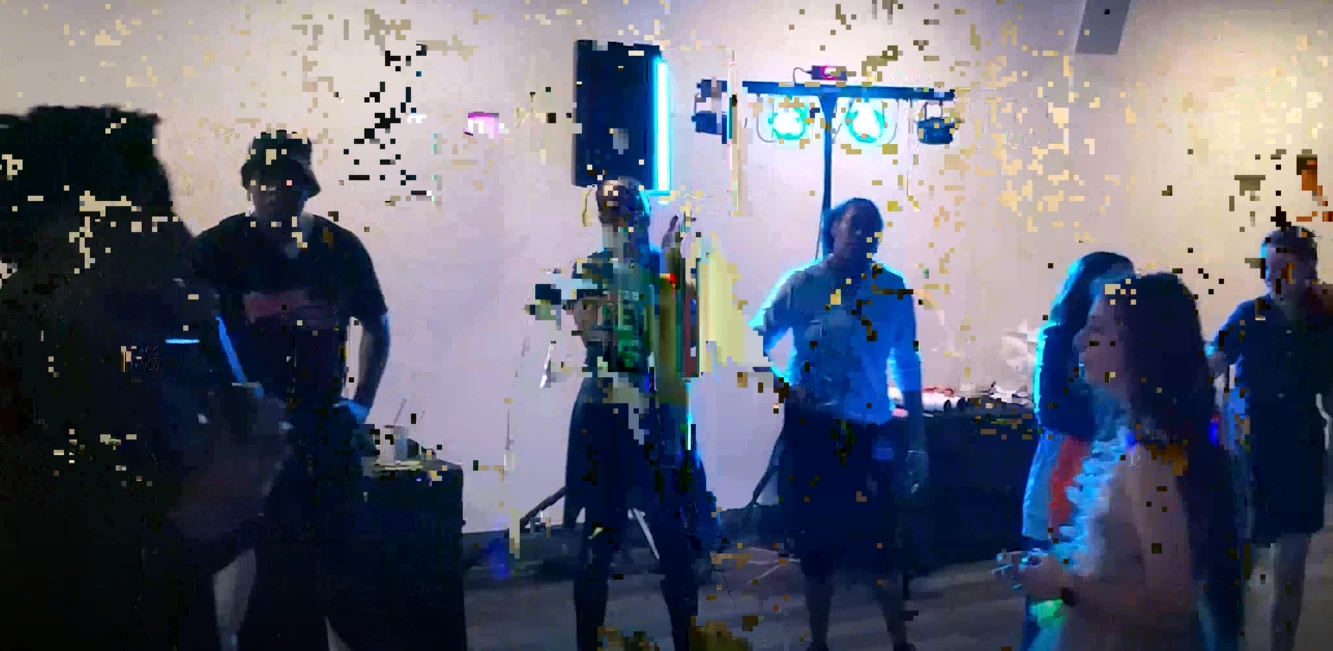
(These aren't even the worst, I've tried to screenshot instances when the picture is unrecognizeable but the picture always corrects itself after I pause)
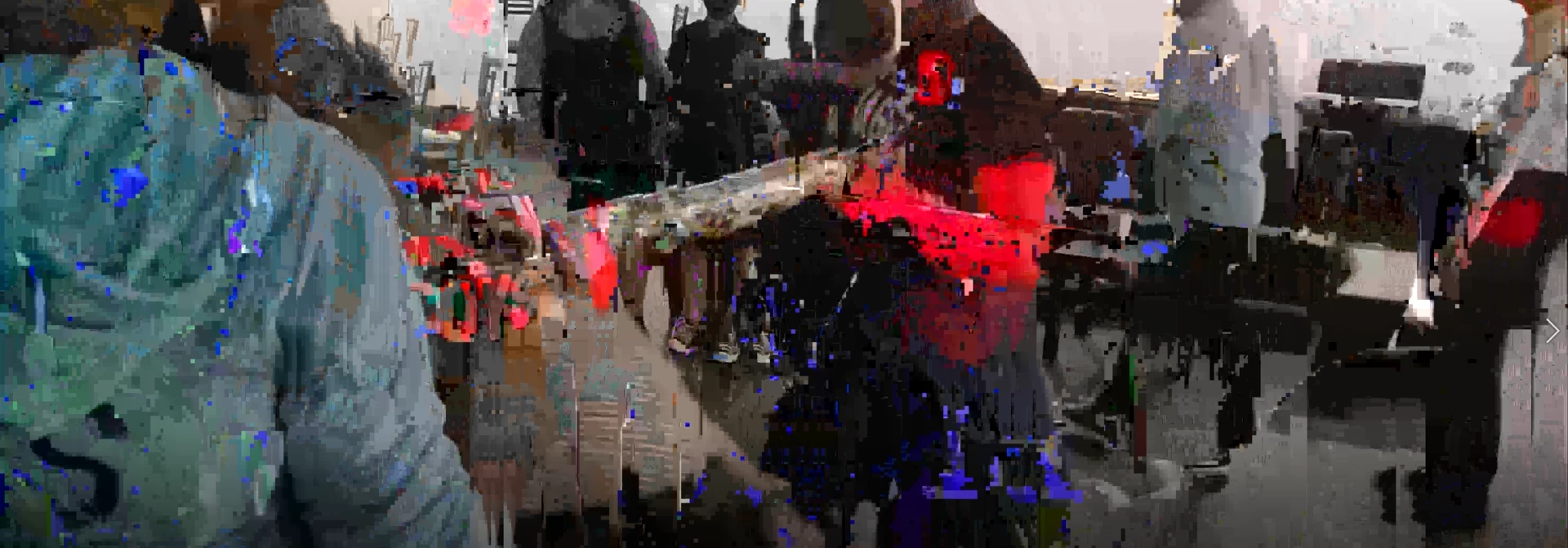
While editing, crossfades between static images also don't work smoothly half the time, Text edges appear rough and jagged and there is often a lot of screen tearing that forcing V-Sync doesn't even solve. I know enough to know that I am editing on somewhat underpowered hardware, which I suspect has a lot to do with the issues I'm having.
My specs:
Acer Aspire 5 Laptop
Processor Intel(R) Core(TM) i7-10510U CPU @ 1.80GHz 2.30 GHz
NVIDIA GeForce MX350 Graphics
Installed RAM 12.0 GB (11.7 GB usable)
Device ID F1095C5F-95FF-43F8-A20D-B0D08AED2793
Product ID 00325-96681-95388-AAOEM
System type 64-bit operating system, x64-based processor
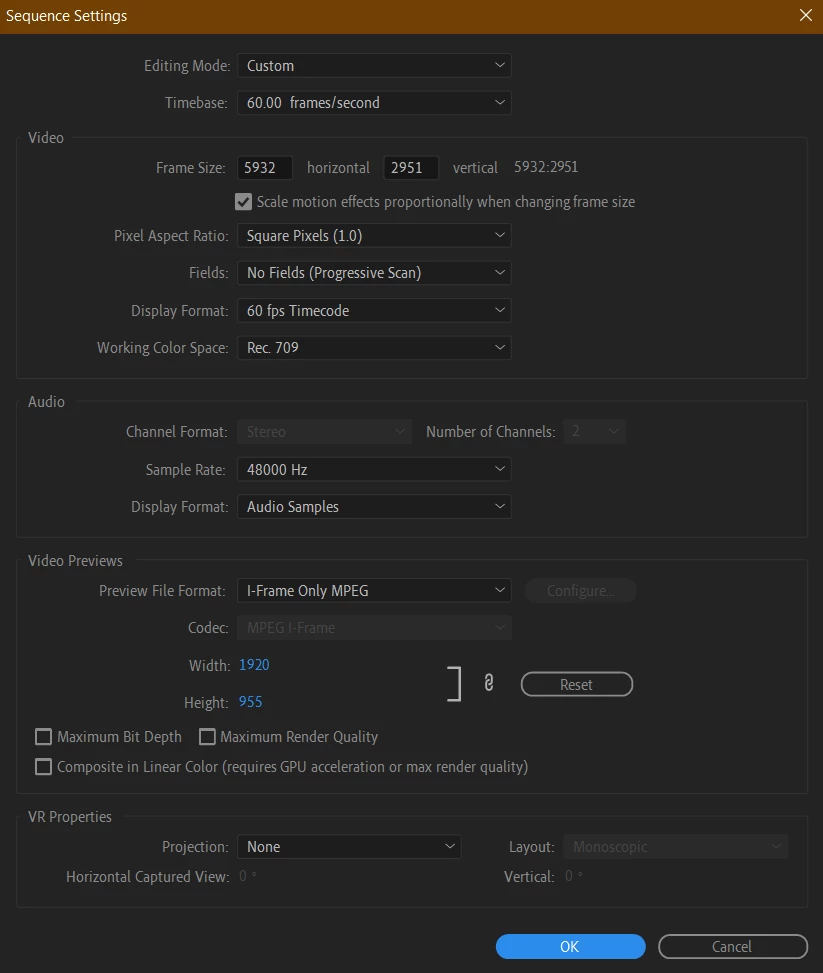
My Sequence Settings:
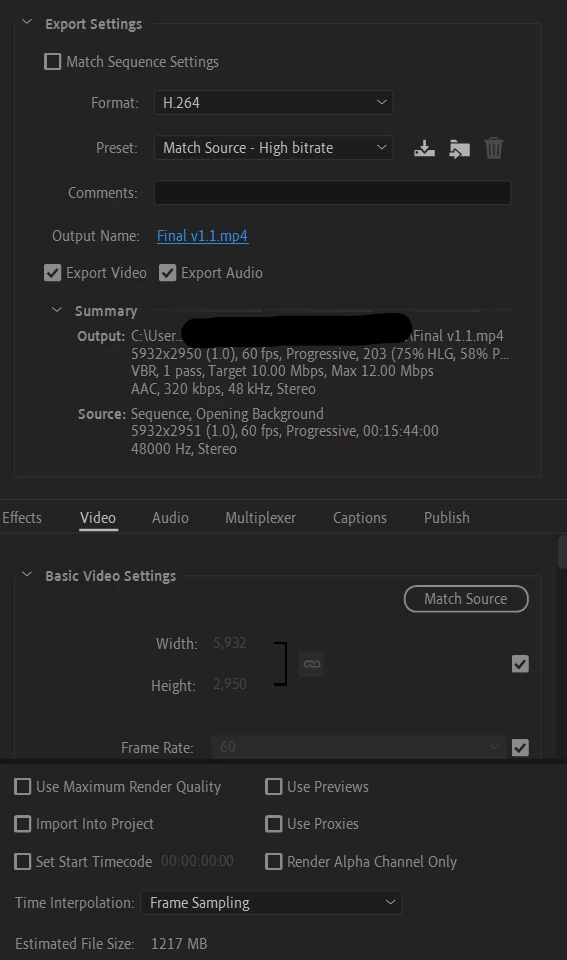
My Export Settings:
All the footage used was recorded on a Samsung Galaxy S10 in 16:9 at 1080p 60fps.
 AdChoices