Participant
April 21, 2017
Answered

Rendering problems...

  • April 21, 2017
  • 1 reply
  • 438 views

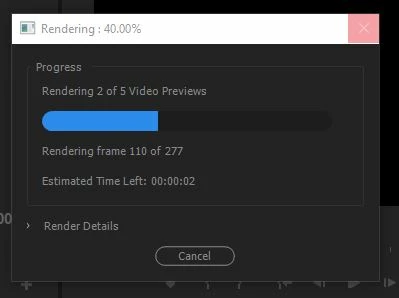
I just finished my project that i'm trying to enter it into a video contest, so when i start rendering the video effects, it stops at the same frame every time and then freezes. I have to either wait for it to automatically close, or to restart my computer, how do I fix this, i'm not a beginner, but i'm not a pro either.

This topic has been closed for replies.
Correct answer SAFEHARBOR11

If you can identify the exact frame in the timeline sequence the render is failing at (or general area at least), look for a 1-frame gap between clips, or a glitch in the video or something that might be causing this failure.

Also note that when getting ready to Export a video, there is no need (or good reason) to first Render the timeline, simply Export and video gets rendered direct to final output format at that time. The "Preview" files that get created with a pre-render are not even used for the final export anyway - unless you specifically select "Use Previews" for Export, but even then those previews typically have to be re-rendered to whatever the output format is. Now you've added time to the process (rendering twice) and probably decreased the quality (by rendering twice) as well.

Thanks

Jeff Pulera

Safe Harbor Computers

1 reply

Ann Bens
Community Expert
Community Expert
April 21, 2017

Go up to Sequence and delete all rendered files.

Then try again.

SAFEHARBOR11Correct answer
Participating Frequently
April 21, 2017

If you can identify the exact frame in the timeline sequence the render is failing at (or general area at least), look for a 1-frame gap between clips, or a glitch in the video or something that might be causing this failure.

Also note that when getting ready to Export a video, there is no need (or good reason) to first Render the timeline, simply Export and video gets rendered direct to final output format at that time. The "Preview" files that get created with a pre-render are not even used for the final export anyway - unless you specifically select "Use Previews" for Export, but even then those previews typically have to be re-rendered to whatever the output format is. Now you've added time to the process (rendering twice) and probably decreased the quality (by rendering twice) as well.

Thanks

Jeff Pulera

Safe Harbor Computers
MrBigfootAuthor
Participant
April 26, 2017

Thanks, didn't realize at the time, ended up figuring that out myself and for extra insurance I got the Media Encoder.