KsE
Participant
February 13, 2026
Answered

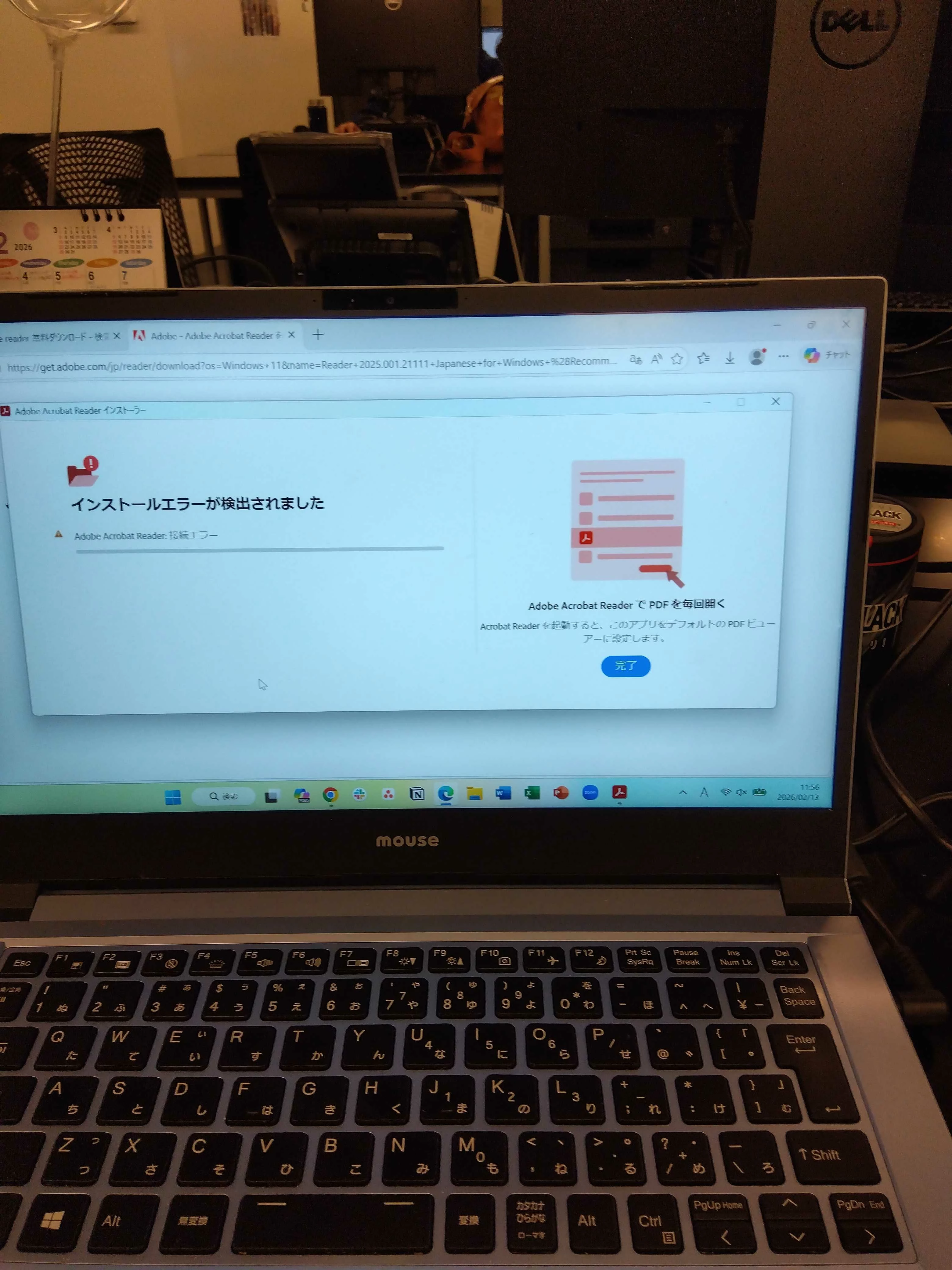
Adobe Acrobat Reader がインストールできない

Adobe Acrobat Readerのインストールができません。

適切なインストーラーをダウンロードして起動したところ

インターネットに接続されているにもかかわらず、

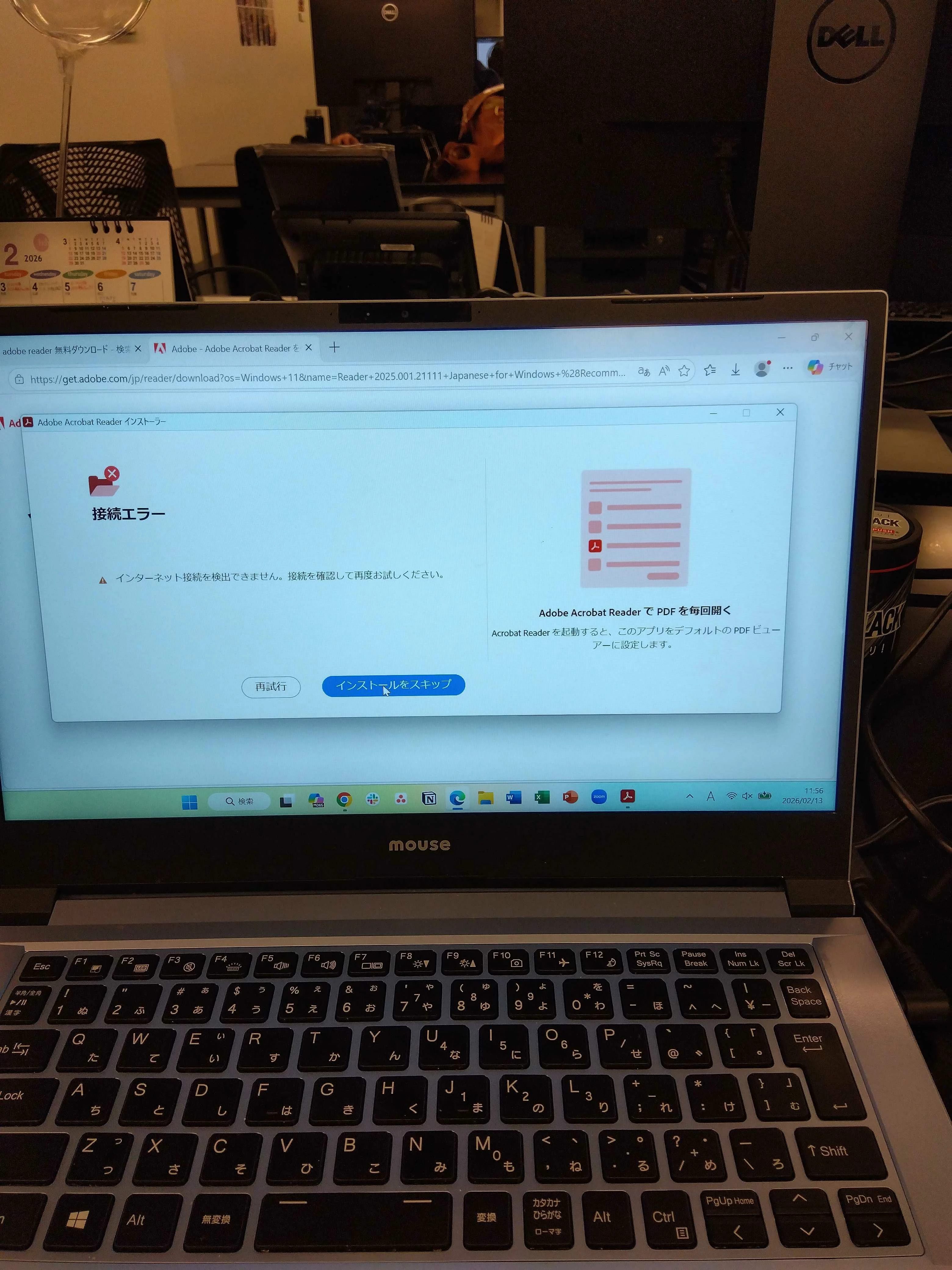
インターネットに接続されていませんというエラーが出ました。

再試行も行ったのですが「接続エラー」となりインストールができませんでした。


先週までは何事もなくインストール出来ていたので

Adobe Acrobat Readerについてのアップデートを調べたところ、

昨日(2/12)にあったようで、それが関係しているのではないかと考えています。


インストールを完了したいので解決方法等のアドバイスをいただきたいです。


[Acrobat Reader / Acrobat DC for Mobileフォーラムへ移動しました:モデレーター]

    justlearnskills
    justlearnskillsCorrect answer
    Community Expert
    February 13, 2026

    ​@KsE you can do it three ways: 

    1. Go to the main menu in your app - Help - Check for Updates - Click on that
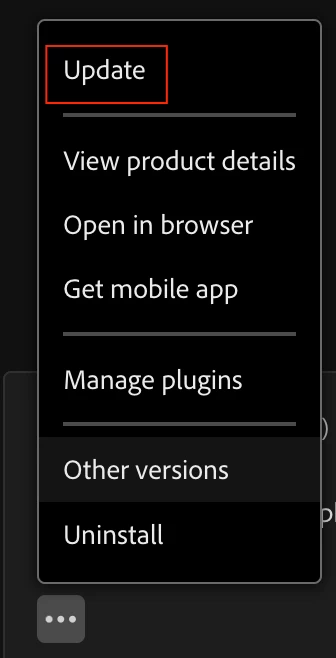
    2. Go to your Creative Cloud Desktop App, in the side bar - Apps, and click on the three dots… at the top, it may say update. Click on that.
       

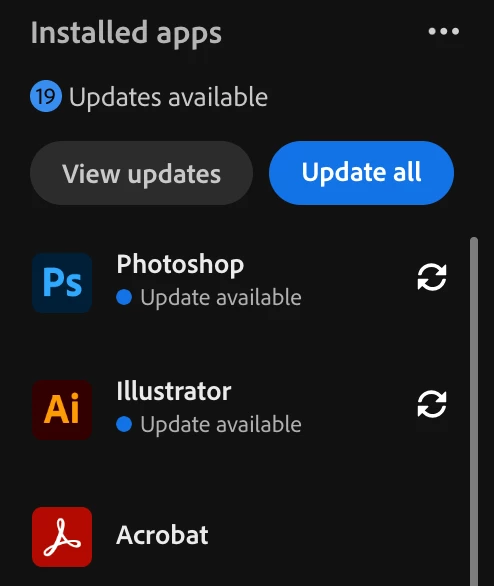
      3. In the Creative Cloud Desktop App at the side would be Installed Apps, and would say ‘Update Available’ 


    m

    2 replies

    KsE
    KsEAuthor
    Participant
    February 17, 2026

    週明け(2/16)にもう一度試したところ、問題なくインストールできました。

    Translate
    justlearnskills
    Community Expert
    justlearnskillsCommunity ExpertCorrect answer
    Community Expert
    February 13, 2026

    ​@KsE you can do it three ways: 

    1. Go to the main menu in your app - Help - Check for Updates - Click on that
    2. Go to your Creative Cloud Desktop App, in the side bar - Apps, and click on the three dots… at the top, it may say update. Click on that.
       

      3. In the Creative Cloud Desktop App at the side would be Installed Apps, and would say ‘Update Available’ 


    Translate
    m