This topic has been closed for replies.
Correct answer AnandSri

Hello Zhlcanes,

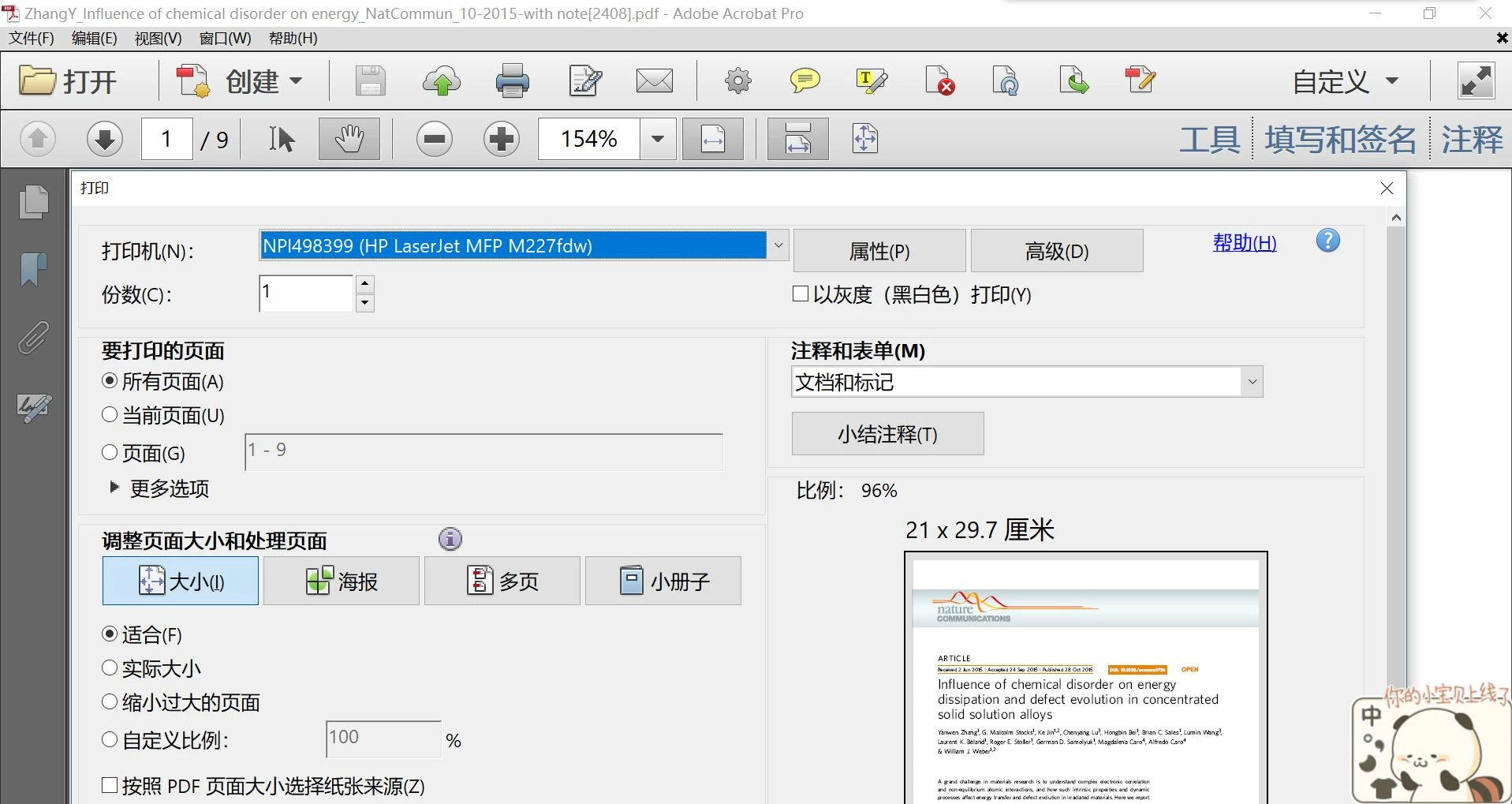
We apologize for the inconvenience caused, as per the description above, the toolbar's font is too large, Is that correct?

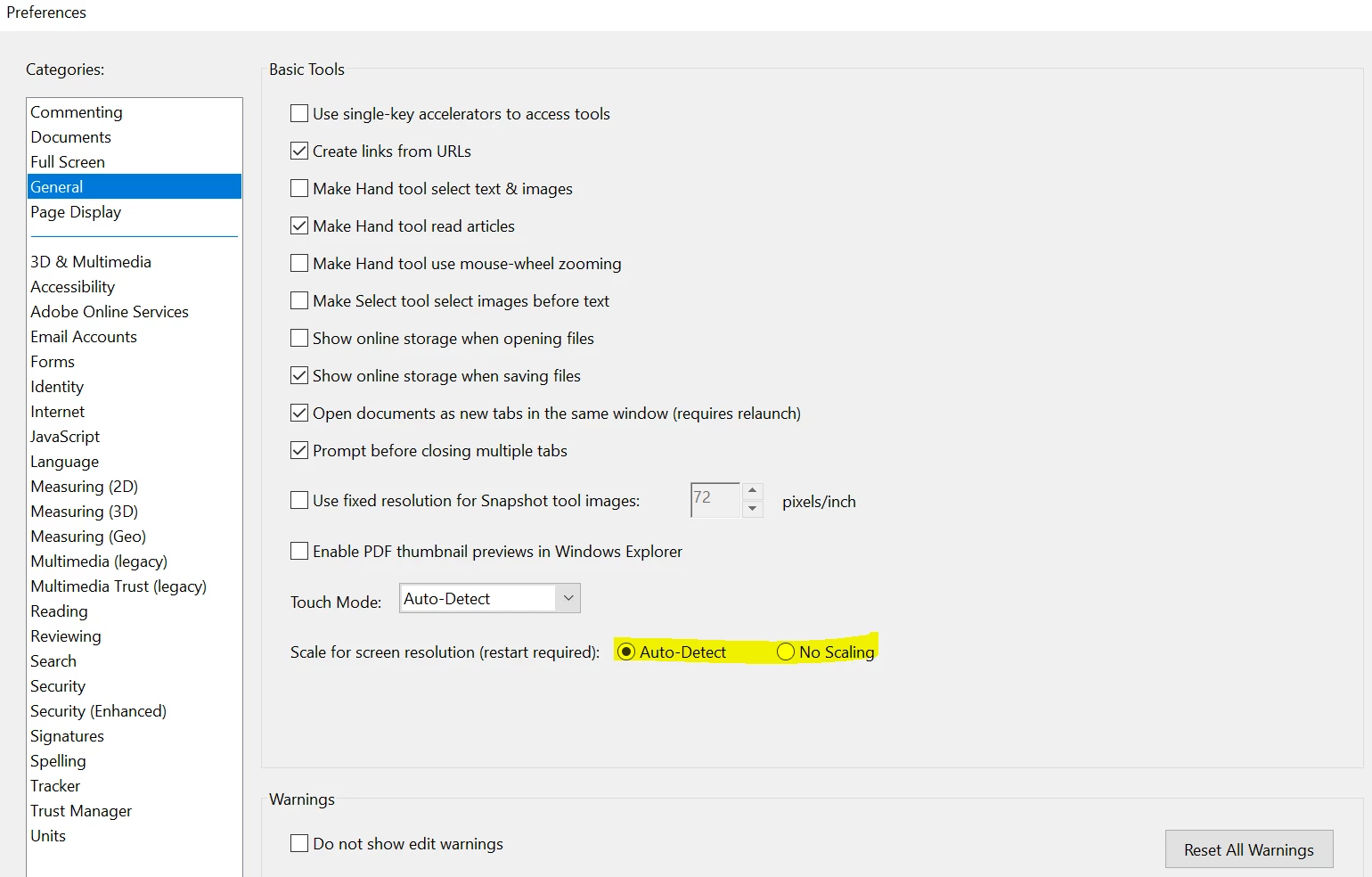
Please navigate to Adobe Reader's Preferences from Edit>Preferences>>General>Change the "Scale for Screen resolution"(restart required) to Auto Detect or vice-versa>>Click OK. Close Adobe Reader, reboot the machine and see if this brings any difference.
What is the dot version of Adobe Reader installed? To identify refer to Identify the product and its version for Acrobat and Reader DC

What is the version of operating system installed?

Make sure that you have the latest version of Adobe Reader installed, check for any pending updates of Adobe Reader from help>check for updates, reboot the machine after updating Adobe Reader.

Let us know how it goes and share your findings.

Regards,

Anand Sri.

1 reply

AnandSri
AnandSriCorrect answer
Legend
June 10, 2018

Hello Zhlcanes,

We apologize for the inconvenience caused, as per the description above, the toolbar's font is too large, Is that correct?

Please navigate to Adobe Reader's Preferences from Edit>Preferences>>General>Change the "Scale for Screen resolution"(restart required) to Auto Detect or vice-versa>>Click OK. Close Adobe Reader, reboot the machine and see if this brings any difference.

What is the dot version of Adobe Reader installed? To identify refer to Identify the product and its version for Acrobat and Reader DC

What is the version of operating system installed?

Make sure that you have the latest version of Adobe Reader installed, check for any pending updates of Adobe Reader from help>check for updates, reboot the machine after updating Adobe Reader.

Let us know how it goes and share your findings.

Regards,

Anand Sri.