Hi there,
In the latest Adobe Acrobat Reader DC, the option "Open the tool panel window for each document" replaced by "Remember current state of Tools pane".
If I understand you correctly, you are trying to hide the tools pane at right by default for each document you open.
If that is the case, you need to close the tools pane manually when you open a file in Adobe Acrobat Reader DC.
To close the tools pane manually, click on the tilted triangle marked with the red box in the screenshot below:
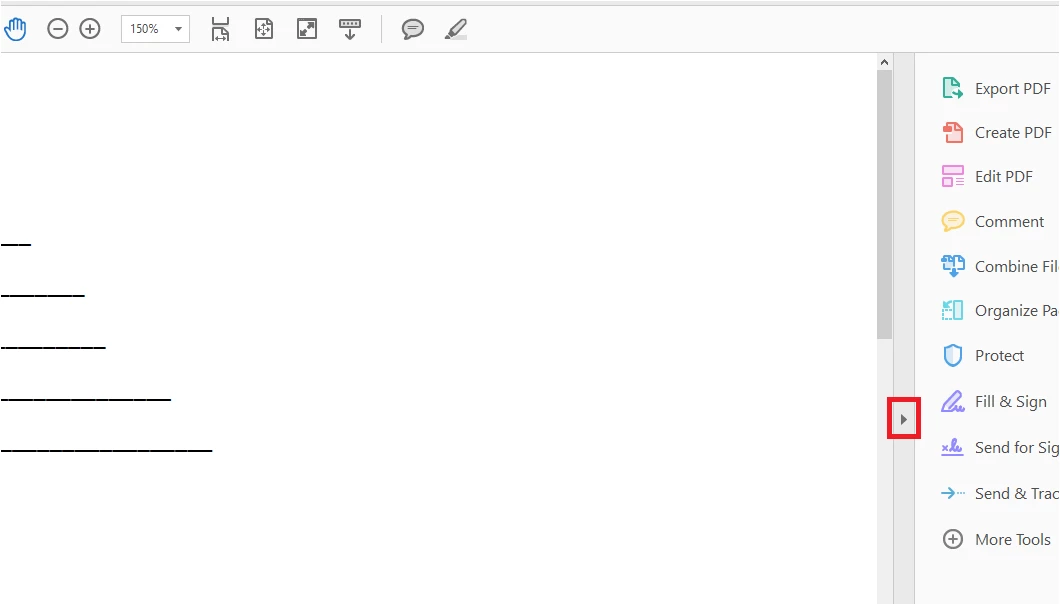
Then go to Edit menu > Preferences > Documents. At right check the box for "Remember current state of Tools pane".
Then click OK at the bottom of the preferences window to save the settings.
Now relaunch the application and open a file.
Check if that works for you.
Let us know how it goes.
Regards,
Meenakshi





 AdChoices