

Participant
November 10, 2018
Answered

2台目にCreative Cloudデスクトップがインストールできません。

  • November 10, 2018
  • 1 reply
  • 1042 views

2台目のMacに同一アカウントを使用してCCデスクトップアプリを入れたいのですができません。

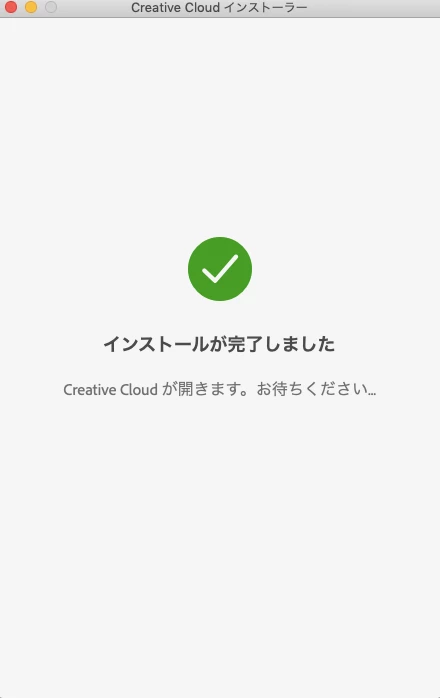
インストーラーを起動後、「インストールが完了しました」というウインドウが出、

数秒でウインドウは消えるのですがどこにもアイコンが見当たりません。

OSは10.14。

何か原因がわかる方がいらっしゃいましたらアドバイスお願いします。
This topic has been closed for replies.
Correct answer kglad

uninstall everything cc including preferences, https://helpx.adobe.com/creative-cloud/help/uninstall-remove-app.html

then uninstall the cc desktop app, https://helpx.adobe.com/creative-cloud/help/uninstall-creative-cloud-desktop-app.html

clean your computer of cc files per http://www.adobe.com/support/contact/cscleanertool.html

restart your computer (don't skip this)

reinstall the cc desktop app, https://creative.adobe.com/products/creative-cloud.

if you're unable to install the cc desktop app at this stage, use an administrator account (solution 4 here, https://helpx.adobe.com/creative-cloud/kb/creative-cloud-missing-damaged.html)

use the desktop app to install your cc programs/trials

1 reply

kglad
Community Expert
kgladCommunity ExpertCorrect answer
Community Expert
November 10, 2018

uninstall everything cc including preferences, https://helpx.adobe.com/creative-cloud/help/uninstall-remove-app.html

then uninstall the cc desktop app, https://helpx.adobe.com/creative-cloud/help/uninstall-creative-cloud-desktop-app.html

clean your computer of cc files per http://www.adobe.com/support/contact/cscleanertool.html

restart your computer (don't skip this)

reinstall the cc desktop app, https://creative.adobe.com/products/creative-cloud.

if you're unable to install the cc desktop app at this stage, use an administrator account (solution 4 here, https://helpx.adobe.com/creative-cloud/kb/creative-cloud-missing-damaged.html)

use the desktop app to install your cc programs/trials

Participant
November 11, 2018

Thank you

CC desktop could be installed after uninstall all Adobe app.

kglad
Community Expert
Community Expert
November 11, 2018

you're welcome.

