February 1, 2017
Answered

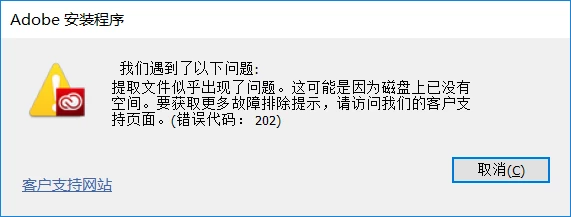
错误代码202

  • February 1, 2017
  • 2 replies
  • 2728 views

Adobe安装程序

错误代码202如何解决 明明有很大的硬盘空间!

如何解决?

    This topic has been closed for replies.
    Correct answer kglad

    我的笔记本电脑是Windows 10 64位操作系统,我已经找到C/windows/temp路径的temp文件夹,打开弹出了一个权限是否,我选择了是。

    这样是不是就获得权限了。如果这样不是获得权限,那么如何才能获得临时文件夹的权限。

    您能否具体的讲下 操作过程。

    谢谢,麻烦您了!


    "C:\Users\<user name>\AppData\Local\Temp\

    2 replies

    Participant
    April 2, 2017

    请问这个该怎么解决?没明白。

    kglad
    Community Expert
    Community Expert
    February 1, 2017

    confirm that you can connect to the secure adobe servers.

    for help with that and other common secure adobe.com connection problems read, http://helpx.adobe.com/x-productkb/policy-pricing/activation-network-issues.html

    if you can connect, check the file permissions on your temp folder.

    February 1, 2017

    首先感谢您这么快的回复!

    我认为网络连接是没有任何问题的,有时候还出现了一下错误

    安装程序无法访问关键文件/目录。应该属于没有权限

    什么是临时文件夹?临时文件夹在什么位置?如何获得临时文件夹的权限?

    kglad
    Community Expert
    Community Expert
    February 1, 2017

    the temp folder is a temporary folder created by your os (if windows).  it's tmp, if mac.

    it's the folder where your files are extracted after being downloaded.  if permissions are incorrect, you won't be able to extract the downloaded files and you'll get a 202 error.

    google your operating system and temporary folder to find your temp folder.  and google your operating system and how to change permissions.