安藤真生
Participant
February 3, 2017
Answered

MacOS SierraでPhotoshopCC2017を開いている時だけパソコンのシステムがイタリア語になってしまう

  • February 3, 2017
  • 2 replies
  • 277 views

MacOS Sierra 10.12.3,

PhotoshopCC2017を使っています。

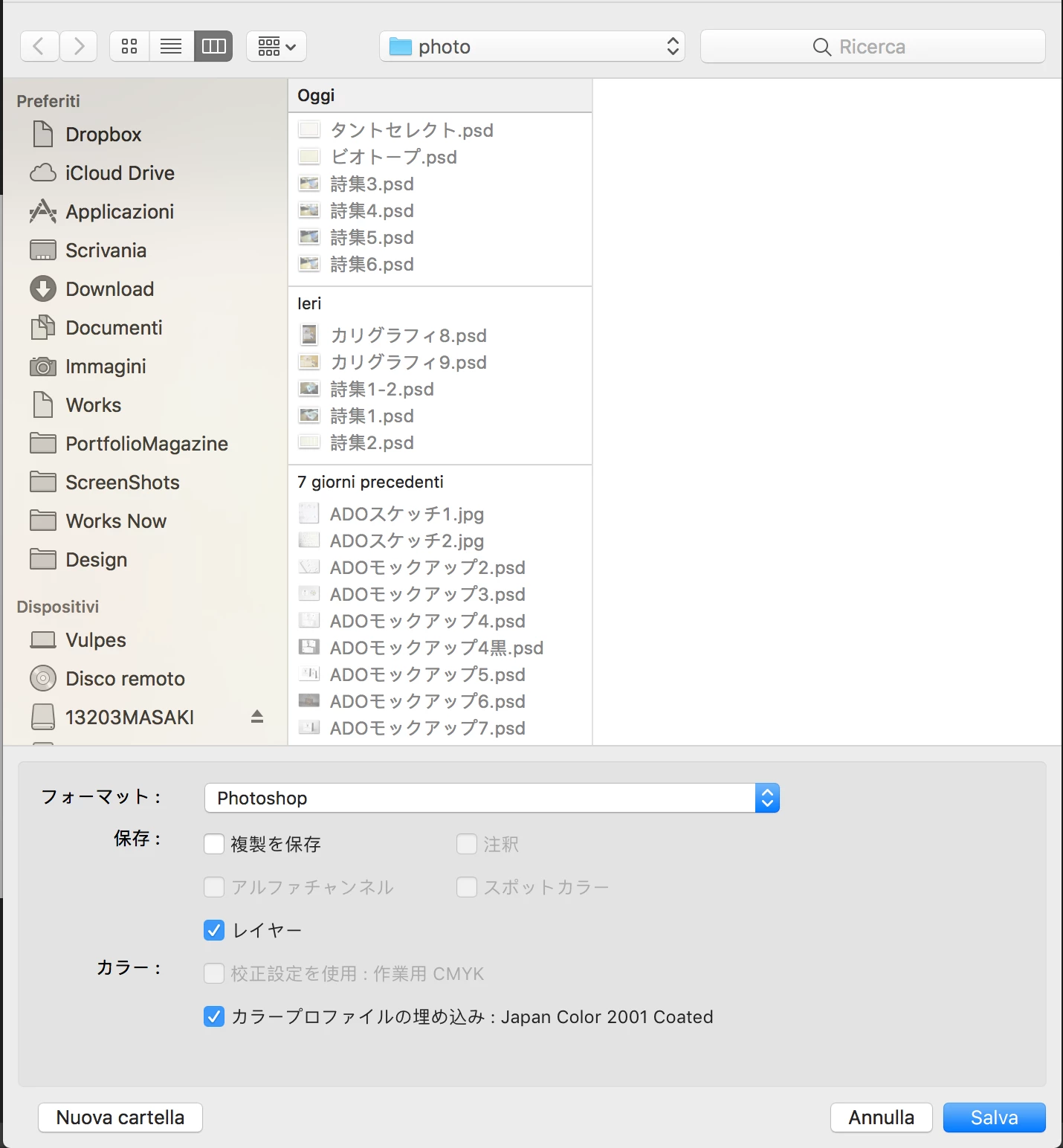
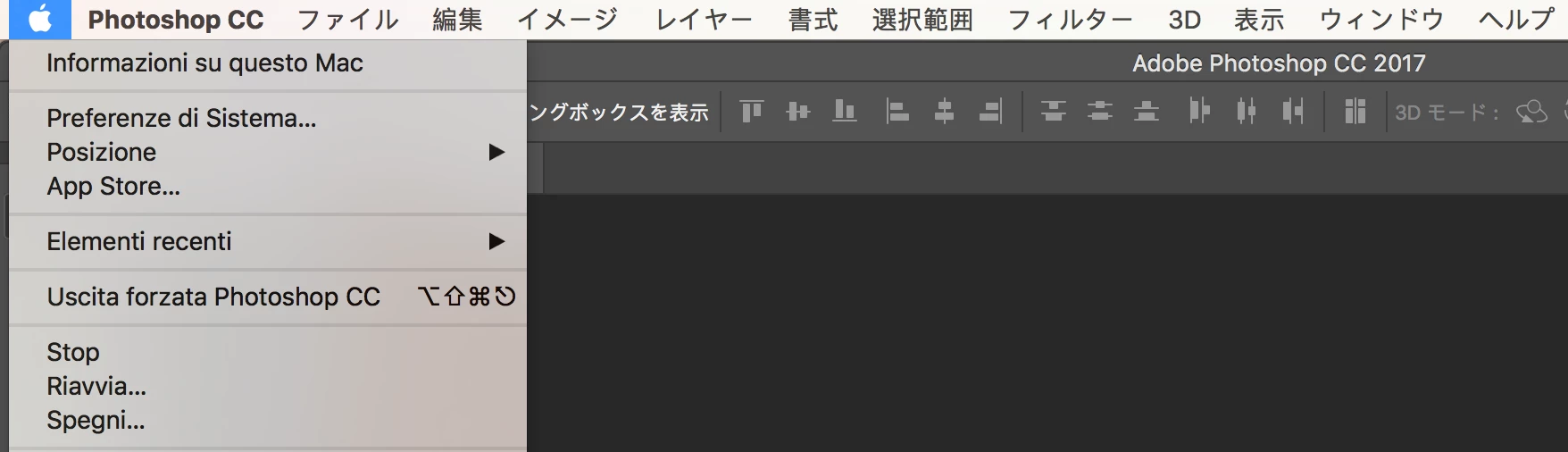
IndesignやIllustratorでは問題がないのですが、Photoshopを開いている時だけアップルマークを押した時の欄や保存の際のシステムの部分がイタリア語になってしまいます。Photoshop本来のメニューなどは日本語になっていますが、Mac標準の日本語フォントではなく翻訳した時のようなフォントです。(画像参照)

CCのAppの言語を日本語に設定した上で再インストールや、入力モードU.S.での起動なども試しましたが、イタリア語のままです。

どなたか解決方法をご存知でしたら教えていただけると助かります。
This topic is closed to new replies. Start a new post to keep the conversation going.
Correct answer gener7

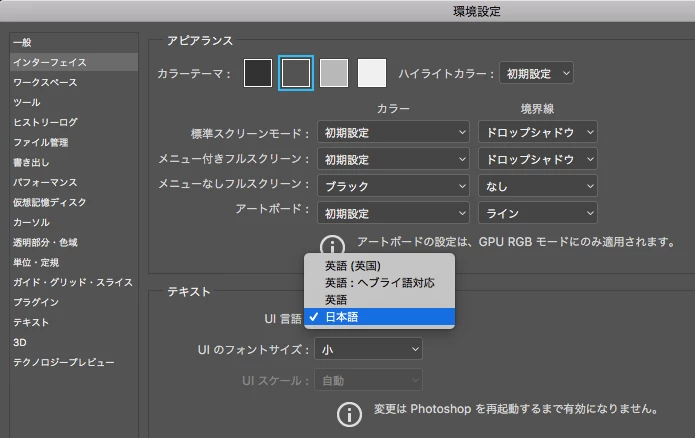
When you install the language, you then go to Photoshop Preferences > Interface and change the language.

Also see Photoshopコミュニティフォーラム (Japan) if you need help from the Japanese community.

2 replies

gener7
Community Expert
gener7Community ExpertCorrect answer
Community Expert
March 7, 2017

When you install the language, you then go to Photoshop Preferences > Interface and change the language.

Also see Photoshopコミュニティフォーラム (Japan) if you need help from the Japanese community.

Sahil.Chawla
Adobe Employee
Adobe Employee
March 7, 2017

Hi Ann Goto students,

Please uninstall Photoshop the change your operating system language to English or Japanese. Then install Photoshop through Creative cloud application and choose the language you want to select.
Change the language setting of your Creative Cloud apps

Regards,

Sahil