Answered

This topic is closed to new replies. Start a new post to keep the conversation going.
ニューラルフィルター内である程度コントロールするには以下ように「画像を手動でカラー化」の画像サムネイル上の任意の点をクリックします。カラーパネルが開くので適切なカラーをピックアップしてその部分の色指定とします。
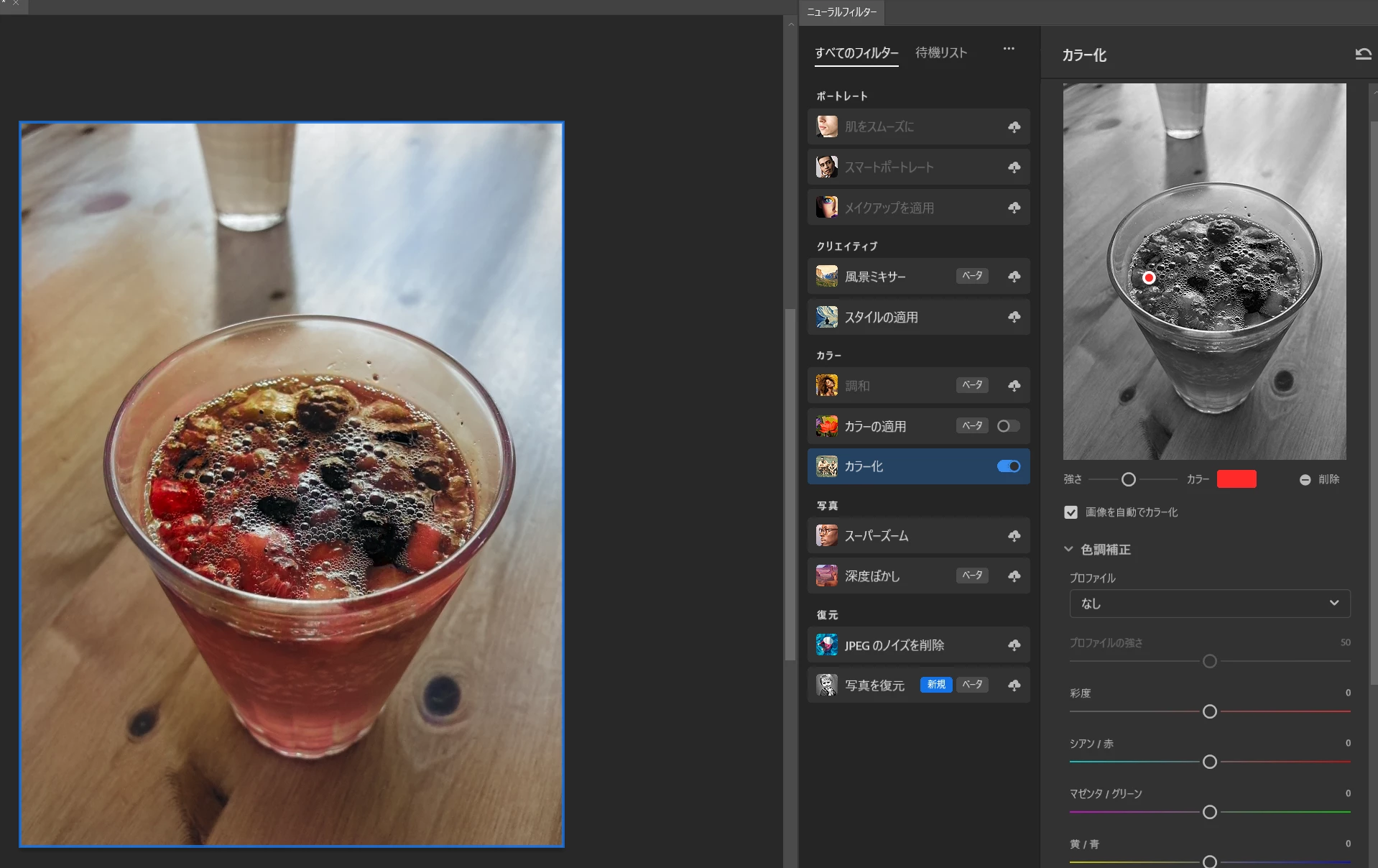
サムネイル上のコントロールなので精密なコントロールはむつかしいですが、ある程度の調整は可能です。
ここで追い込んだ上で後工程として任意の部分に対するマスク+調整を行えば手数がそれなりに減らせると思います。


Sign up
Already have an account? Login
To post, reply, or follow discussions, please sign in with your Adobe ID.
Sign inSign in to Adobe Community
No account yet? Create an account
To post, reply, or follow discussions, please sign in with your Adobe ID.
Sign inEnter your E-mail address. We'll send you an e-mail with instructions to reset your password.
 AdChoices