Answered

This topic is closed to new replies. Start a new post to keep the conversation going.
これが正しい方法かはわかりませんが
macOS:Users/<ユーザー名>/Library/Preferences/Adobe Photoshop [バージョン] Settings/スクリプトイベントマネージャー.xml
Windows:Users/[ユーザー名]/AppData/Roaming/Adobe/Adobe Photoshop [バージョン]/Adobe Photoshop [バージョン] Settings/スクリプトイベントマネージャー.xml
をテキストエディターで開いて
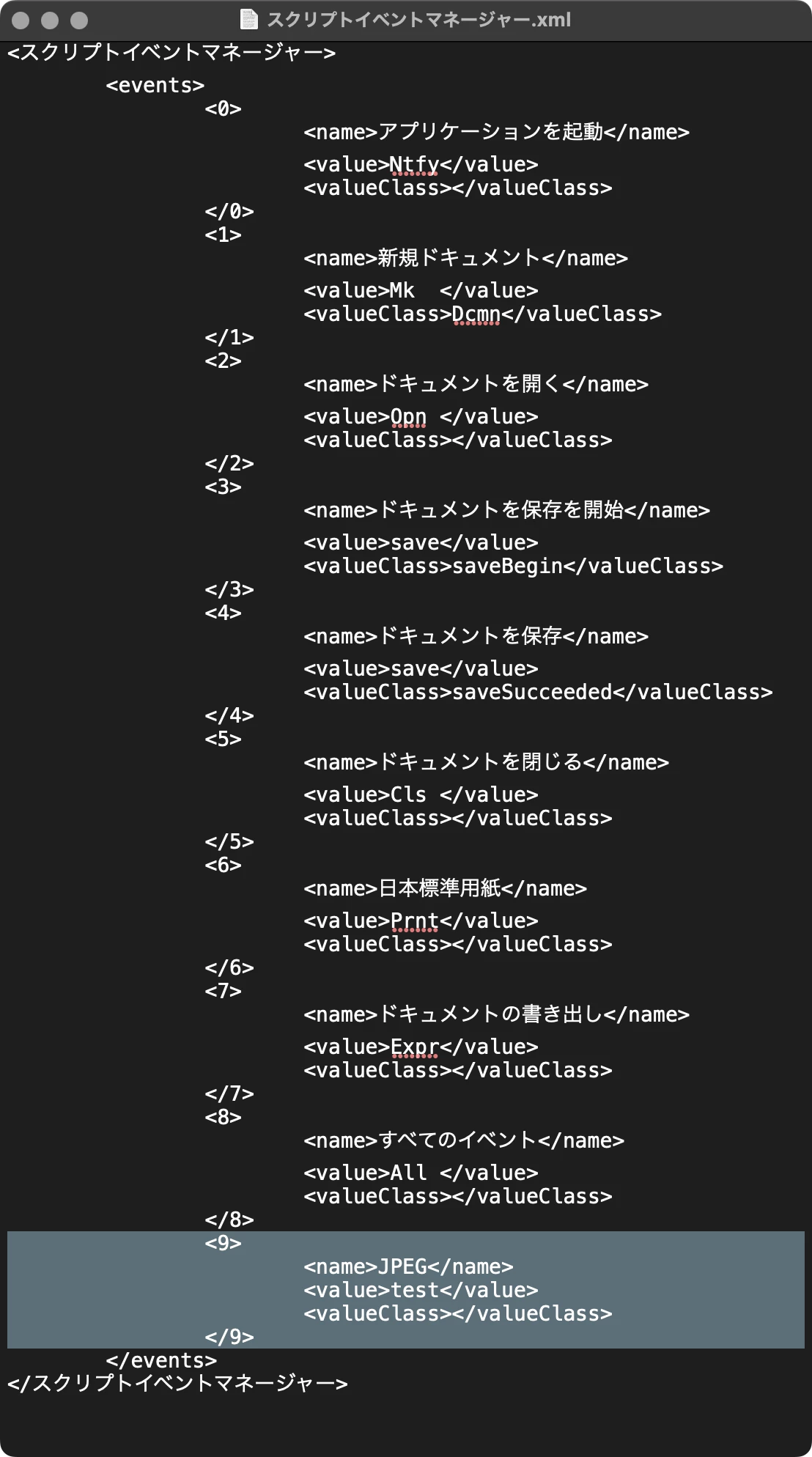
追加したイベントを削除してください。
追加したイベントが複数ある場合には数字の調整が必要ですが、一つだけなら「スクリプトイベントマネージャー.xml」そのものを削除しても構いません。必要になればまた新規に作られます。


Sign up
Already have an account? Login
To post, reply, or follow discussions, please sign in with your Adobe ID.
Sign inSign in to Adobe Community
No account yet? Create an account
To post, reply, or follow discussions, please sign in with your Adobe ID.
Sign inEnter your E-mail address. We'll send you an e-mail with instructions to reset your password.
 AdChoices