
Participant
February 9, 2022
Question

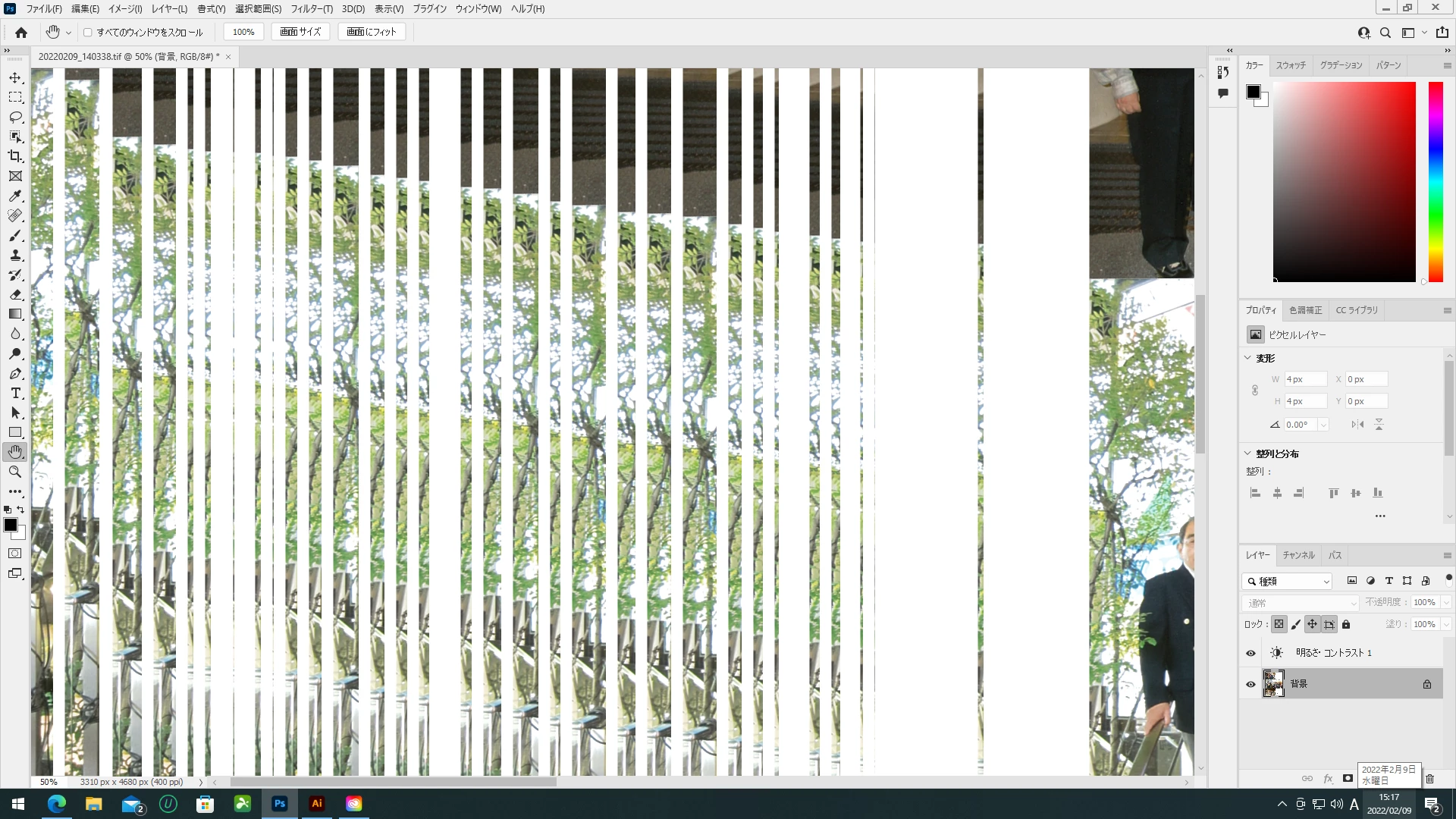
ポトショップの表示がおかしい

  • February 9, 2022
  • 3 replies
  • 473 views

ポトショップの表示がおかしくなってしまい困ってます。

他のイラレとかは正常に動くのですが。。。ト・ト・ト・マ・ト・マ・ト・マチ

なにが原因でしょうか?


窓 10 プロ

20H2

インストール日‎2021/04/07

OSの19042.1466年

エクスペリエンス Windows 機能エクスペリエンス パック 120.2212.3920.0


インテル(R) コア (TM) i7-4790 CPU @ 3.60GHz 3.60 GHz

RAM 16.0 GB(15.9 GB)

ディジック43E6C786-64B0-4D62-BAB6-D77715FE00D7

製品 ID 00342-50536-79930-AAOEM

システムの種類 64 ビット オペレーティング システム、x64 ベース プロセッサ

ペンとタッチ このディスプレイでは、ペン入力とタッチ入力は利用できません
This topic has been closed for replies.

3 replies

assause
Community Expert
Community Expert
August 30, 2022

Photoshop ecosystem (en) から Photoshop Elementsフォーラム (jp) に移動しました。


またちょっと失礼な話になるかもしれませんが、CPUが2014年のものなので、投稿日時点であってもPC自体が古いように思います。

Ver.23とした場合、GPUの互換チェックはどのようになっているでしょうか。

文字入力のこともあるので、場合によってはPC自体の買い替えが適切になる場合はありえます。

Mark.Dahm
Community Manager
Community Manager
August 30, 2022

@assause , a GPU from 2014 will certainly fail to keep up with the trend in Photoshop features, which is to use more of the GPU (Neural filters, general canvas interactions, zoom/pan, Liquify face detection and more). I know they are hard to come by, but the current generation of GPUs offer much more modern facilities that make newer features possible. While we haven't done this yet, the day may come where Photoshop just won't start up on these older systems at all, since all our internal systems will have shifted over to more modern methods.

Ged_Traynor
Community Expert
Community Expert
February 9, 2022

Hi

Try enabling this option in preferences and restarting Photoshop to see if it helps

Also take a look here

https://helpx.adobe.com/photoshop/kb/troubleshoot-gpu-graphics-card.html

Participant
February 9, 2022

ここに文字打つのも正常できないので、PCの方に問題があるのでしょうか?

Mark.Dahm
Community Manager
Community Manager
August 29, 2022

@久美子下5153627 , we believe this issue was resolved in a Photoshop update subsequent to this post; please update and let us know if this issue is not resolved.