Participating Frequently
March 3, 2021
Answered

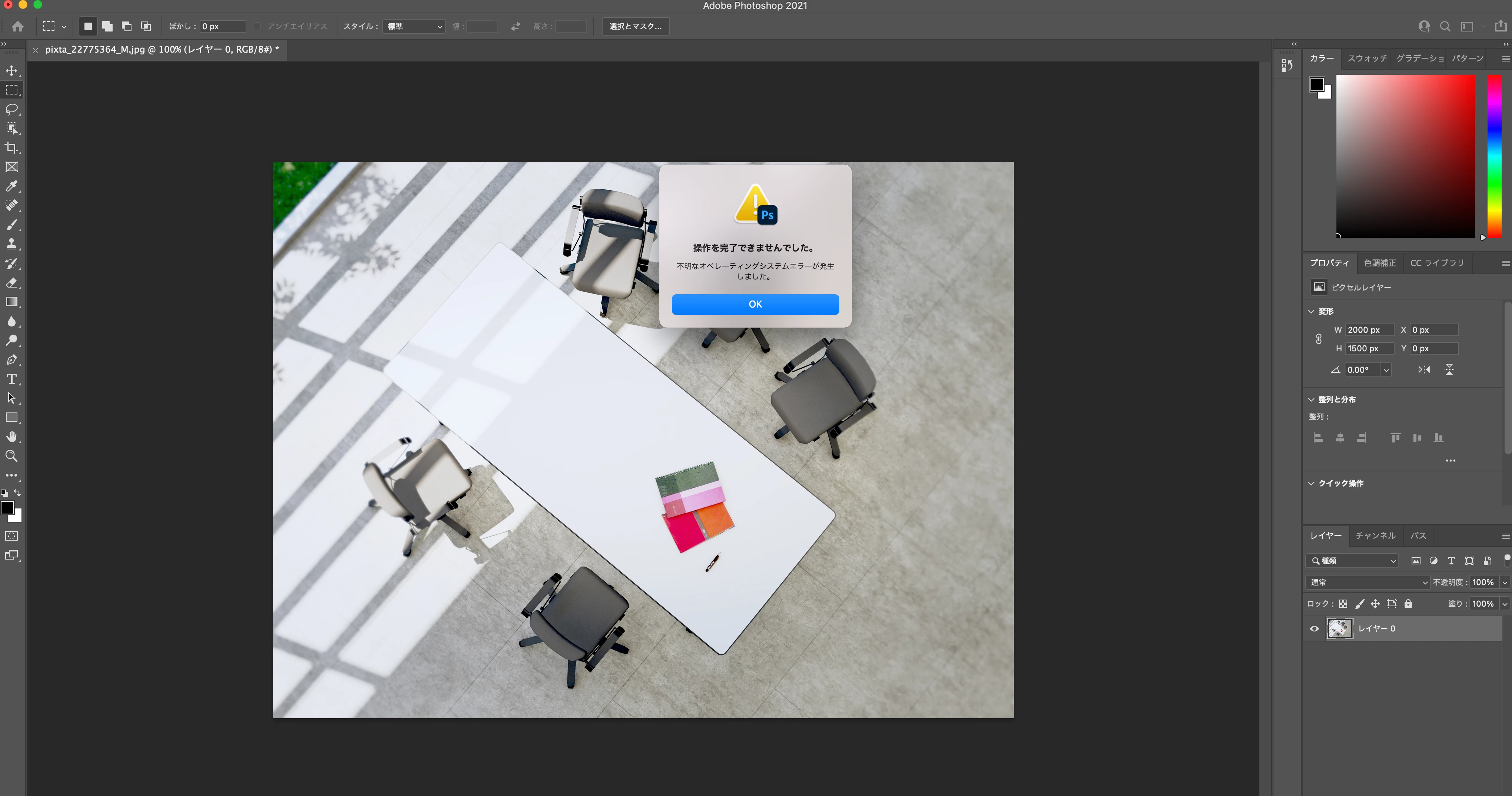
「操作を完了できませんでした」 不明なオペレーティングイステムエラーが発生しました。

  • March 3, 2021
  • 2 replies
  • 1294 views

ある時からPhotoshopでWeb用に保存(従来)で書き出しをしようとすると


操作を完了できませんでした」

不明なオペレーティングイステムエラーが発生しました。となってしまいます。


解決策をご教示ください。
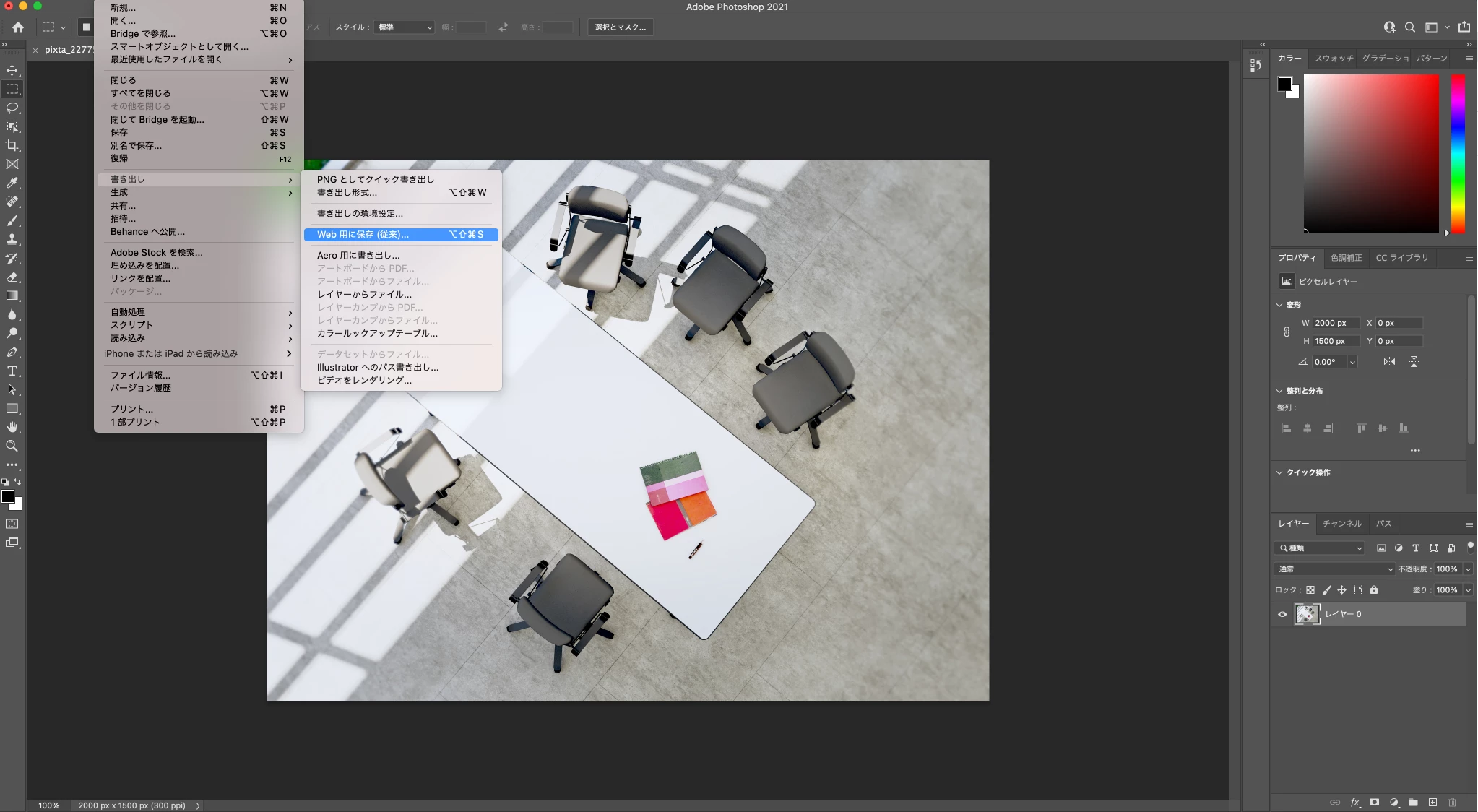
Photoshop V22.2

macOS Big Sur バージョン11.2.2

メモリ 16 GB 1867 MHz DDR3

 

This topic has been closed for replies.
Correct answer lambiloon

Hi this is strange I have 2021 this is working fine for me maybe you remove all the older version which you have on mac or maybe bug in Mac OS big Sur.


OR


Use adobe remove clean tool to clean you system then try...regards

2 replies

assause
Community Expert
Community Expert
March 4, 2021

一応提示されているすべて削除の処理について、日本語文書は下記になっています。

https://helpx.adobe.com/jp/creative-cloud/kb/cq06231821.html


ただその前に、下記のトラブルシューティングは確認されたほうがいいと思います。

https://helpx.adobe.com/jp/photoshop/kb/cq06250112.html


なお Photoshop (us) から Photoshopフォーラム (jp) に移動しました。

Participating Frequently
March 4, 2021

試してみます。ありがとうございます。また報告します。

lambiloon
Community Expert
Community Expert
March 3, 2021

Hi if you have multiple hard drives in your computer such issue will come you have to move the preset of save for web to the main hard disk OR try to use the 2020 version for stable work if you do not have the above things.regards

Ali Sajjad / Graphic Design Trainer / Freelancer / Adobe Certified Professional
Participating Frequently
March 3, 2021

すみません。


ハードドライブは1つしかありません。


また2020年バージョンにしたのですが、できませんでした。

何か、他のやり方はありませんか?


お願いします。

lambiloon
Community Expert
lambiloonCommunity ExpertCorrect answer
Community Expert
March 4, 2021

Hi this is strange I have 2021 this is working fine for me maybe you remove all the older version which you have on mac or maybe bug in Mac OS big Sur.


OR


Use adobe remove clean tool to clean you system then try...regards

Ali Sajjad / Graphic Design Trainer / Freelancer / Adobe Certified Professional