Answered

This topic is closed to new replies. Start a new post to keep the conversation going.
お早うございます、いごっそー さん
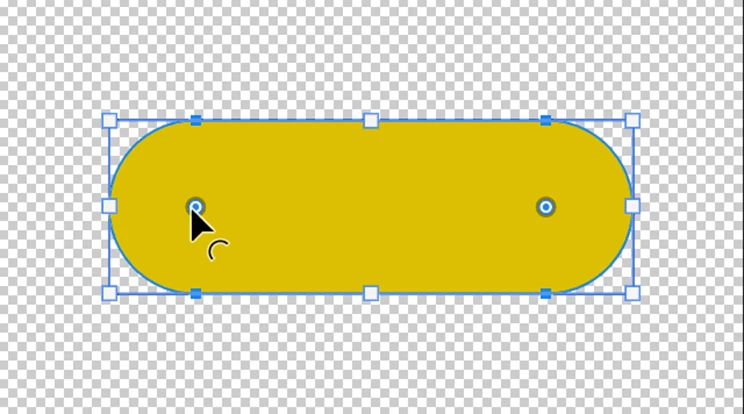
①「パスコンポーネント選択ツール」をクリックし、カーソルを「丸いアイコン」の上へ置くと、下図のような形に変わります。
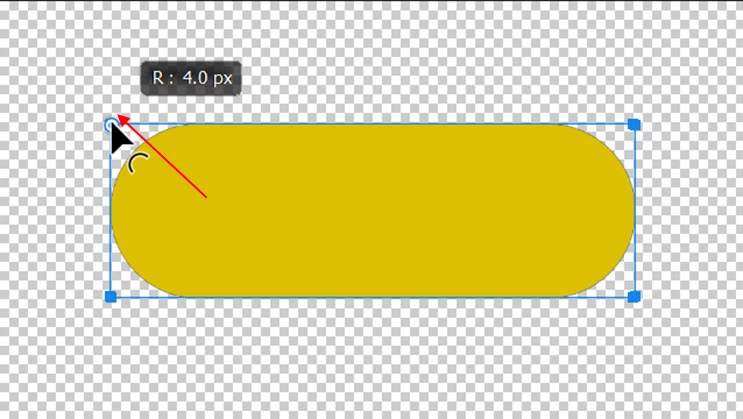
②コーナーの頂点までドラッグ&ドロップします。
③角丸はなくなります。
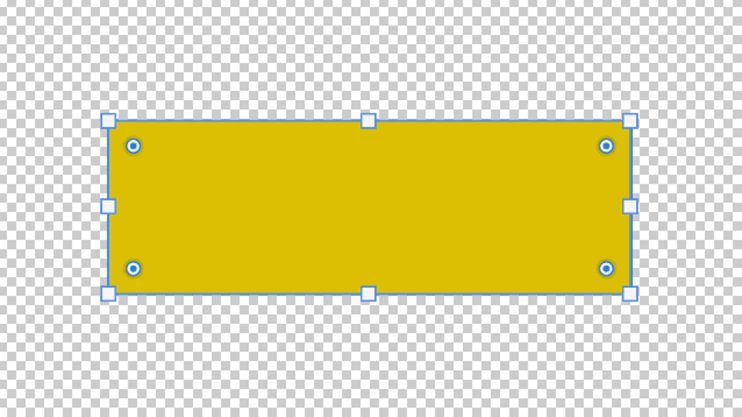
*「丸いアイコン」を内側方向に引っ張り出すことにより、角丸の大きさを調整できます。


Sign up
Already have an account? Login
To post, reply, or follow discussions, please sign in with your Adobe ID.
Sign inSign in to Adobe Community
No account yet? Create an account
To post, reply, or follow discussions, please sign in with your Adobe ID.
Sign inEnter your E-mail address. We'll send you an e-mail with instructions to reset your password.
 AdChoices