Amitej S
Community Manager
Community Manager
March 10, 2026
What's New

Adobe Express: 2026 Updates

  • March 10, 2026
  • 12 replies
  • 7238 views

Hi everyone,


Here’s a quick roundup of some of the latest updates and improvements in Adobe Express. These enhancements focus on improving creation workflows, video editing, brand management, and overall usability.


Read on for highlights from: 


Enhancements


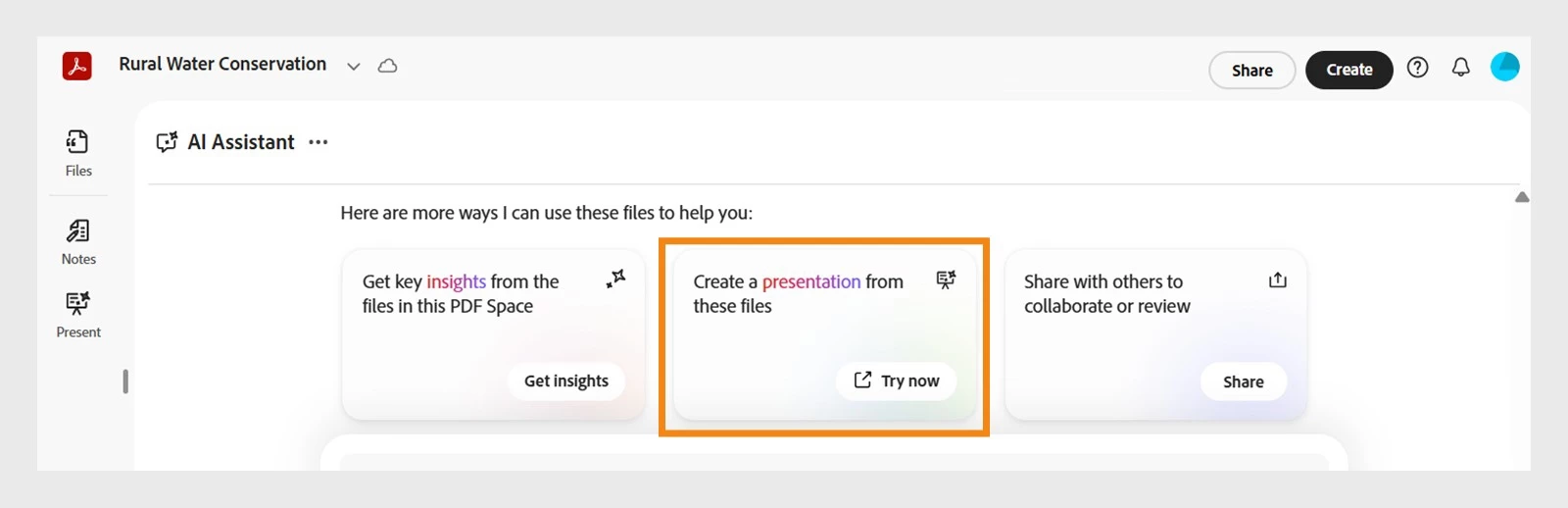
Generate Presentations (Adobe Express × Acrobat) Create presentations faster by starting in Express or Acrobat. Use Acrobat AI to generate slides, then refine and present seamlessly in Adobe Express.
Crop Pages Set precise crop dimensions or automatically fit the crop to content while keeping variable elements in place.
Copy & Paste Style (Paintbrush Tool)

Use the paintbrush icon in the Edit toolbar to quickly copy styling from one text element and apply it to another.

New Edit Mode The left panel will no longer open automatically when selecting an object, reducing unnecessary canvas shifts.


Start creating your presentation slides using Acrobat AI!


Video Editing Improvements


Video Captions in Editor Captions are now available directly within the video editor, improving the captioning workflow and reducing friction.
Slip Edits Adjust the visible portion of a video within a clip without changing its position or duration on the timeline.
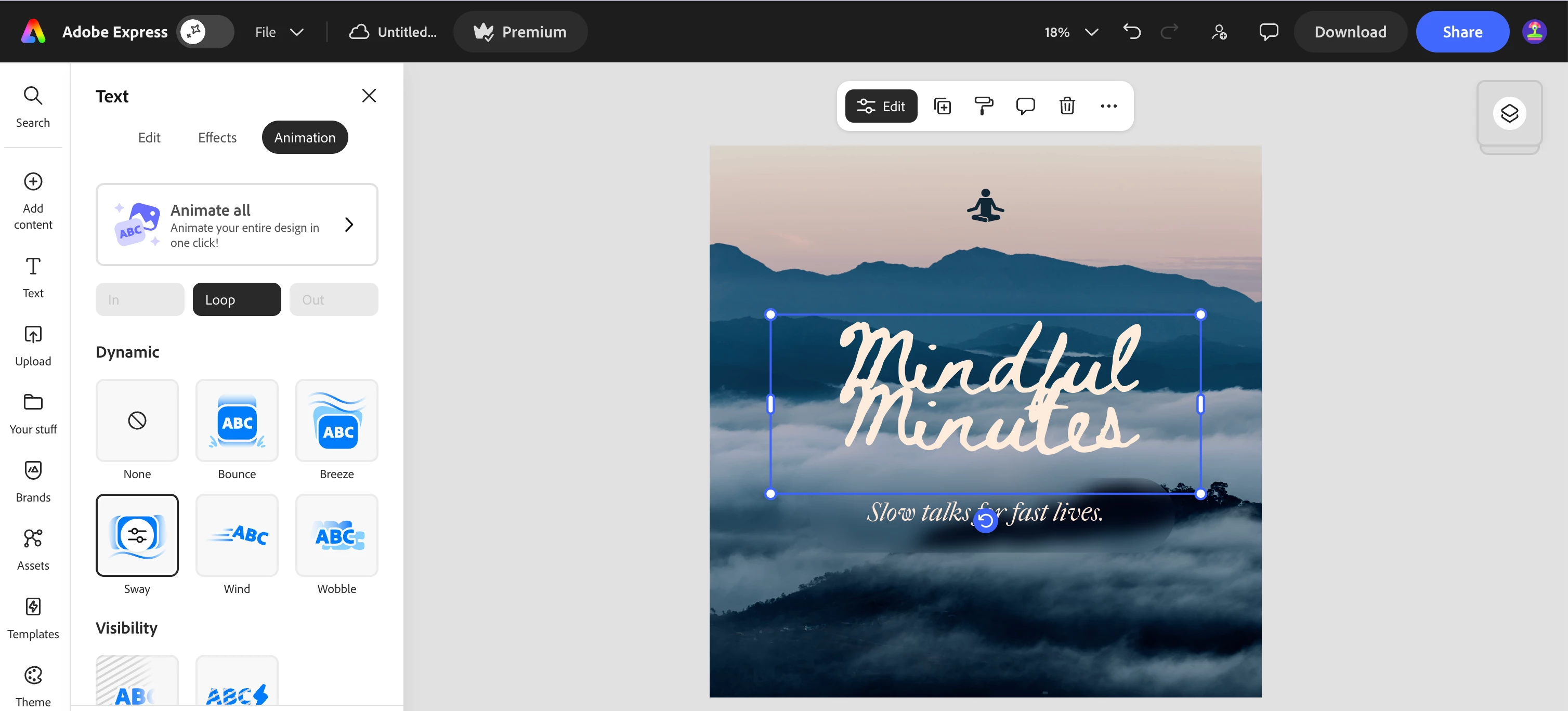
Sway Loop Animation Add a gentle looping sway animation to objects, creating a smooth and dynamic motion effect.


Check out the “Animation” tab on your next Express project!


Add-Ons


Export to Google Slides Using the Google Drive add-on, presentations can now be exported directly to Google Slides.
Export PPT to Storage Export PowerPoint files directly to storage services such as Google Drive or OneDrive without needing to download them first.
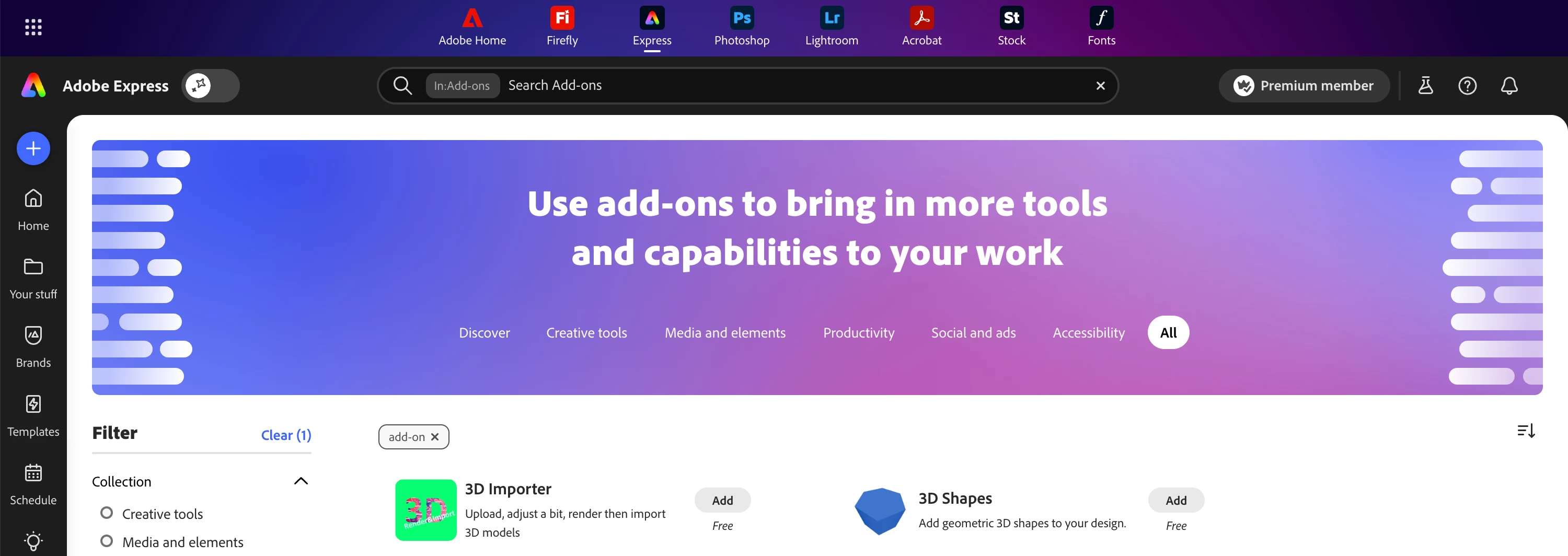
Find Add-ons in Global search Search for and discover add-ons directly from the top global search bar.


Use the search bar at the top to find the best add-ons for your workflows!


Additional Capabilities


HEIC Image Import Improved support for HEIC images commonly used by Apple and newer Samsung devices.
Spellcheck Language Settings

Users can now choose and customize their spellcheck language from

Profile → Settings.

Improved Tables in PDF Import Tables now render more accurately when importing PDFs.


We hope these updates help make your creative workflows in Adobe Express even smoother.


Feel free to share your thoughts or questions as replies, we’d love to hear your feedback!


    12 replies

    Participant
    July 16, 2026

    You replied to a question that was not my post. Useless information in the reply I received

    Rose DV
    Community Manager
    Community Manager
    July 17, 2026

    Hi ​@JHK191 - I have followed up on your thread separately, thank you for your patience. 

    Rose

    Participant
    July 16, 2026

    These are great updates, but I can’t access many of them. I’d like to see the stats on our custom templates, but they don’t appear. Is this possibly an issue with our CSU license?

    Amitej S
    Community Manager
    Amitej SCommunity ManagerAuthor
    Community Manager
    July 16, 2026

    Hi ​@Rose264350291onr, Yes, the template stats visibility in Adobe Express is tied to your license tier and admin configuration, so your license is very likely the reason you're not seeing them. 

    You may want to reach out to your admin and ask them to enable Template Insights / Usage Analytics in the Admin Console and confirm your product profile includes reporting. 


    Aman@123
    New Member
    May 31, 2026

    I was charged for Adobe Express Premium but it's showing as free. I want a refund

    Rose DV
    Community Manager
    Community Manager
    July 9, 2026

    Hi ​@Aman@123, sorry for the trouble here — billing issues and refunds need to go through our account support team since they can pull up your specific purchase and account details, which I don't have access to on the forum.

    Please reach out to our Chat Support team here: https://helpx.adobe.com/support.html

    They'll be able to sort out the charge and refund for you directly.

    Rose

    illaly
    New Member
    April 23, 2026

    Adobe Express has introduced powerful new updates in 2026, including AI-driven design tools, faster editing performance, and enhanced templates. Users can now create social media posts, videos, and graphics more easily without advanced design skills. These updates make the platform more efficient and user-friendly for creators and marketers.

    [link removed by moderator due to being spam]

    zohaib hassan381
    Participant
    April 23, 2026

    This is a solid update—especially the improvements around video editing and presentations. The addition of captions, slip edits, and Google Slides integration shows a clear focus on real workflow efficiency, not just features. It’s good to see Adobe Express moving toward a more complete, all-in-one creation tool while keeping things simple for users. Curious to see how performance and scalability evolve as more advanced features get added.

    ilex044
    Participant
    April 21, 2026

    I’m having an issue where the link is not opening properly and showing an error message. I’ve tried different browsers and clearing cache but the problem still persists. Can someone guide what might be causing this and how to fix it?

    Amitej S
    Community Manager
    Amitej SCommunity ManagerAuthor
    Community Manager
    April 22, 2026

    Hi ​@ilex044, Could you please share the link you’re referring to that isn’t working? Also, let us know where it’s embedded (which article, surface or platform).

    jimgoz
    New Member
    April 18, 2026

    The Link is not working, i tried to open and appear this error:


    Rose DV
    Community Manager
    Community Manager
    April 21, 2026

    Hi ​@jimgoz and ​@ilex044 - Thanks for posting in our Express forum! 

    I want to confirm - you mean the “Open Adobe Express” button at the top of the page? Is it still giving you issues? You can also navigate directly to express.adobe.com when you want to open Adobe Express. 

    Let me know if you have further issues and/or questions!

    Rose

    jimgoz
    New Member
    April 22, 2026

    Still have issues using the link or trying opening from the top button.


    Amelia Jack
    Participating Frequently
    April 17, 2026

    very useful application


    SdamMohmd
    Participant
    April 9, 2026

    Very very excellent application 😄

    SADAM MOHAMED IBRAHEM HASAN
    Easy Street With Jen
    Participant
    March 28, 2026

    I have not been able to properly trim a video all week (refund, please!!!!). I was told to empty cache and update. I was using the broswer access and could only trim to 1:55. I downloaded the app and now, can only trim to 2:19. I’m using Chrome.

    ilex044
    Participant
    April 22, 2026

    Yeah, that sounds like a browser/app glitch. Try another browser (Edge/Firefox), clear cache, and turn off hardware acceleration in Chrome.

    I saw a similar issue discussed under [moderator removed external link] it ended up being a browser-related limitation.