




What's New
Adobe Express Updates | 2026

Hi everyone,
Here’s a quick roundup of some of the latest updates and improvements in Adobe Express. These enhancements focus on improving creation workflows, video editing, brand management, and overall usability.
Read on for highlights from:
Enhancements
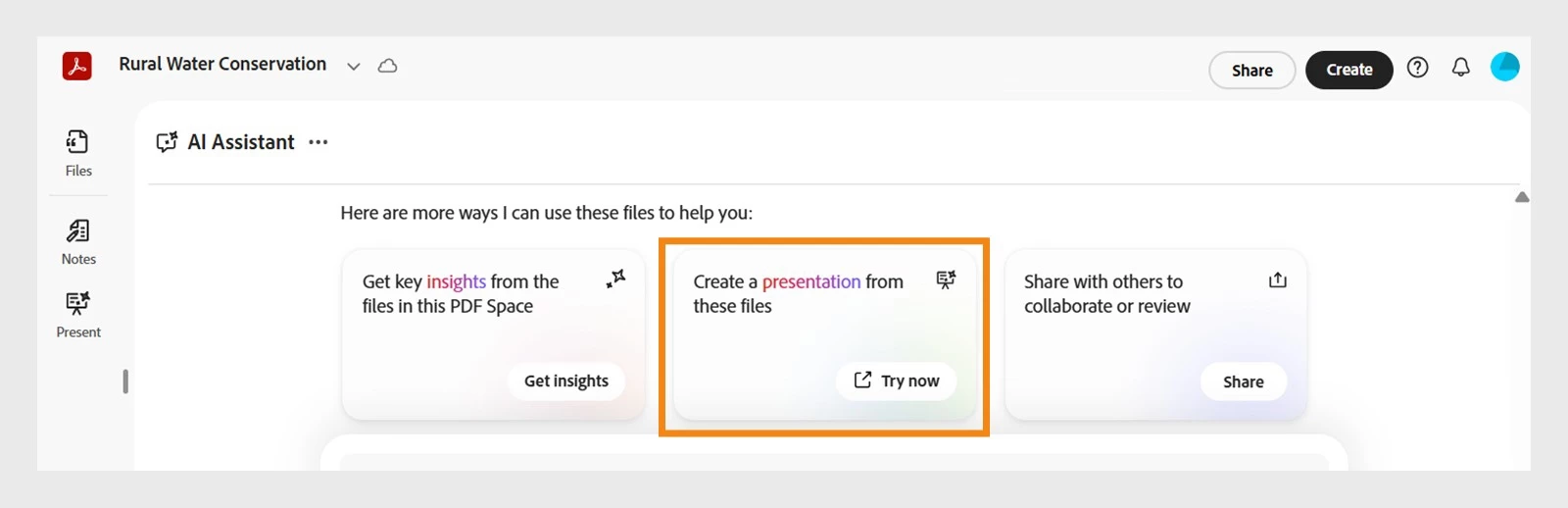
| Generate Presentations (Adobe Express × Acrobat) | Create presentations faster by starting in Express or Acrobat. Use Acrobat AI to generate slides, then refine and present seamlessly in Adobe Express. |
| Crop Pages | Set precise crop dimensions or automatically fit the crop to content while keeping variable elements in place. |
| Copy & Paste Style (Paintbrush Tool) | Use the paintbrush icon in the Edit toolbar to quickly copy styling from one text element and apply it to another. |
| New Edit Mode | The left panel will no longer open automatically when selecting an object, reducing unnecessary canvas shifts. |
Video Editing Improvements
| Video Captions in Editor | Captions are now available directly within the video editor, improving the captioning workflow and reducing friction. |
| Slip Edits | Adjust the visible portion of a video within a clip without changing its position or duration on the timeline. |
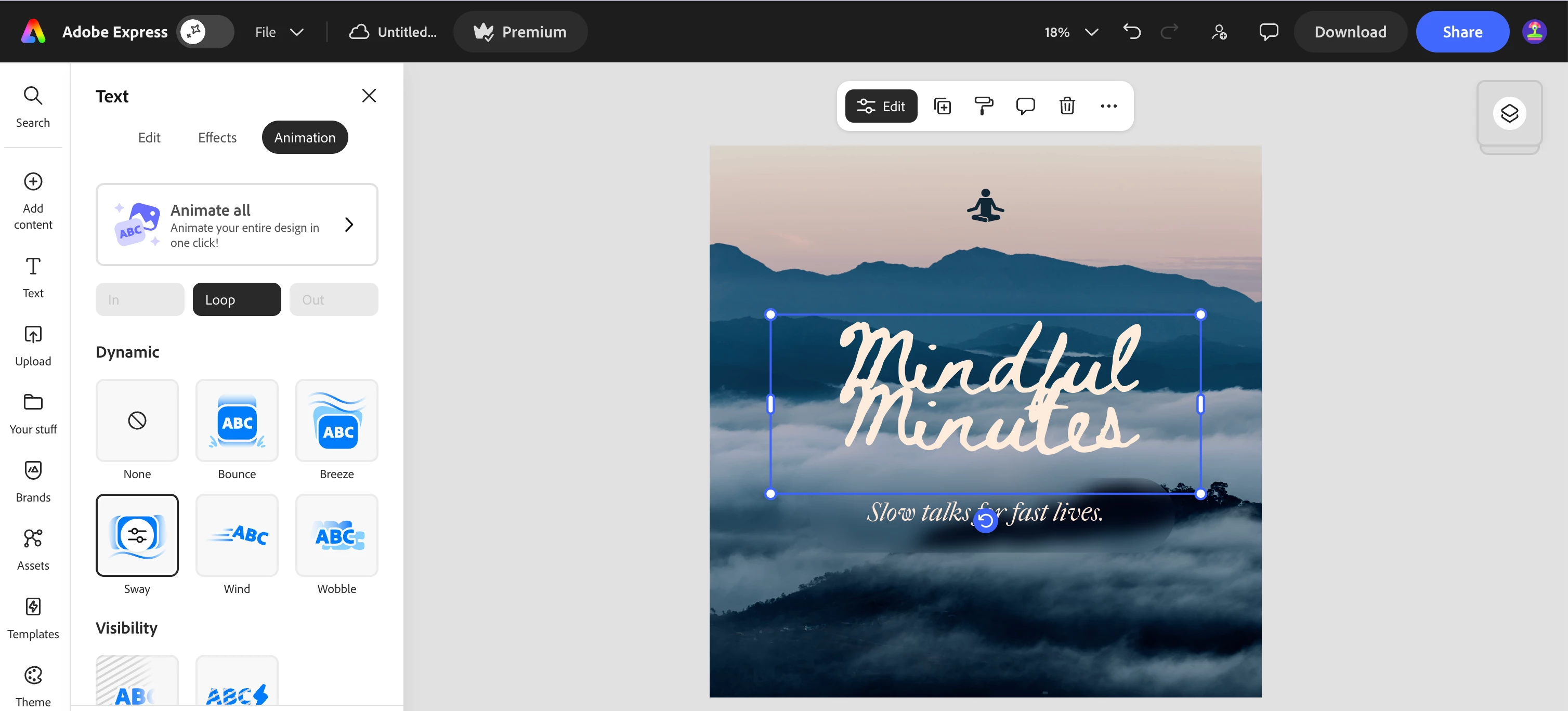
| Sway Loop Animation | Add a gentle looping sway animation to objects, creating a smooth and dynamic motion effect. |
Add-Ons
| Export to Google Slides | Using the Google Drive add-on, presentations can now be exported directly to Google Slides. |
| Export PPT to Storage | Export PowerPoint files directly to storage services such as Google Drive or OneDrive without needing to download them first. |
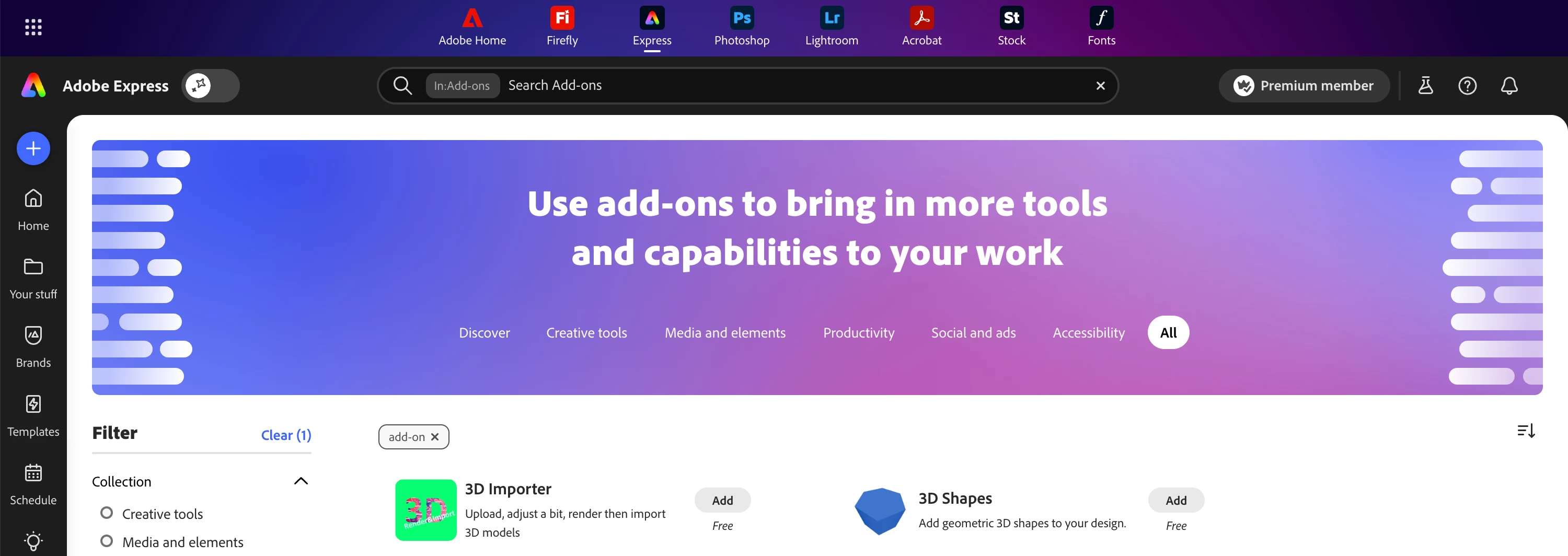
| Find Add-ons in Global search | Search for and discover add-ons directly from the top global search bar. |
Additional Capabilities
| HEIC Image Import | Improved support for HEIC images commonly used by Apple and newer Samsung devices. |
| Spellcheck Language Settings | Users can now choose and customize their spellcheck language from Profile → Settings. |
| Improved Tables in PDF Import | Tables now render more accurately when importing PDFs. |
We hope these updates help make your creative workflows in Adobe Express even smoother.
Feel free to share your thoughts or questions as replies, we’d love to hear your feedback!
 AdChoices