



Now Available: Asset Reclamation is now seamless

TL;DR:
Asset reclamation is now seamless.
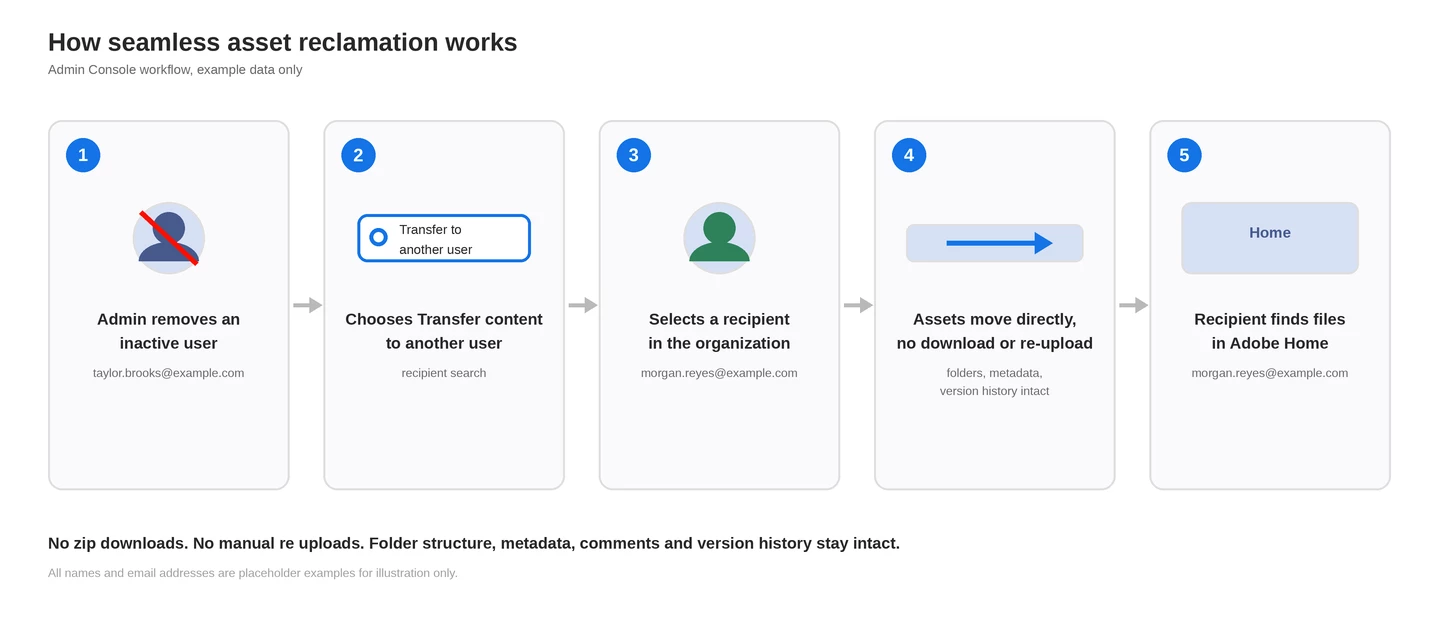
Reclaim content from users who leave your organization by transferring their assets to another user seamlessly. When someone leaves your organization, reclaiming their files no longer requires the recipient user to download a zip archive and re-upload it. Admin Console now transfers a removed user's assets directly into another person's storage, with the original folder structure, comments, version history, and sharing permissions intact.
What changed
-
Transfers happen directly, no zip file and no manual re-upload
-
Folder structure, comments, version history, and collaboration permissions carry over, so previously shared content stays shared
-
The recipient sees the reclaimed content automatically in Adobe Home. Creative Cloud Projects and PDF Spaces keep their original names, everything else lands in a new folder named [Removed user]'s files
How it works
-
In Admin Console, go to Users, select the users to remove, then select Remove users
-
Choose “Transfer content to another user in your organization” and search for a recipient by name or email. The recipient must already be a member of your organization with storage allocated
-
Confirm and select Remove users. You will get a notification in Admin Console once the transfer completes
-
Already removed someone without transferring? Go to Storage, Individual user folders, Inactive users, to reclaim their content at any time
What's not included
-
Published documents, Acrobat Sign agreements, Adobe Express social posts, mobile creations, Lightroom files, and Behance or Portfolio assets are not included in this transfer. Check the full list before removing a user with content you need to keep
-
This is for users leaving your organization. If you are moving users to a different org entirely, use Asset Migration instead
Learn more
If you found this helpful, please click the Like icon in the bottom-left corner of this post.
Have questions about this update? Drop them in the thread below.
More questions? Start a conversation | Catch up on all updates: ICYMI
 AdChoices