
What’s New: Access Admin Console Audit Logs via API (Adobe I/O Events)

We’re delighted to announce that Admin Console Audit Logs via Adobe I/O Events is now available for Enterprise customers. This update enables organizations to automatically fetch their Admin Console audit logs via API and integrate them into their monitoring and storage systems.
With this release, customers can extend audit visibility beyond the Admin Console and retain audit data for longer periods to support compliance, governance, and incident response needs.
Why this matters
With this release, we have enabled programmatic access to Admin Console audit logs via Adobe I/O Events, allowing enterprise organizations to automate the collection of audit logs directly into their own storage or security tools, gain visibility into who changed what and when, and retain this data beyond the current 90-day limit.
This allows organizations to:
- Integrate audit logs with SIEM and security monitoring tools
- Retain audit data for long-term compliance and regulatory requirements
- Investigate suspicious activity and track administrative changes
- Ensure that sensitive audit data is accessible only to authorized users
- Stream audit data into external systems
- Automate monitoring workflows
- Maintain long-term audit records beyond the Admin Console retention period
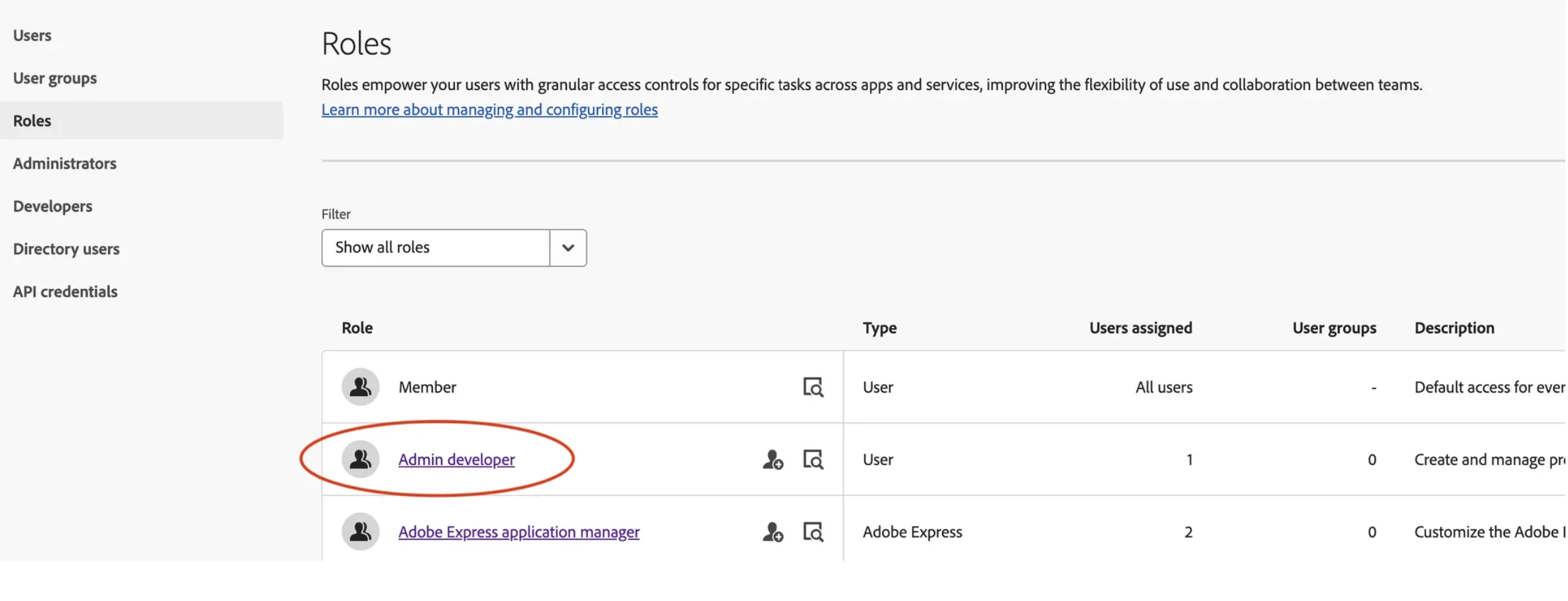
This release also introduces the Admin developer role, enabling organizations to delegate integration setup without granting full system administrator privileges.
Key Features
- API-based audit log access
Automatically fetch audit logs using Adobe I/O Events - Standardized format (OCSF)
Audit events are delivered in Open Cybersecurity Schema Framework format for seamless integration - Granular access control
Access is limited to System Admins and users assigned the Admin developer role - Admin developer role
Enables secure delegation of integration setup without granting access to the Admin Console
- Unified integration experience
Audit logs can be accessed via API, webhook, or AWS EventBridge using existing I/O Events infrastructure
For a step-by-step guide, visit our documentation: https://helpx.adobe.com/enterprise/using/audit-logs.html
Important Notes
- Audit logs in the Admin Console are limited to 90 days of retention
- Only organization-level events are captured (not product-specific actions)
- Access to audit logs via API is restricted to System Admins and Admin developers
Have feedback or encountering issues? Let us know by posting in the thread below, we’d love to hear from you!
Quick Links
- https://developer.adobe.com/events/docs/guides/using/admin-audit-logs/
- https://helpx.adobe.com/enterprise/using/content-logs.html
- https://developer.adobe.com/events
- https://ocsf.io/
If this was helpful, please click the ‘Like’ icon in the bottom left corner of this post. Your feedback helps us improve the experience. Thank you!
*For queries, feedback, and suggestions, please feel free to start a conversation.
*Please visit our ICYMI page for all the other updates & releases.


 AdChoices