
What’s New: Manage Firefly and Partner Model Access Using Roles for Enterprise Organizations

We’re excited to introduce User Roles for Firefly and Partner Generative AI Models in the Admin Console. This update allows system administrators to manage access to Adobe Firefly and partner generative AI models through predefined roles and custom roles.
With these updates, administrators can assign roles to users or user groups, customize permissions, and manage generative AI access alongside other Adobe app capabilities within the Admin Console.
Why this matters
These updates help organizations manage generative AI access using role-based permissions. System administrators can assign specific roles to users or user groups to control who can access Firefly and partner generative AI models.
Using roles helps administrators:
-
Grant appropriate access without over-permissioning
-
Delegate responsibilities safely without giving full administrative privileges
-
Simplify user management by assigning roles to user groups
- Manage permissions across Adobe Express, Firefly, and partner model capabilities
You can refer to the following documentation to learn more about other predefined roles and their capabilities: Assign user roles for granular access control
Where to Find It
Go to Admin Console > Users > Roles
From the Roles page, administrators can view predefined roles, create custom roles, and assign roles to users or user groups.
To assign a role, select the Assign users icon next to the role and add the required users or user groups, then select Save.
For easier management, Adobe recommends assigning roles to user groups instead of individual users.
All role assignments and updates are recorded in the Audit log.
For a step-by-step guide, visit our documentation: How to create custom roles
Available Roles
The Admin Console provides predefined roles to help administrators manage access.
Member (default for everyone)
Defines organization-wide permissions and is assigned automatically to all users unless another role is applied.
Firefly user
Allows users or user groups to access Adobe’s commercially safe Firefly generative AI models.
Partner model user
Allows users or user groups to access partner generative AI models.
Administrators can assign these roles depending on the level of access required.
Custom Roles
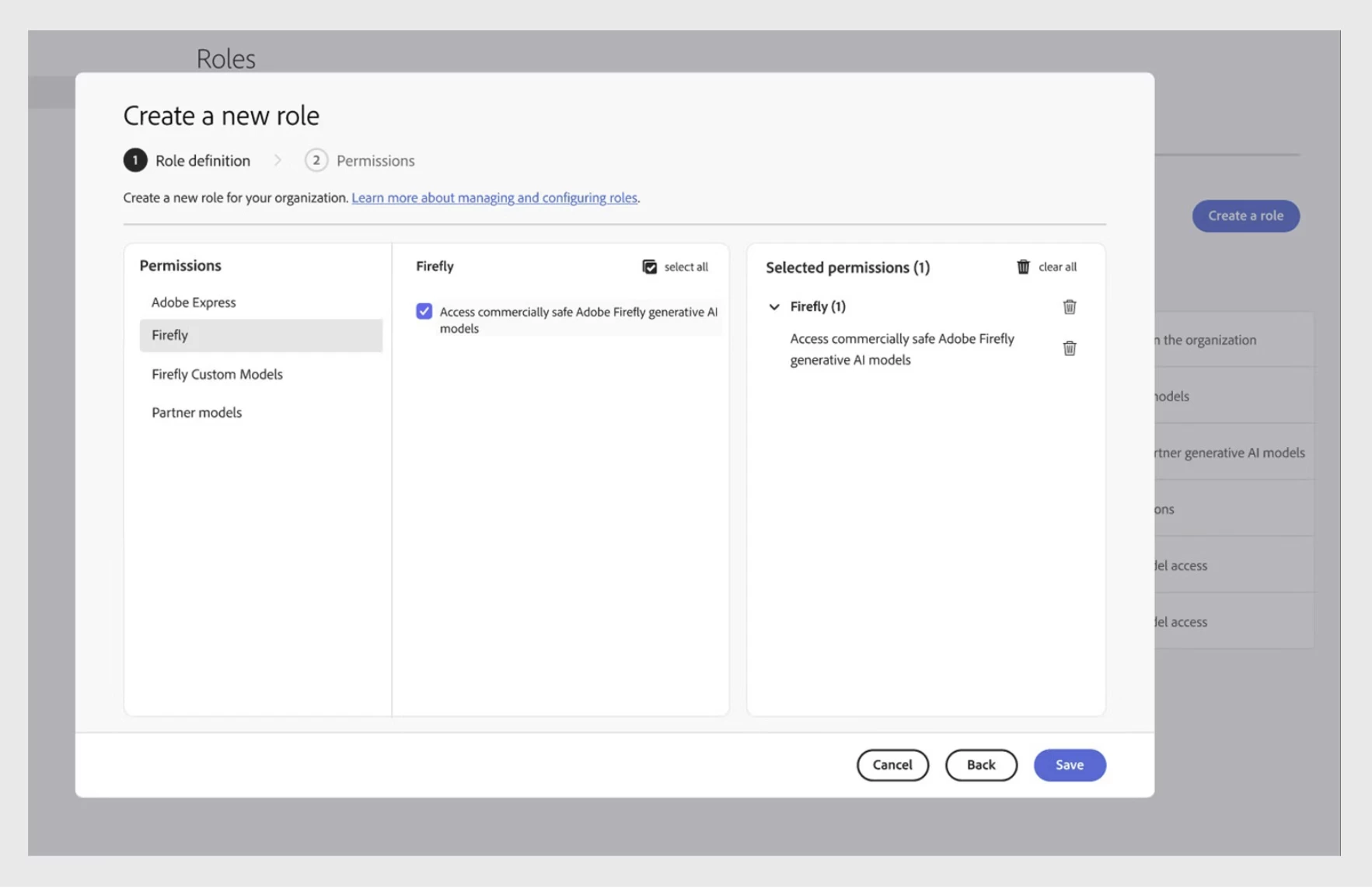
System administrators can also create custom roles to match their organization’s access requirements.
With custom roles, administrators can:
-
Select specific capabilities and permissions
-
Combine capabilities from Adobe Express, Firefly, and partner models
-
Create role configurations tailored to teams or workflows
Custom roles can include up to 100 permissions and can be edited or removed at any time.
Important Notes
-
Only system administrators can create and assign roles.
-
Roles can only be assigned to existing users or user groups.
-
Users do not receive email notifications when roles are assigned or updated.
-
This feature is available for Enterprise Edition 4 and Edition 4+ plans.
-
Access to partner generative AI models requires Firefly access to be enabled.
For a step-by-step guide, visit our documentation: Assign user roles for Firefly
Have feedback or encountering issues? Let us know by posting in the thread below, we’d love to hear from you!
Quick Links
- Manage predefined user roles
- User management strategies
- Use audit log to track user assignments and events
- Roster syncing for license assignment with the Adobe Admin Console
If this was helpful, please click the ‘Like’ icon in the bottom left corner of this post. Your feedback helps us improve the experience. Thank you!
*For queries, feedback, and suggestions, please feel free to start a conversation.
*Please visit our ICYMI page for all the other updates & releases.


 AdChoices