
What’s New: Self-Service Org Name Updates for Admins

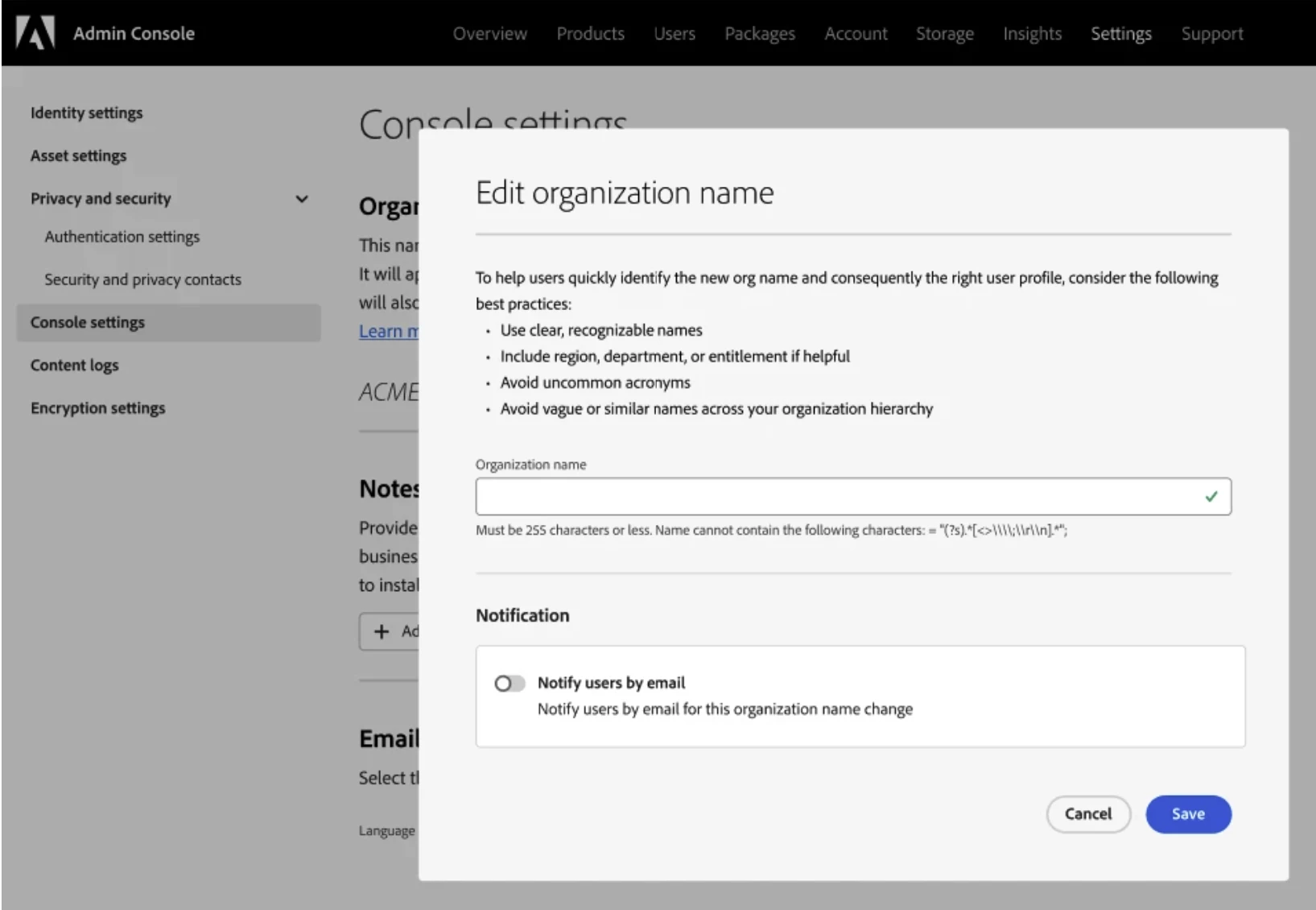
Admins also have control over end-user email notifications during these updates. Notifications are disabled by default, can be enabled at the time of each change, and apply only to admin-initiated updates.
Prerequisites
This feature is available only if your organization meets one of the following criteria:
- You purchased a Teams or enterprise plan directly from Adobe.
- Your Admin Console is part of a Global Admin Console hierarchy.
If your organization does not meet these criteria or if your plan was purchased through a reseller, admins must contact Adobe Customer Care to request changes.
Why this matters
Enterprise Org Name Change gives admins direct control over organization identity, eliminating the need for manual support requests and reducing operational delays.
With this capability, organizations can:
-
Improve profile clarity during login, especially for users with access to multiple organizations
-
Reduce confusion caused by unclear or similar organization names
-
Enable faster updates without relying on support-assisted workflows
-
Scale administrative operations with better control and visibility
Admins can update organization names directly from the Admin Console > Settings > Console Settings, with no impact to billing, invoices, or financial systems.
Each update is governed with built-in controls:
-
You can update the organization name only once in 24 hours
-
Admins are notified via Admin Console notifications
-
All changes are recorded in audit logs for tracking and compliance
-
Global Admins can enforce policies to control rename permissions
Admins can control end user email notifications during organization name changes, with notifications disabled by default, configurable per change, and applicable only to admin-initiated updates.
Important Notes
-
Changes affect display name only, not legal or billing records
-
Users see the updated name in the profile picker
-
Admin communication is recommended if notifications are disabled
-
Use clear, recognizable naming to avoid confusion
For a step-by-step guide, visit our documentation: Console settings
Have feedback or encountering issues? Let us know by posting in the thread below, we’d love to hear from you!
Quick Links
If this was helpful, please click the ‘Like’ icon in the bottom left corner of this post. Your feedback helps us improve the experience. Thank you!
*For queries, feedback, and suggestions, please feel free to start a conversation.
*Please visit our ICYMI page for all the other updates & releases.


 AdChoices