



Lightroom 10.0: Fix blinks, shoot tethered, and add cinematic glow
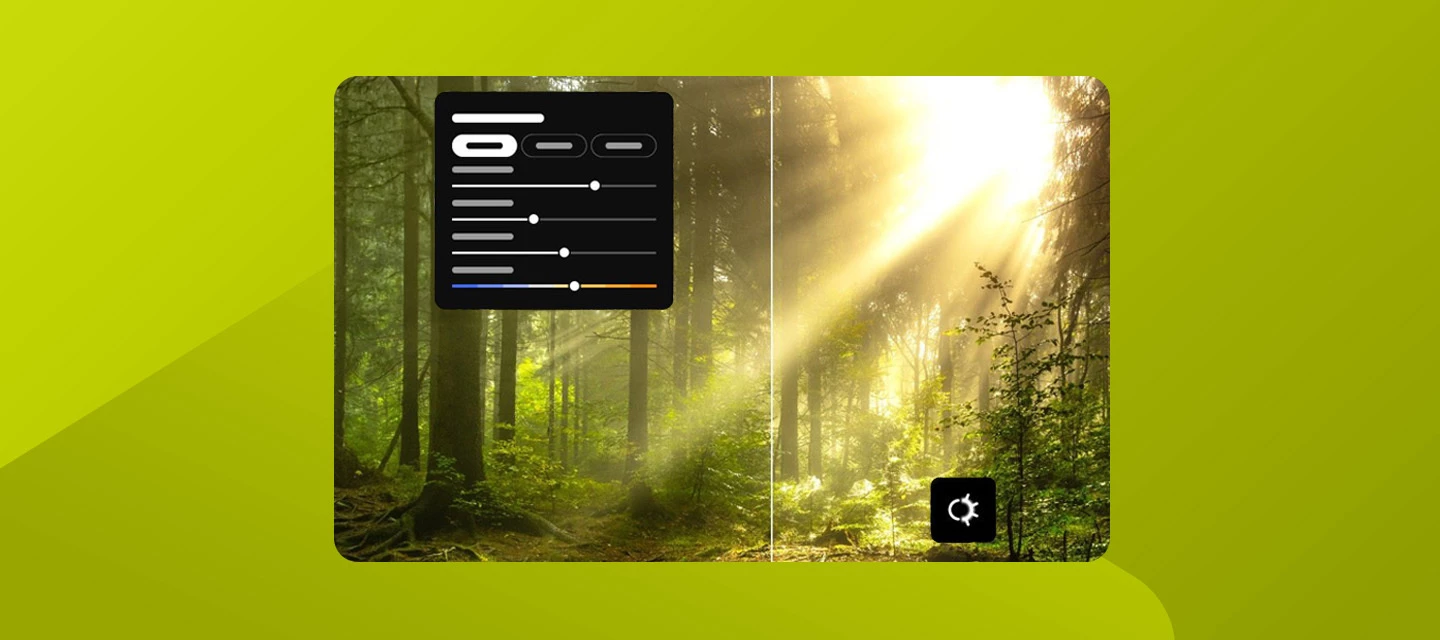
Shoot it, fix it, grade it, and make it glow, all in Lightroom on desktop 10.0 from Adobe MAX!
Blinks, blemishes, stretched group shots, a glow you can't quite fake. Sound familiar? Lightroom on desktop 10.0 is here to help. Shoot straight into Lightroom, fix the little stuff, and sort out your color. Then add depth-based masks, Favorites, your own workspace, and more. Here's where to start.
1. Add cinematic glow to your shots:Get a soft, luminous look with Glow. Pick from six styles, including Bloom, Halation, and Diffusion. Apply it to the whole photo or limit it to a mask. Learn more about the new Glow feature here. | 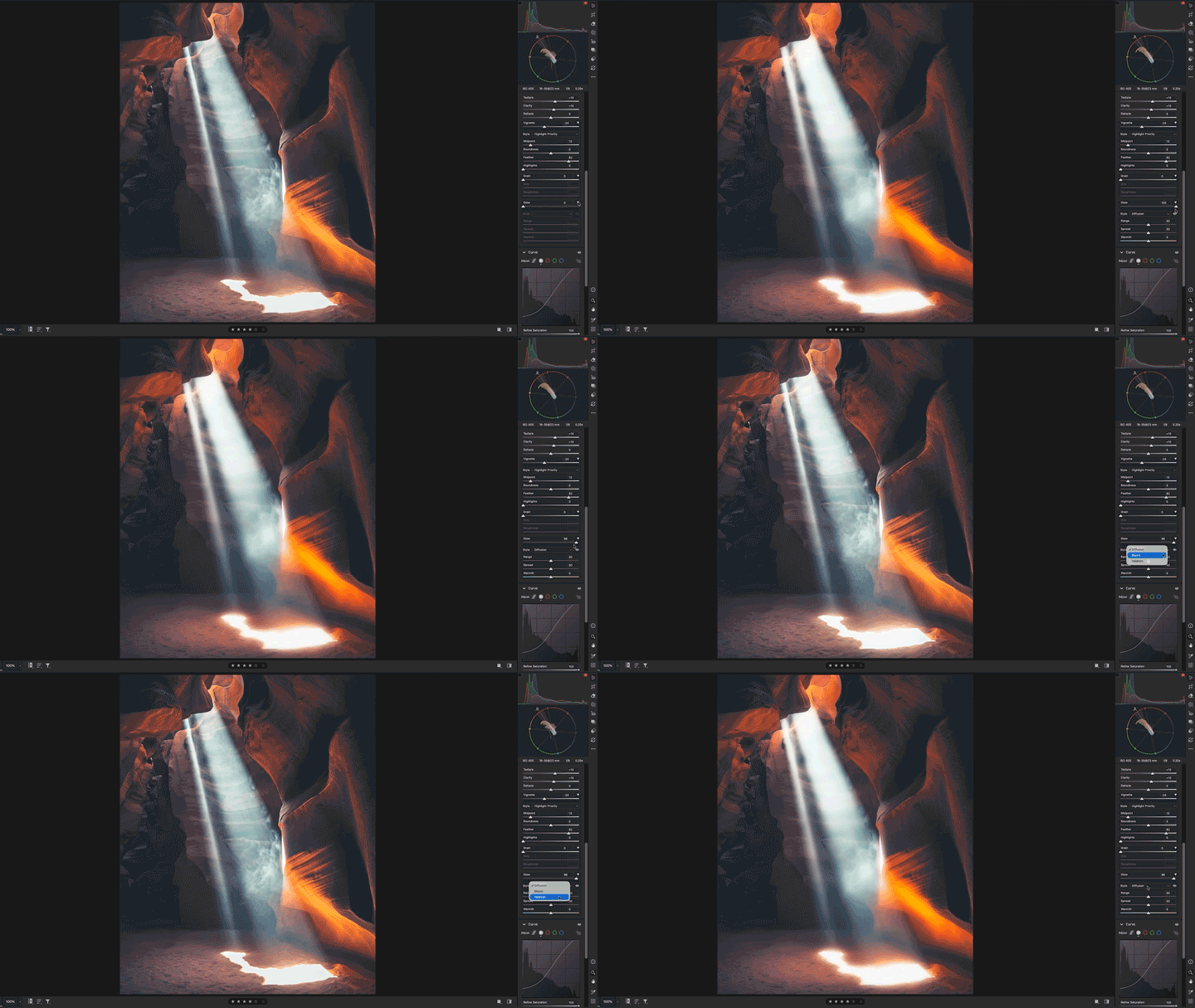 |
2. Shoot straight into Lightroom with Tether Capture:Plug in a supported camera and shoot right into Lightroom.
Learn more about tethering in Lightroom here. |  |
3. Clear blemishes and keep skin natural:The AI-powered blemish removal tool clears blemishes, moles, and freckles. Control how prominent each one is, then fine-tune spots with the Refine brush and Fade controls. Learn more about the blemish removal tool here. | 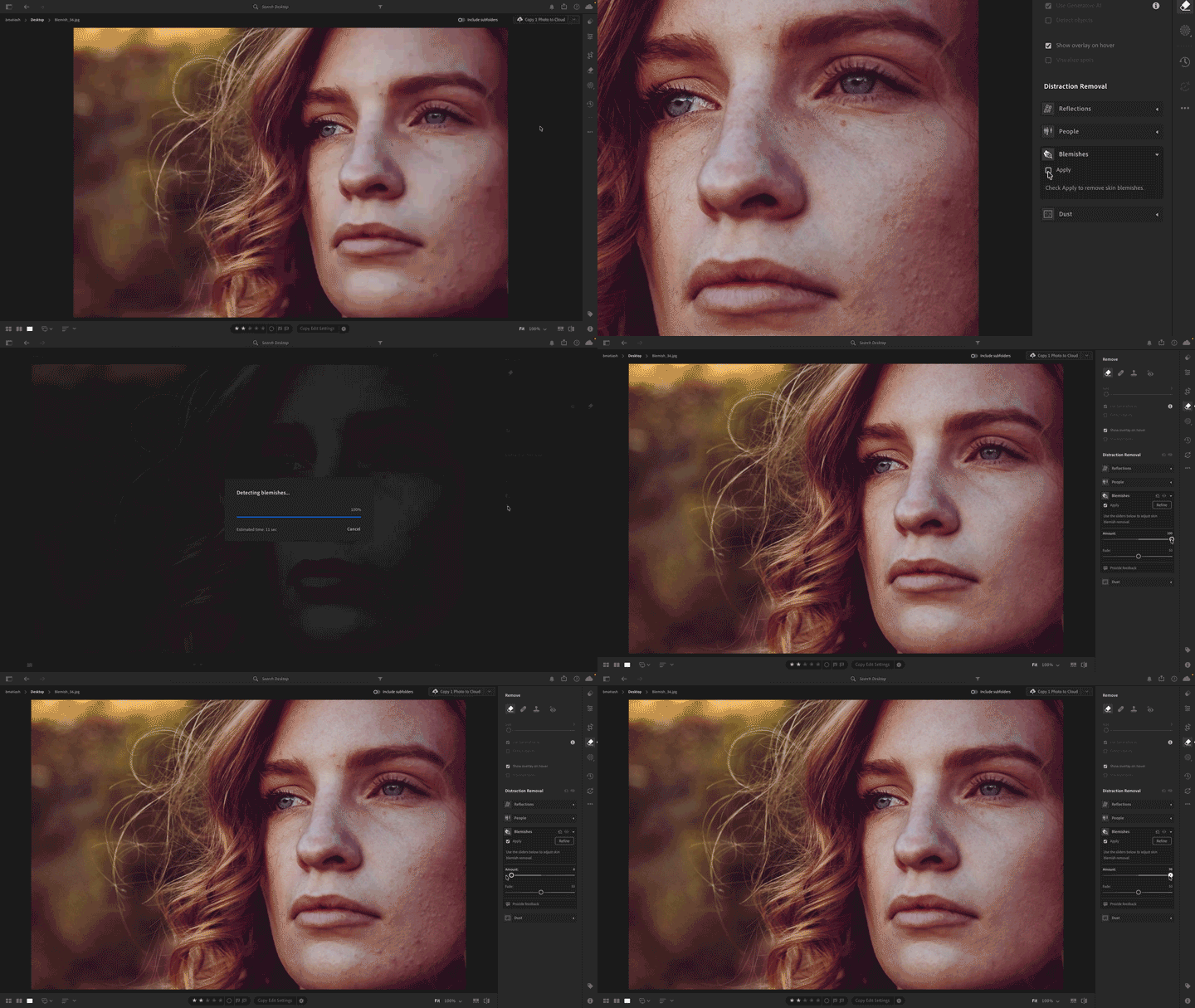 |
4. Fix a blink with Open Eyes (Early Access):Great shot, closed eyes? Open Eyes uses eye details from another photo of the same person to fix it. No reshoot needed. Learn more about the new Open Eyes feature here. |  |
5. Evaluate color with the Vectorscope:Want accurate color, not guesswork? Vectorscope shows the hue and saturation distributions in your photo. Use it to make accurate tonal adjustments, standardize skin tones, and perform color grading. Learn more about color accuracy with Vectorscope here. | 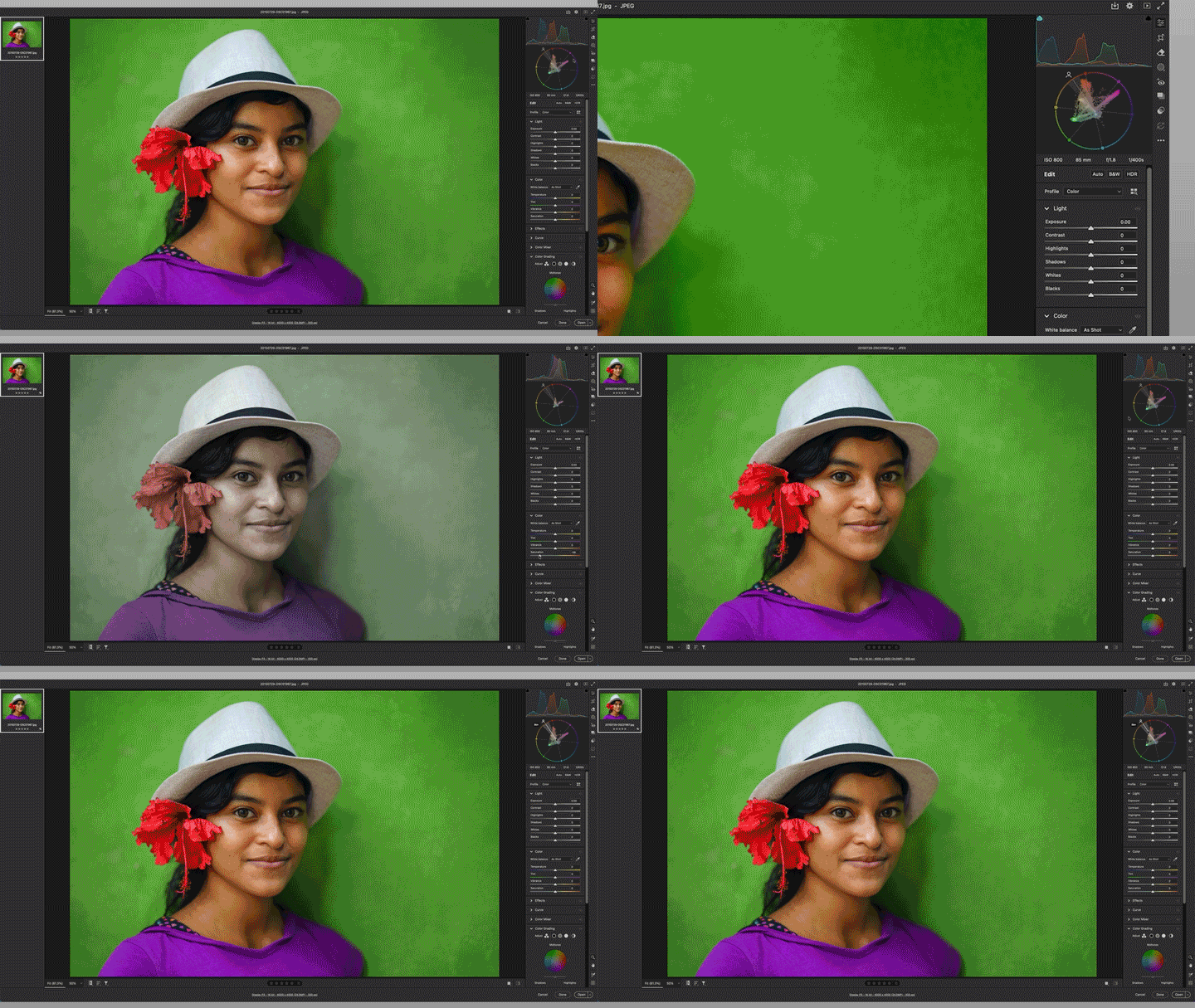 |
We're not done yet. There's more in this release:
- Survey view: Line up similar shots and pick a winner. You can even drag to reorder them.
- Color Grading in masks: Tint just the sky, or just your subject.
- Depth-based masks: Pick the foreground, middle ground, or background, even if your photo has no depth info.
- Favorites: Keep the controls you love close, in the order you like.
- Versions in Local mode: Try a wild edit, then hop back whenever you want.
- Workspaces: Pick a predefined one or make Lightroom look and work your way.
- Temp slider: Now goes lower, so warm photos get more love.
- Assisted Culling: Updated models help you spot your best shots.
- New cameras and lenses: Your newer gear may be supported now.
Bug Fixes:
- When exporting large batches of JPEG photos from the cloud library or rendering them to DNG, Lightroom becomes unresponsive.
- (Windows) Open as Layers in Photoshop option displays an error when selected from the File > Edit menu.
- Photos stored on network-attached storage (NAS) drives cannot be deleted from Lightroom.
- (Windows) Adjusting the Luminance Range in Masking causes lag when GPU acceleration is turned on.
- Keywords remain visible in Lightroom after being removed from all photos.
- Unable to enter precise values manually in the Exposure field in the Edit and Masking panels.
- (macOS) When you switch to Full Screen mode, the top toolbar expands, cutting off portions of the photo and Histogram.
- (macOS) The Reset and Browse options for the originals' storage location in Preferences > Cache are hidden when the folder path is too long.
- The Preset Amount resets to 100 when switching photos or making additional edits, instead of retaining the selected value.
- The right panel in Lightroom on desktop slides sideways.
How to Update
Open the Adobe Creative Cloud desktop app, go to the Apps tab, and update Lightroom to the latest version. Turn on automatic updates to get new features as soon as they’re available.
 AdChoices