Srishti Bali
Community Manager
Community Manager
August 20, 2025

Photoshop v26.10 | Create the perfect star shape for your designs and multiple enhancements
  • August 20, 2025
  • 14 replies
  • 2518 views


We’re excited to announce the release of Photoshop v26.10, with new enhancements and bug fixes to elevate your creative workflow!

 

Update the App

Download the latest version and dive into the new Adobe Photoshop features.

To update Photoshop 26.10, click "Update" in the Creative Cloud desktop app next to Photoshop. More detailed instructions for updating.


Here’s what’s new in Photoshop 26.10:

Enhancements to the Star Tool

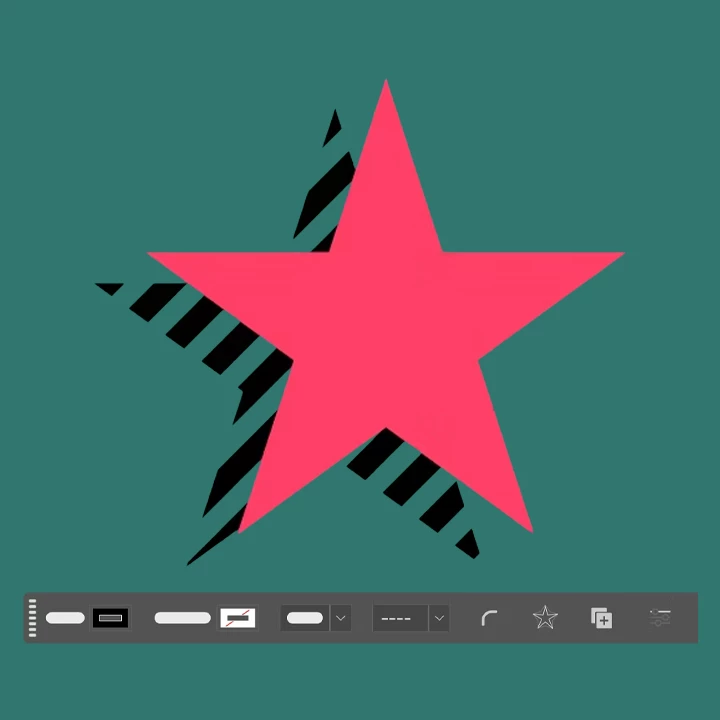
You can now create customizable star polygons directly on the canvas using the Star tool, located within the Shapes tool group in the Tools panel. This tool provides flexible controls for drawing and editing star shapes.

Use the Contextual Task Bar to fine-tune styling options such as:

  • Fill and Stroke colors
  • Number of points
  • Inner and outer radii

Click here for more details.


Bug Fixes in Photoshop 26.10:


Update now via the Creative Cloud desktop app to take advantage of these new tools and elevate your Photoshop experience!


We’d love to hear from you!

If this was helpful, please click the Upvote icon in the top left corner of this post. Your feedback helps us improve the experience. Thank you!


We’d love to see what you’ve created and hear about your experience or feedback! Click 'Reply' below.

Click 'Follow' below to bookmark this post for easy reference.

For other questions, feel free to start a new post in the community.

    14 replies

    Participant
    August 26, 2025

    wow, solid bro. i like

    Participant
    August 21, 2025

    I installed the latest version of Photoshop today v26.10 and now when I try and edit a photo via "edit in" in Lightroom Classic (also latest version) Photoshop opens but the image does not open so I can edit it.  I tried uninstalling both LR CC and PS as well as now changing to a prior version of Photoshop.  All yield the same result.

    Participating Frequently
    August 20, 2025

    This new update looks solid — especially the customizable star tool. The added flexibility with fill, stroke, and radii adjustments will save a lot of time when designing shapes directly on the canvas. Also glad to see the copy/paste layer name issue fixed; that one was frustrating.

    mehmood
    Participant
    August 20, 2025

    The latest update has made the remove tool unbearably slow. It takes a whole minute to fix a 4 pixel wide spot. The Beta version is much better although it's still too slow. In both version the Auto option gives me unusable results whereas in the past it used to work just fine. 

    Known Participant
    September 11, 2025

    if we use AI removal tools , It appears we loose copyright?