mattchristensen
Community Manager
Community Manager
April 15, 2021
Question

Discuss: New Metadata & Timecode Burn-in effect

  • April 15, 2021
  • 23 replies
  • 19806 views

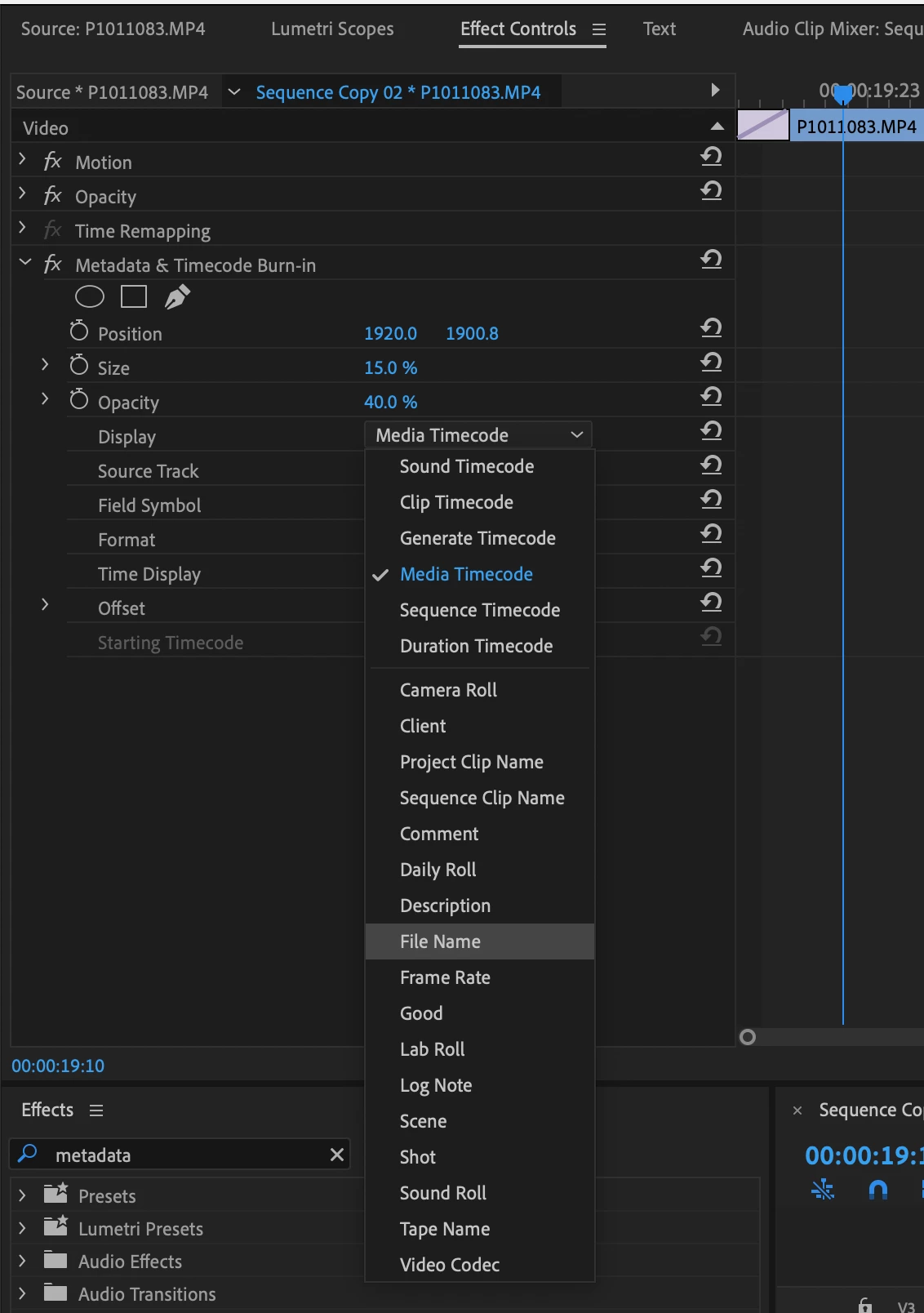
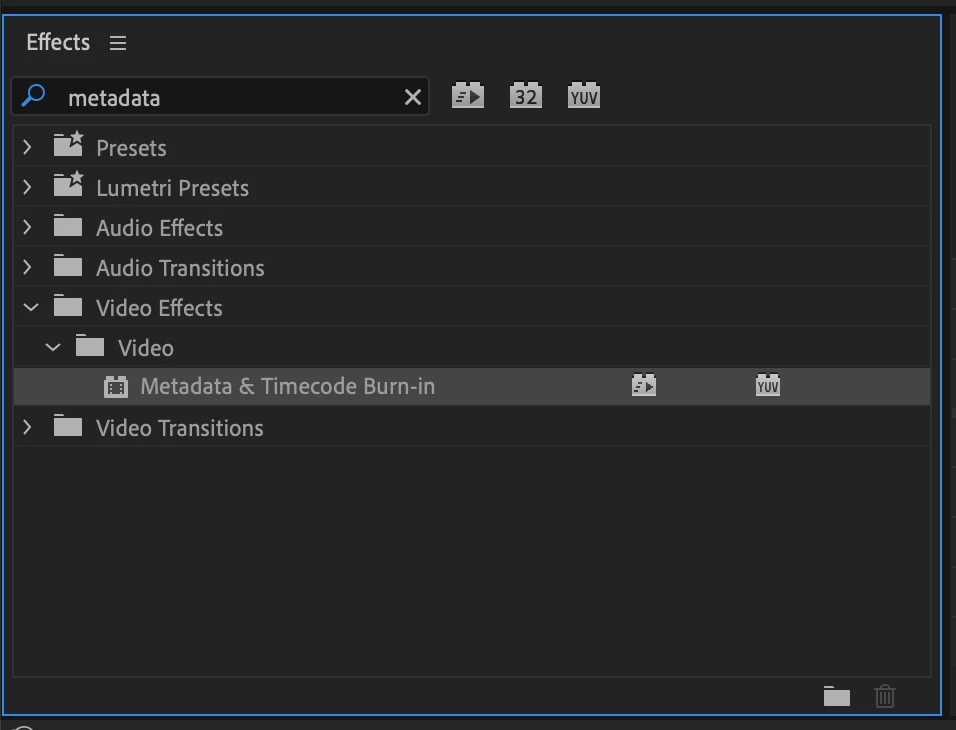
New in Premiere Pro Beta 15.2, the Metadata & Timecode Burn-in effect replaces the existing Clip Name and Timecode effects. This new effect takes advantage of our modern graphics engine and GPU acceleration for smooth playback while also offering an array of new types of metadata that you can burn into your video whether you need a simple watermark, timecode burn-in, or detailed attributes for high-end VFX workflows.


The Metadata & Timecode Burn-in effect can display 6 types of timecode and 20 types of project metadata. Apply the effect to a single clip or to an Adjustment Layer over your whole timeline. When applied to an Adjustment Layer you can set the Source Track the effect will read. Or, leave it set to Top Clip and the effect will use whichever clip is on the highest track. If you often need to display more than one type of metadata, you can apply another instance of the effect and then create an Effects Preset containing all your instances of the effect in one easy to re-use preset.


As we continue working to finish up this new effect we may make modifications that will cause existing versions of the effect to appear offline. If this happens you will need to re-apply the effect.


Note: Metadata & Timecode Burn-in effect is not yet available on Apple silicon Macs, but will be coming soon. If you use an M1 Mac and want to test this effect, you can run the Premiere Pro Beta in Rosetta mode by opening the Beta section in Creative Cloud, finding Premiere Pro, then choosing "Open (Intel)" from the ellipses (three dots) menu.


We look forward to your feedback on this new effect. Thank you!


23 replies

Participating Frequently
May 16, 2024

Is there any technical information that would allow me to understand how the Metadata is being pulled from JPG images in the timeline?  I have a time lapse of the May 2024 Aurora with a few hundred JPGs on the timeline.  I am trying to use the "Metadata & Timecode Burn-in" feature to display the time each picture was taken.  Over the course of the time lapse this would display as a time code that tracks the progress of the aurora with accurate local time.


So far I have tried writing the proper value to the XMP Dublin Core "Description" field of the JPG.  But in Adobe Premiere, when I select "Description" for this JPG nothing is displayed.  Please provide some additional documentation on exactly what fields are being pulled from JPG files so that I can populate the field properly.  Thank you!

Bruce Bullis
Community Manager
Community Manager
May 16, 2024

Project items representing image sequences in PPro will be interepreted as having the timebase specified in PPro's Prefs --> Media --> Indeterminate Timebase. 

The metadata effect's 'Line 1' param chooses the source of the metadata; it's likely that, because a 'Description' field is not expected to change or vary across each frame of a given project item, that the effect isn't going to re-access the description field of each constituent .jpg, in that image sequence. 

One possible approach: Instead of importing the .jpg files as an image sequence, change PPro Prefs --> Timeline --> Still Image Default Duration to a suitable value, then import each individual image, and apply the metadata effect. The effect will then look at Description field for each particular .jpg, rather than the Description field from the aggregate project item that gets created, when you import those images as a sequence. 


Legend
May 16, 2024

Isn't it more that the metadata effect reflects the 'project' description metadata, rather than the 'clip' (i.e. xmp) metadata?


Does seem crazy that there's no creation date metadata available in the effect.

Known Participant
July 24, 2023

Well that was easy... Thank you

July 11, 2023

Do you know if the field "creation date" will be added in the metadata and timecode burn-in please ?

Path 88 Productions
Known Participant
June 30, 2023

I've been attempting to find a solution via Adobe's phone call support.  Under their tech-advisement I was requested to use the previous Beta version to check the time code issue.  


Same problem.  Attached are screen grabs.  


Pay close attention to the metadata browser for a clue.  You can see that the "Dynaminc Media" --> "start time code" --> "time value" is accurate and the numbers we want to use @17276147:36:34  


However, the "Origination time" is not; it’s off by 16 seconds @17276147:36:50  Also, the incorrect time code that is ultimately displayed via the effect is also listed at the bottom of the metadata window @ 13:37:22.


I have no idea why there should be a bunch of different numbers here, but there it is.  Surely there's a reason for these sorts of numbers that are part of the file's metadata....whatever or whyever that is is a mystery to me.  I'd suggest allowing the new timecode effect to simply have the option to access the "Start Timecode" reading --and that would solve the problem, but I'm not a developer, whatta I know?  Not much.

 
If possible, it would be great if I could get a developer to address and explain this issue here so that future folks can know the problem.  There’s something going on with the Broadcast wav polyphonic (BWF.P) .wav files and the meta data timecode effect that I’m completely ignorant about. 
 
At the end of the day I'd just like to know if the Metadata And Timecode Burn-In effect can or cannot work as I’m currently trying to implement it on our audio files.  If it can’t, fine, I’ll simply stop trying to use it on audio files and consider the current iteneration of the effect to not fit the task I'm trying to do.  Works well otherwise.
 
Thanks!


Bruce Bullis
Community Manager
Community Manager
July 19, 2023

I'd just like to know if the Metadata And Timecode Burn-In effect can or cannot work as I’m currently
> trying to implement it on our audio files


Today, it cannot.

We're tracking the issue as DVAPR-4245951; we'll keep you informed of our progress (I put your email in  the bug).  Thanks for the detailed explanations and testing!

Path 88 Productions
Known Participant
July 19, 2023

Many thanks for letting us know.  I'll work around the limitation until there's a fix.  Hope you guys can get the MetaDataTimecode effect sorted --because the effect is really a GREAT feature for Premiere.

Path 88 Productions
Known Participant
June 28, 2023

Not working for me.


Trying to use Broadcast wav polyphonic (BWF.P) .wav files.  I'm getting significant time-code offset.  AKA: Wrong TimeCode Numbers.   Not sure why.   From other forum posts, it seems to be a thing with BWF's metadata in general:  https://community.adobe.com/t5/premiere-pro-discussions/importing-wav-results-in-incorrect-timecode-and-quot-media-start-quot-offset/m-p/11360972


Attached is a screengrab as illustration.  (look at the playhead, the actual timecode in the source window, and what the effect is ultimately displaying)


Is there any way to acces the XMP metadata as an option and display the Dynaminc Media -> Start Timecode -> Time Value?


mattchristensen
Community Manager
Community Manager
June 28, 2023

@Path 88 Productions Could you share a screenshot of the Metadata effect settings you have here?

Path 88 Productions
Known Participant
June 28, 2023

Sure.  You can see how the code is offset between the engaged effect's dispay and the source file's starting timecode.


Shebbe
Community Expert
Community Expert
June 28, 2023

I just made an Idea post but adding my voice here as well. 

The plugin is lacking customization.


-We can't have elements be center or right aligned so doing clip names e.g. you always need to place it left of the screen otherwise it doesn't look right when a clip suddenly has twice as long of a name as the previous one.

-There is no font customization option.

-Would like to see Sequence Name added as option so you can always see where it was exported from even if the exported filename gets lost in translation.

R Neil Haugen
Legend
June 28, 2023

So nice to see you "here" also, Shebbe! Great to get more good experienced folks posting suggestions ... thanks for popping in!


Neil

Everyone's mileage always varies ...
Legend
March 1, 2023

Latest beta (23.3.0 build 48) - metadata effect now includes audio channels and is way more than just source timecode now.
Export presets doesn't appear to work though.

Bruce Bullis
Community Manager
Community Manager
March 1, 2023

In what way do export presets not appear to work?

Steps to reproduce?

FrédéricChabot
Known Participant
October 7, 2022

happy this is in the works! id like to add additionnal burn in overlay options,


-bin location (complete bin location or direct bin name)

the purpose is to have labels on my clips, which would always be the name of the bin for me.


Participant
June 23, 2022

Hi, I'm at the moment extensively testing metadata for proxies, selects and previews. First of all, really useful that's coming!

I would like to see the effect working a bit differntly. Now for each Metadata you want to burn in, you need a new effect. It would be convinient to have one in which ou can choose how many lines of data you need. (can this effect auto adjust the scaling of the fonts if zou put zor safed preset onto different sequence sizes?)

For it to become a real game changer for use in feautre and documentary, it would be fantastic if you could use the effect in media encoder as well? Say ou make a preset for proxy generations,  and automatically all proxies get the metadata burnt-in.

Also it would be verz handy to burn-in the sequenze name as well? The Effect  in the mediaencoder would also make perfectly sense for Dailies timelines, where you put the Metadata FX on in the FX Tab of Media Encoder, and don't have to set up timelines with the effect put into an extra adjustmentlayer? 

Please let me know what you think?

Known Participant
August 2, 2022

Guys, this basic feature has been in the pipeline for over a year now.

With NO ALTERNATIVE way to output a file with source timecode burnt in (the obsolete one does not support 100fps) this is highly un-Pro, Premiere!

Inspiring
April 27, 2022

Wonderful addition. I just ran into a hurdle with the current release and was hoping that this may be an option in Beta. I can now accurately burn TC of my 119.88 fps clips. I am also very appreciative of the "video resolution" & "frame rate" burn I had been doing those manually a year ago, but stopped because it was becoming too labor intensive. Thank you!