




Question
Now in beta: Major audio improvements
Update: This feature was released with version v24.4 of Adobe's video products. If you have questions or comments, please post them in the main Premiere Pro forum. Thank you for your feedback during the beta!
We’ve made it faster and easier to edit and mix your audio directly in Premiere Pro (beta):
- Interactive Fade Handles: Simply click and drag to create a variety of custom audio fades on clips in the timeline. You can initiate a one-sided fade, or a cross-fade between two audio clips by simply dragging the handle to its neighboring clip.
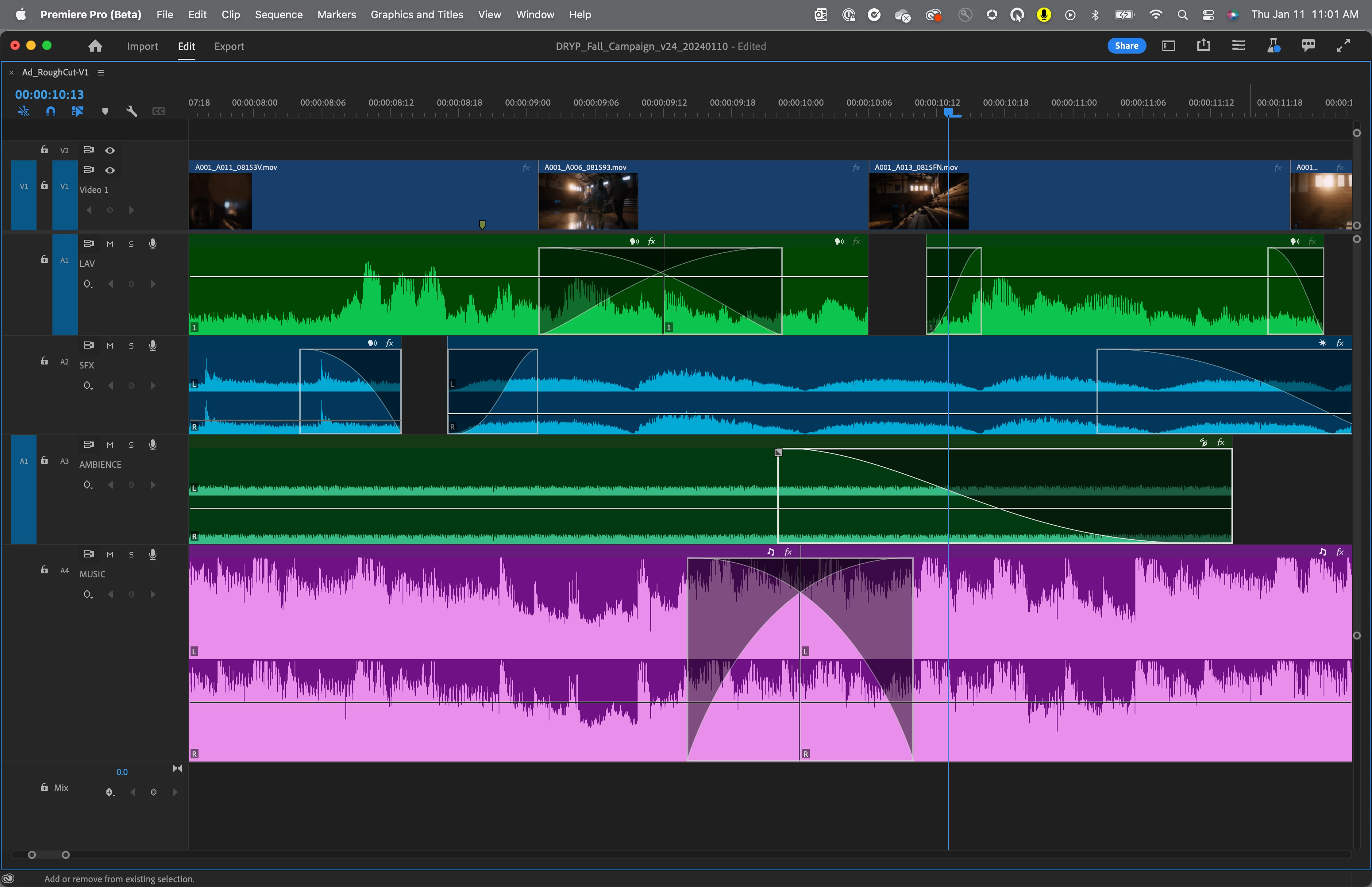
- AI-powered Audio Category Tagging: Automatically identifies and labels clips with icons for dialogue, music, sound effects, or ambience, providing one-click access to the most relevant tools for that type of audio.
- Redesigned Clip Badges: Makes it easier to see which clips have effects, quickly add new effects, or adjust effect settings.
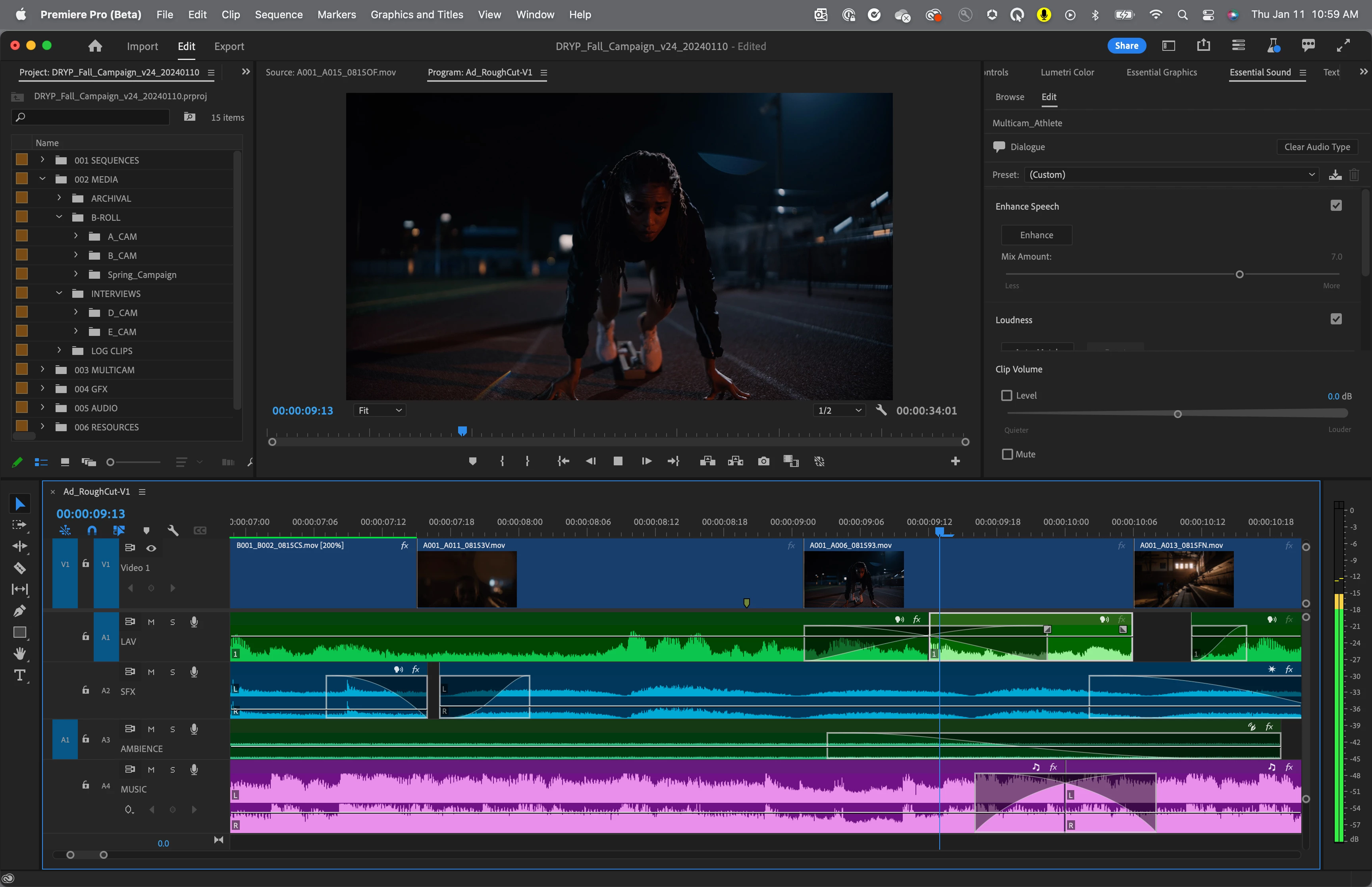
- Modern, Intelligent Waveforms and Clips: Waveforms dynamically resize when track height is changed, while improved clip colors make it easier to see and work with audio on the timeline.
Our intention is to save you time by making important audio workflows even more accessible. Upgrade to the latest beta version to see the new features.
Please let us know what you think of the changes, including any suggestions, in the comments below!
 AdChoices