



[Now released] Inner/Outer Strokes for Premiere Pro titles
This feature is now shipping in the October release of Premiere Pro. Questions or comment about it should be posted to the main Premiere Pro forum: https://community.adobe.com/t5/premiere-pro/ct-p/ct-premiere-pro.
-------------------
(Ann Bens, this one is for you. And hopefully not just for you.)
We have added directional strokes to the Essential Graphics panel for titles, that means you can now choose between outer, inner and center strokes. Yay!
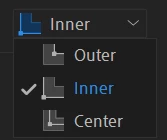
We also refreshed the UI of the Appearance section of the Essential Graphics panel a bit
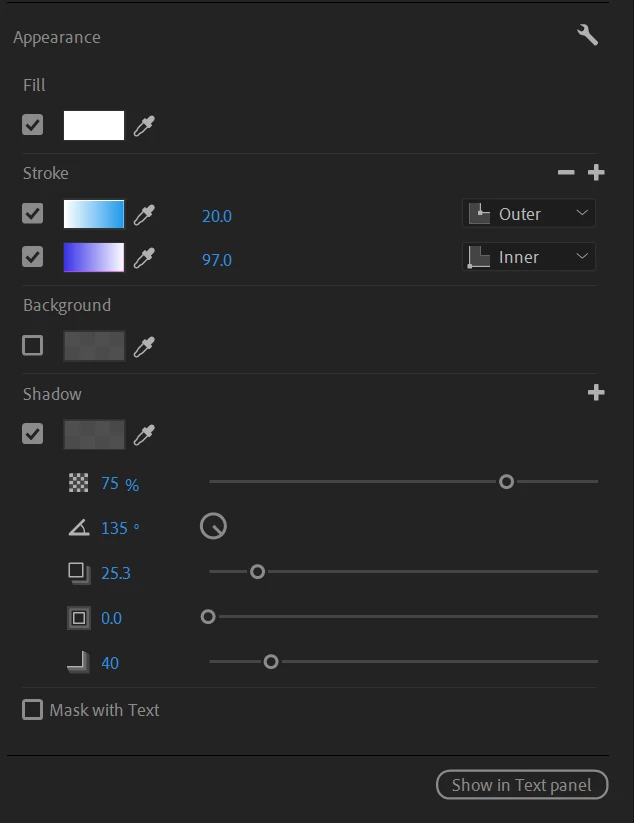
The feature should hopefully just work as you expect, but here some details:
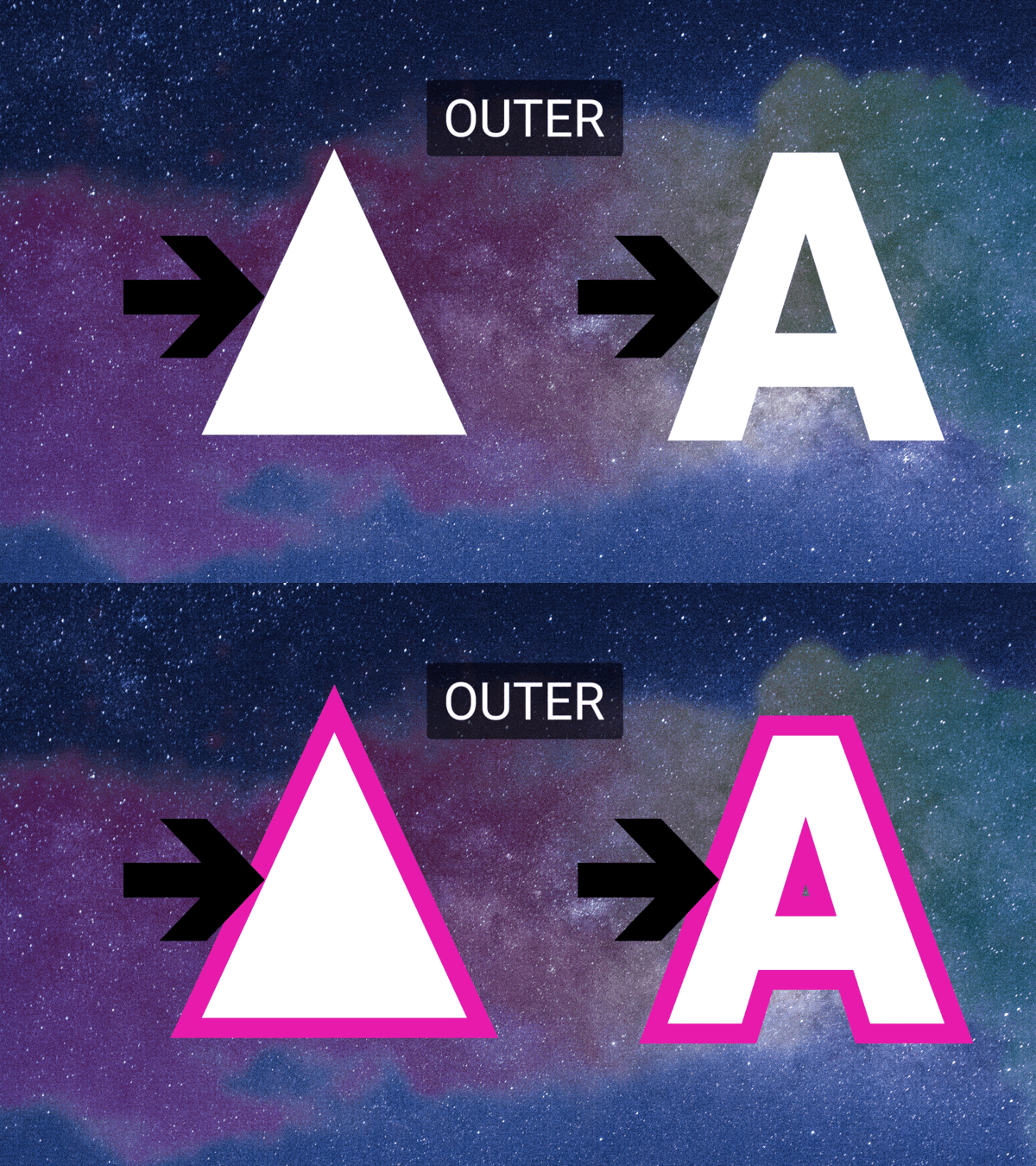
- The new default is outer strokes for both text and shapes
- Outer strokes grow from the edge of the shape/text outwards
- Outer strokes draw the stroke behind the fill
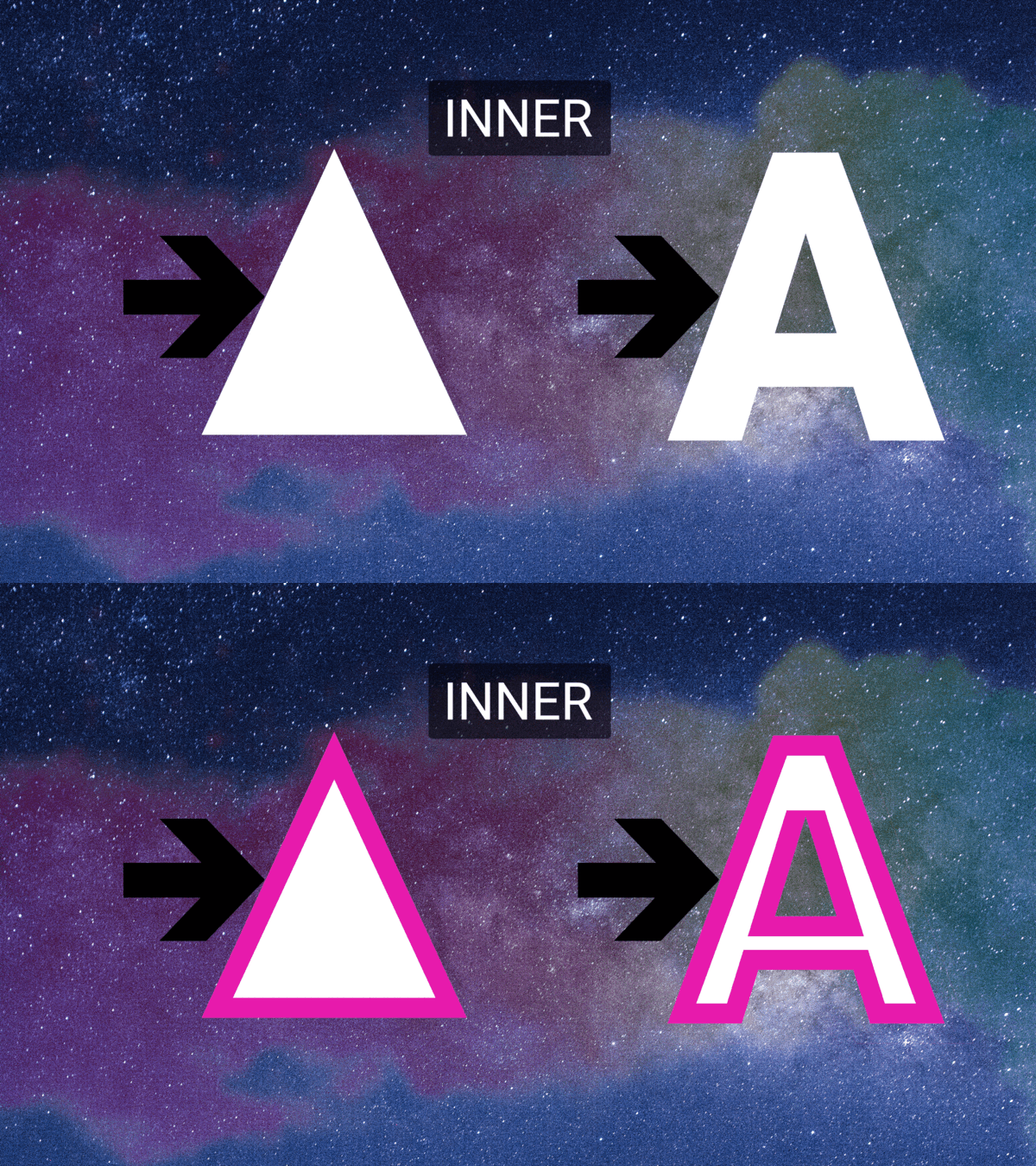
- Inner strokes grow from the edge of the shape/text inwards
- Inner strokes draw the stroke over the fill
- A first stroke daws on top of a second stroke.
- Example: if you create a 80px outer stroke, the second outer stroke will need to be greater than 80px to see it, otherwise it will just be hidden behind the first stroke.
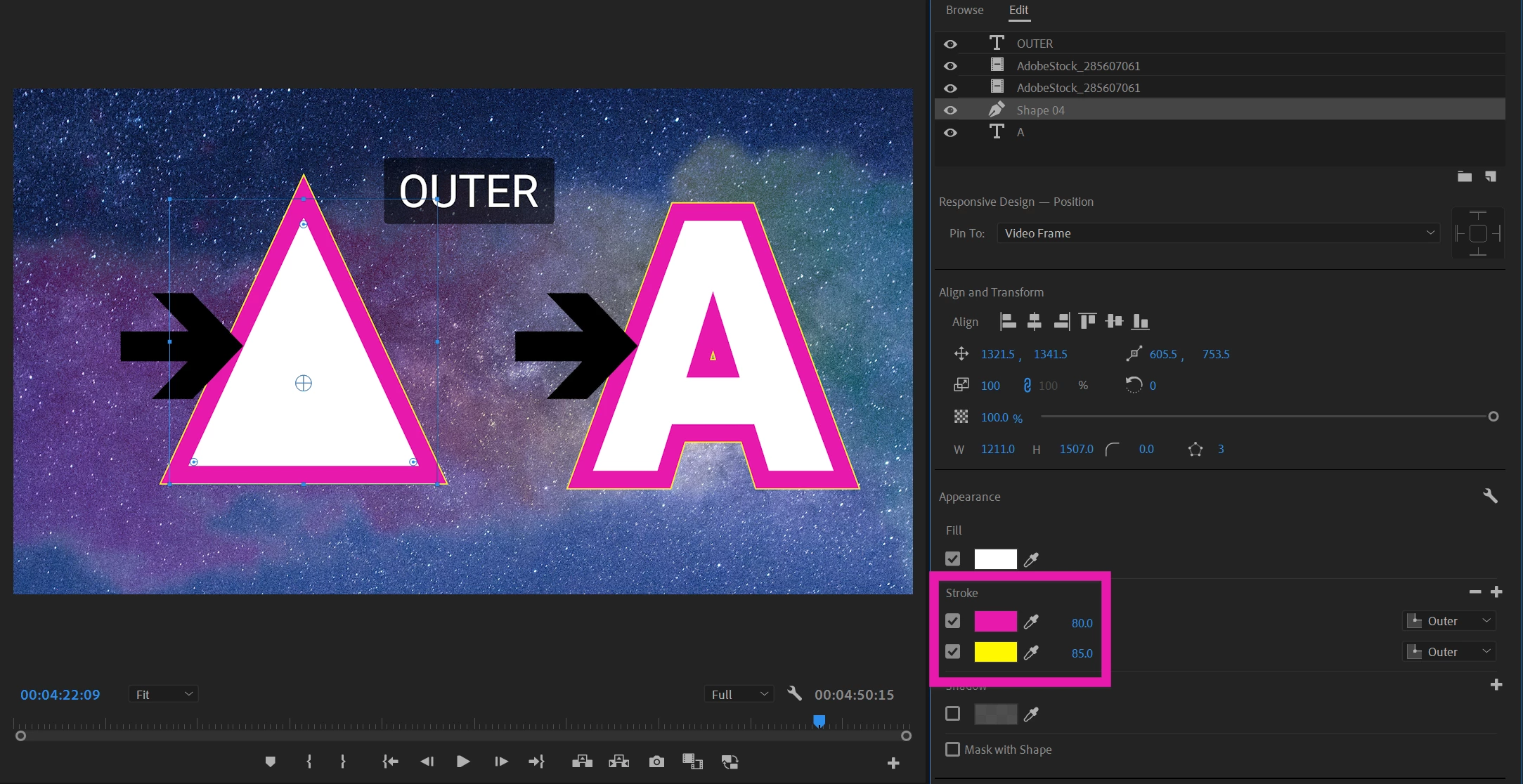
The hardest problem we had to solve was how to retain rendering for legacy projects. We really did not want to mess up existing designs from our users. The answer we found was to retain our old strokes behavior for center strokes. With center strokes the stroke is over the fill for shapes, but under the fill for text, just the way it was in the past. The values of the stroke width will change but rendering itself looks exactly the same as in previous versions.
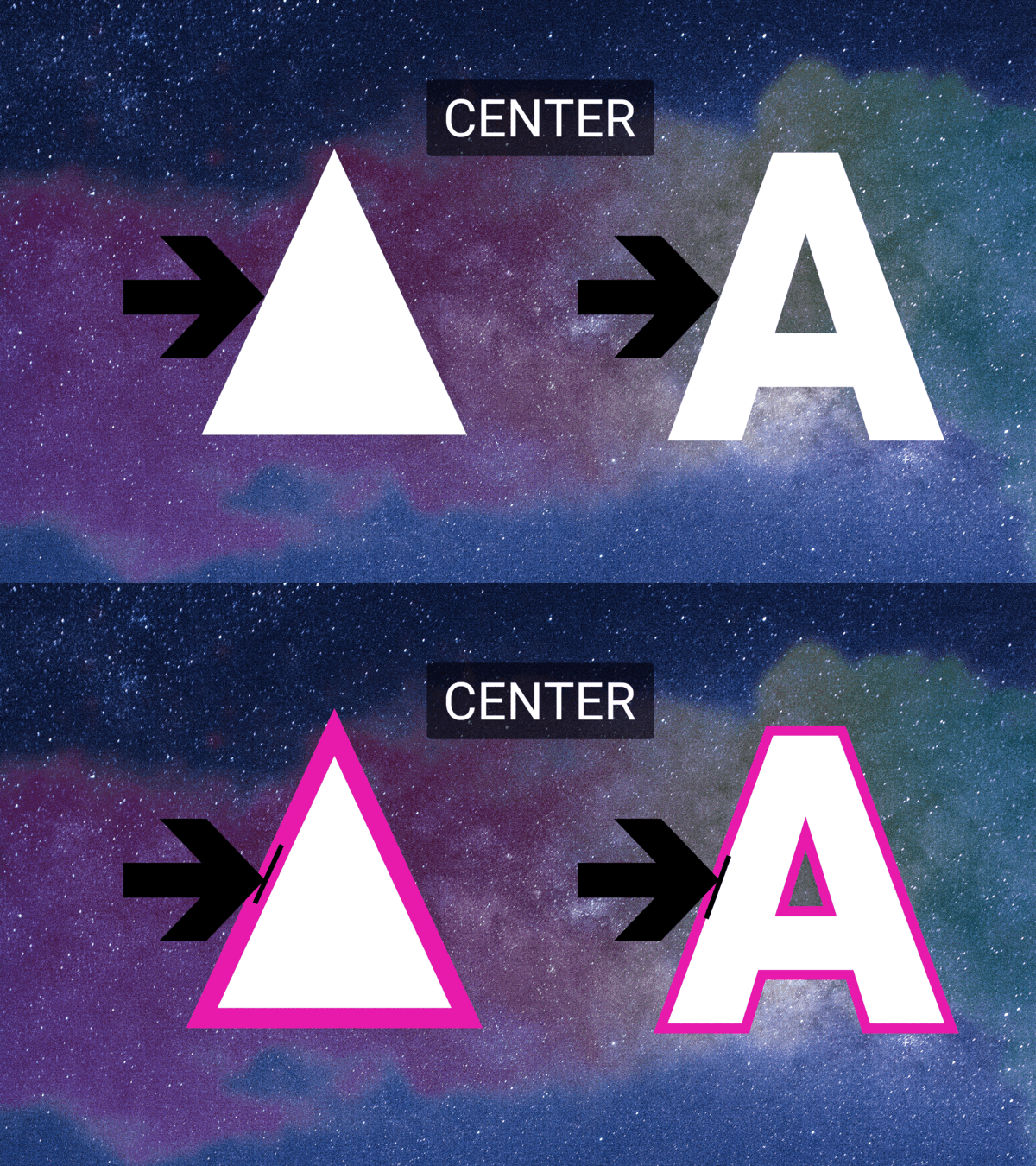
Inner/Outer Strokes in Essential Graphics work basically like Photoshop and the Legacy Titler now.
Speaking of the Legacy Titler, for people still having some Legacy titles they want to upgrade to Source graphics: By adding this feature we can now include inner strokes in the conversion from Legacy titles to Source graphics.
 AdChoices