




Job Hunting Made Easier: Use Adobe Acrobat Right Inside ChatGPT
Hey everyone, Joe here.
If you've ever juggled a resume, cover letter, and references across separate files while job hunting, I put together a quick way to pull them into one clean PDF without leaving ChatGPT.
What you need: A ChatGPT account. No Adobe account required; you can use it as a guest or sign in.
What you can do: Combine your resume, cover letter, and references into one PDF, edit text like a company name, reorder or remove pages, and download the finished file.
👉🏼 Try it yourself:
- First, add the Adobe Acrobat plugin.
- Go to Settings → Plugins, search "Acrobat," and add it. Choose "Sign in with Adobe Acrobat" if you want to save files to your Adobe account, or "Use without an account" to skip that step.
- Then type:
Prompt 1: "@Adobe Acrobat, combine my resume, cover letter, and references into a single file"
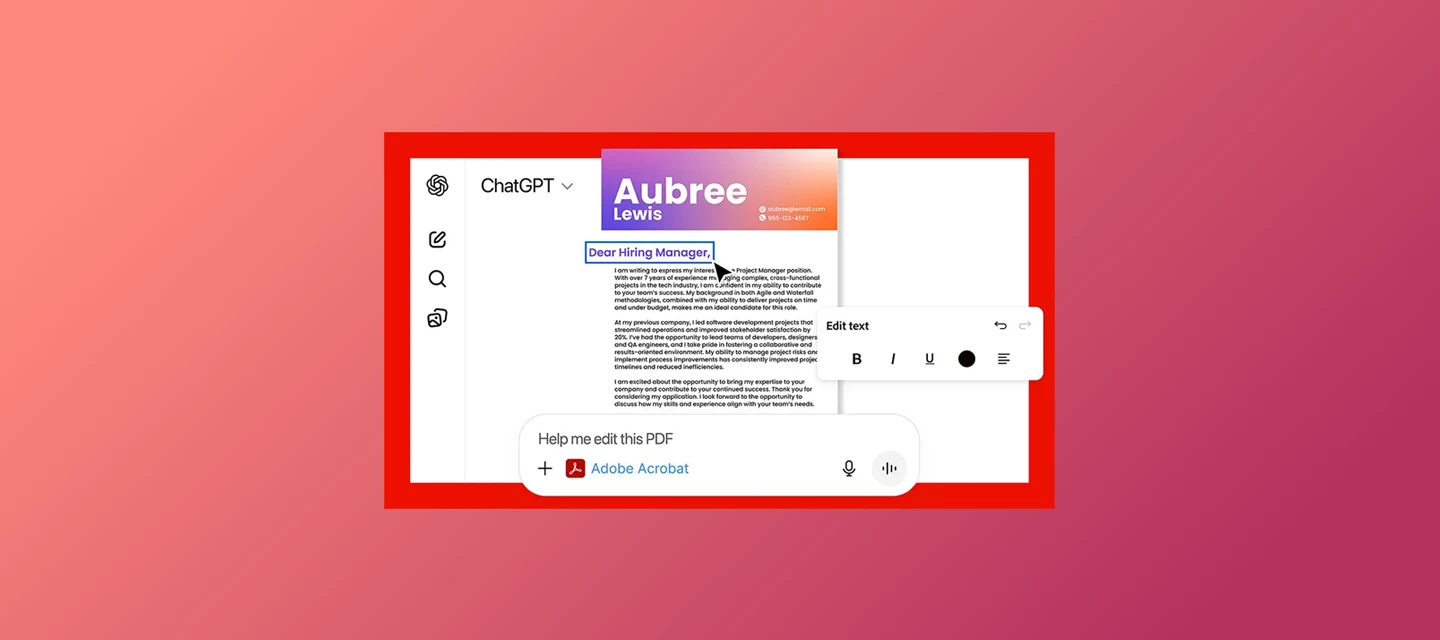
Upload your three files, and Acrobat merges them in order. Need to tweak something first, like swapping in a specific company name in your cover letter? I ask directly:
Prompt 2: "@Adobe Acrobat, I need to edit the company name in the file"
Once it looks right, you'll see a preview with a download button right there. Select it to save the finished PDF to your device.
Watch the full walkthrough below
Good to know:
- Free for all ChatGPT users, no paid Adobe subscription needed
- Files aren't auto saved to your Adobe account unless you sign in
- English-only for now
- Upload limits: 10 files per chat, 512MB max per file. Free plans get 3 uploads a day; others get up to 80 every 3 hours (details)
- Availability varies by region; check the overview page below if unsure
- Scanned or image-based resume? You can still upload it; see supported formats
- Installing the plugin requires ChatGPT web or desktop; once installed, it works in mobile chats too
Note: You might also come across a plugin called Adobe in ChatGPT. It's the successor to the old Photoshop plugin, now expanded to cover Creative Cloud tools and Acrobat's document features too, including creating and converting PDFs. It works the same way, whether you are a guest or signed in. This walkthrough is dedicated specifically to the Adobe Acrobat plugin.
👉🏼 New to the integration? Start with the Acrobat for ChatGPT overview and the step-by-step setup guide, or read Introducing Adobe for ChatGPT for the full picture.
I'll be in the comments. Drop a note on how you'll use it for your own job search or ask me anything.
— Joe
 AdChoices