


Anand Sri Bhattacharya
Community Manager
Community Manager
May 6, 2026
StickyNews

The New Standard for Document Sharing: PDF Spaces
  • May 6, 2026
  • 25 replies
  • 1383 views

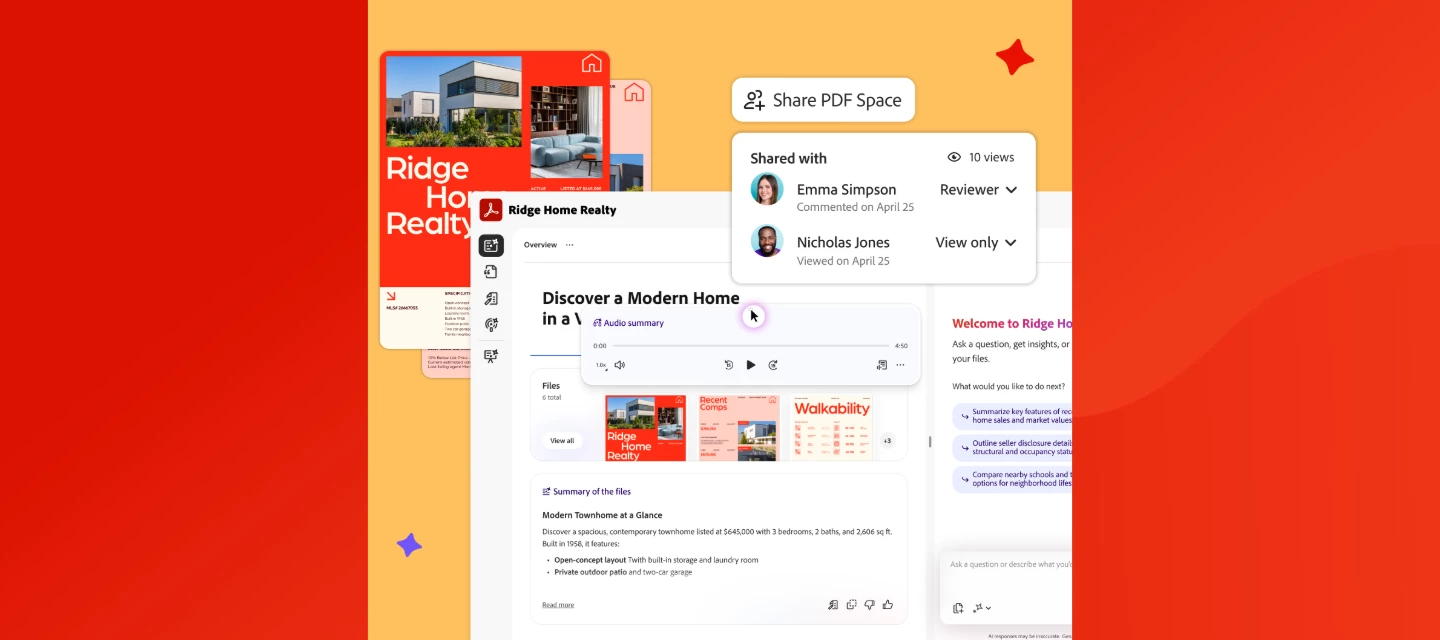
PDF Spaces in Acrobat lets you share documents as guided, interactive experiences, complete with audio overviews, AI Assistant, and engagement tracking. Read more on the Adobe Blog or watch this overview.


We've added enhanced collaboration and sharing capabilities in Acrobat to help you communicate more effectively and land your message every time. With the new PDF Spaces Sharing experience, you can now share information as a guided, interactive experience, bringing together files, context, audio overviews, and an AI Assistant to better convey your message.
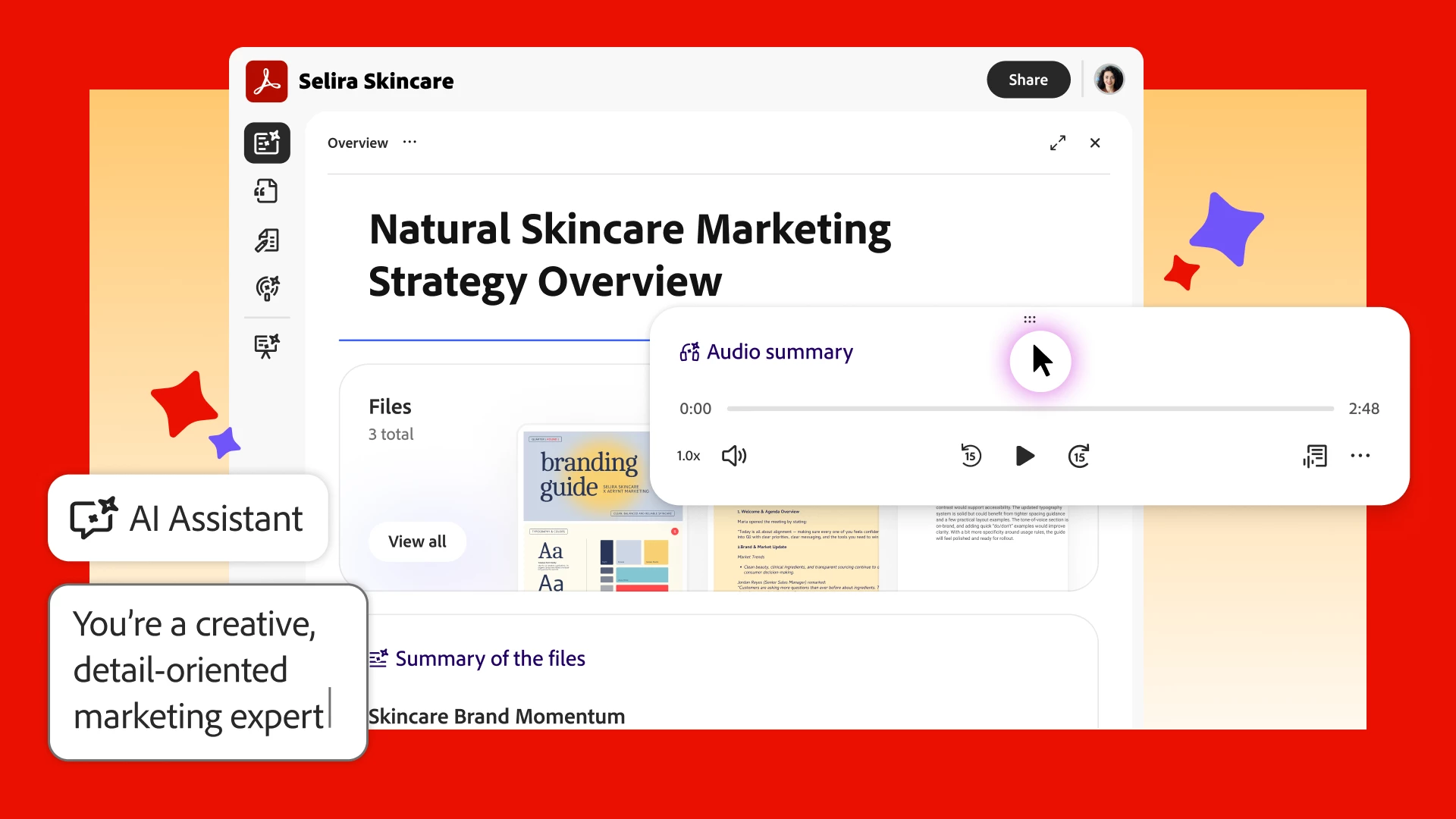


Share PDFs as interactive experiences. Turn multiple docs into a PDF Space that guides recipients through your content the way you want, with a summary, audio overview, and your brand.  


Guide your message with an AI Assistant. Share your PDF Space with a customizable AI Assistant and shape its responses to set the tone of your content and act as an extension of you.  


See who explored your content. Track views of your PDF Space, so you can confidently continue the conversation. 


Watch this video to learn more about PDF Spaces Sharing.


Full walkthrough guide of the new way to share with PDF Spaces.


What feature are you most excited about? Create a PDF Space in Acrobat and tell us what you think. 👇 


25 replies

stevejobs123123
Participant
May 11, 2026

adobe really looked at link tracking and said what if we made this sound futuristic and also slightly exhausting

mariahmagazine
Participant
May 11, 2026

LOVE LOVE LOVE these updates. Being able to add a logo to the PDF space, it feels so simple but it’s SO COOL being able to carry branding over into this. I love that we can see the views now too, excited to see if there’s more data we can pull from this in the future.

Participant
May 11, 2026

LOVED this video breakdown, so helpful! I have been using PDF Spaces with clients and events I host and it’s like Adobe Acrobat read my entire wishlist like “Add my logo” and “track views on the PDF space!” I am so excited about these features!

JR Boulay
Community Expert
Community Expert
May 11, 2026

Can we share interactives PDFs (using videos, form fields, etc) in a PDF Space?

Acrobate du PDF, InDesigner et Photoshopographe
danialcarter
Participant
May 11, 2026

PDF Spaces is honestly one of the most practical updates Adobe has rolled out in a while. The idea of turning a static document into a guided, interactive experience is something a lot of professionals have needed without even realizing it.
I work in the home improvement space specifically window installation in Baltimore and client communication is always a challenge. We send over quotes, material guides, and project overviews, but they often get lost in email threads or go unread. Something like PDF Spaces with audio summaries and an AI Assistant that can answer client questions directly from the document would completely change how we present proposals.
The engagement tracking feature is what excites me most knowing whether a client actually opened and explored your document before a follow-up call is a game changer. Really looking forward to trying this out!


[Third Party URL removed by Adobe Moderator]

Participant
May 11, 2026

This is EPIC!! I cannot wait to use this from stage very soon because these engagement insights are KEY! And my retreat attendees are in for a fun surprise when they see how pretty and interactive their virtual travel desks are now! 😍

Liz Mo
Participant
May 10, 2026

So excited for this! It’s given me so many ideas of ways to use an interactive PDF Space! 

mariatassi
Participant
May 9, 2026

As an event host, this is an absolute game changer 🙌🏻 The attendees for my next event are in for a treat! 

katrinaowenspr
Participant
May 9, 2026

I’m obsessed with the interactive sharing capabilities! This just totally changed how I present and deliver ongoing strategy for my clients. Can’t wait to start integrating this into my workflow 💃

kbartold
Participant
May 9, 2026

This is epic for community builders and event hosts who want to give their audience an overview in multiple different ways!