


Participant
February 14, 2025

CC Library Sync...what' is happening?

  • February 14, 2025
  • 26 replies
  • 1861 views

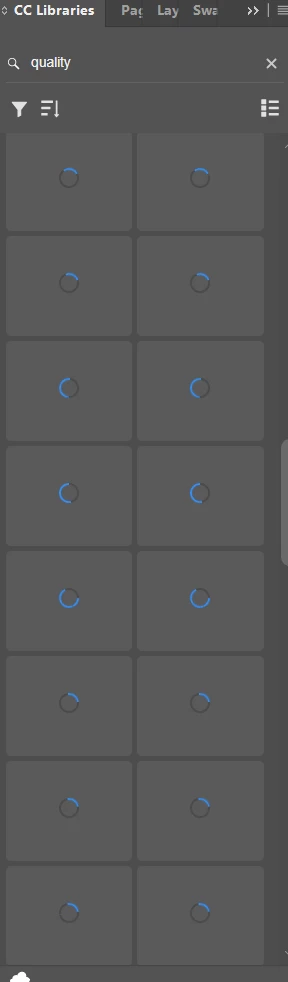
I can no longer see my company libraries. We have spent thousands of hours building collaborative libraries that we can share across our various divisions around the nation and world...now we can't even get to the graphics excep to download images of the graphics we created so they could be edited. FAIL Adobe...FAIL. At a minimum, we should be able to download native files...not photos of our work. Please advise on the best way to remedy this. I have provided a screen shot of what my libray looks like. It's been like that for hours. And the little cloud says everything is up to date.  
26 replies

Participant
March 5, 2025

The problem seems to come from the thumbnails of the assets who keeps being redownloaded. When the computer is disconnected from the internet I can't see the thumbnails but I can use my assets without long loading delay.

Also only the owned and shared libraries are affected, no problem with public libraries.

Participating Frequently
March 4, 2025

Same issue here. All my team is experiencing it and we are losing precious time.
Please help!
Thanks

clementc89469389
Participating Frequently
March 4, 2025

Hello, same issue here, did you deploy the fix ? If yes it did'nt wirk for us. (More than 30 designers blocked by this issue) 


Thanks

Participant
March 3, 2025

And what are they updating? creative cloud?


Participant
March 3, 2025

When is adobe due to provide the fix? 

Participant
February 28, 2025

I am having the exact same issue. CC Desktop app is up-to-date. I can access libraries via my web browser, but not in my CC Desktop app or in Photoshop/Illustrator. It's been happening on and off for several days now, but usually restarting the app allowed me to access my libraries for long enough to get what I need and get out. Now, I can't seem to make them work no matter what I do-- this is extremely frustrating because I'm trying to use the libraries to share smart objects between Photoshop and Illustrator, and it has completely halted my workflow

Adobe Employee
February 26, 2025

Thank you all for sharing. We are on track to roll out a new version by the end of next week. Once you all receive that update, please let us know if you are still experiencing this issue.

Participant
February 24, 2025

Here is a link to the video.

https://www.dropbox.com/scl/fi/xe5e0fwqt7pljsjh0jqcg/Recording-2025-02-24-131916.mp4?rlkey=tbr4alqk073geisfkx0a9kh2q&st=sg33mcbc&dl=0


It is one of the larger Libraries that we have, but the files are actually quite small in this one, just a lot of them.

I had not accessed this library today so I knew that it would not be loaded and would server as a good example.

You can see that it first says there are no items in the Library and then procedes to loadthem. I then go out of the library and go back into it to show that the items are still there after they loaded.  But the libraries are reseting after a while, and will need to be reloaded again.  Not sure if this is due to time, or volumen of other libraries that have been loaded.

Participant
February 24, 2025

It doesnt seem like I can post a video here. How would you like me to send one?


I also downloaded the photoshop update that came out over the weekend..I agree the libraries are loading faster than last week but they still keep refreshing and lagging. 


I ended up organzing and tagging most my assets in bridge so I could just keep the libraries tab closed and access stuff through bridge and not keep having my workflow interupted. 


Here are the spects on crearive cloud and instagram version 

 and a photo of the library items reloading