


Participant
February 14, 2025

CC Library Sync...what' is happening?

  • February 14, 2025
  • 26 replies
  • 1881 views

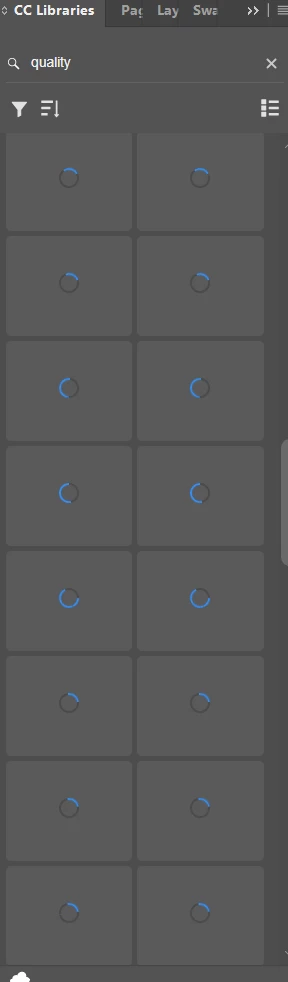
I can no longer see my company libraries. We have spent thousands of hours building collaborative libraries that we can share across our various divisions around the nation and world...now we can't even get to the graphics excep to download images of the graphics we created so they could be edited. FAIL Adobe...FAIL. At a minimum, we should be able to download native files...not photos of our work. Please advise on the best way to remedy this. I have provided a screen shot of what my libray looks like. It's been like that for hours. And the little cloud says everything is up to date.  
26 replies

Adobe Employee
February 24, 2025

Would you be able to provide a video of the issues that you are seeing currently? Just trying to be certain of what you mean by a slow down and exactly what that process looks like. If it is syncing files, the little sync icon in the footer should show that it is syncing. And how long of a slow down are you referring to, currently. You seem to be describing a bunch of general slowness but we'd like to narrow this down to a specific issue and scenario that we can replicate and troubleshoot.

-- Adobe CC Libraries Engineer
Participant
February 24, 2025

Hi AdbFlor,


Here are the specs that you requested:

Libraries What's New version: JANUARY 2025 - Version 4.9.105
Adobe Photoshop Version: 26.3.0 20250122.r.156 bfca642 x64

The libraries seem to be loading a little faster than before, I did see there was an update for Photoshop that I uploaded a few days ago.  The libraries did load faster after this update, but they did start to slow down as the day a few hours after, And they did seem to remain steady, that is when I would exit Photoshop and then relaunch, the libraries that had loaded would still be loaded, but it did seam that if I had too many loaded and then when to one that I had selected/loaded a few hours past, that they would have to reload.

Today, Monday morning when I stared work, each library had to reload, but it did do it a faster than it was doing it, but it still does take some time.  I then tested it to see if it would remain if I exited and then relaunched Photoshop, and they did remain loaded, but the libraries should always remain loaded and only update individual items that have changed and not the whole library.


Adobe Employee
February 22, 2025

It would be useful to know:
- what Libraries version you are on (see Patrick's comment on where to look)
- whether this was a one time event or whether this continues to happen every time you open an app
- the version of your Creative Cloud Libraries Synchronizer process. You can see this by going to Creative Cloud Desktop and viewing the About Creative Cloud info.
- the app(s) and the app version(s) where this occurs
- Operating System (Win/Mac) and version

-- Adobe CC Libraries Engineer
Participant
February 18, 2025

This is also happening with our libraries. This started about a week or two ago. We have thousands of items in our libraries and many users.  Why is it updating the images when they should already be up to date on our computers. Should it not only initiate an update to an item that is new, why is it updating all the items.  Is it updating from the remote adobe server each time it logs in, is it not referring to the copy that should be on the workstation, there are two many items to download for this kind of updating.  It should only update if it is confirmed that there has been a change to that item, otherwise is it not better to use the item that should be stored on the workstation which would immediately populate the library.

Participant
February 16, 2025

This started happening to me too in the last week. every time I open photoshop it refreshes my library and takes an hour to reload. extremely frustrating and killing my productivity as it freezes up constatnly. it will only load what i can see then as soon as i scroll it starts reloading more but hangs up. it worked fine a month ago

Patrick Adbe
Adobe Employee
Adobe Employee
February 14, 2025

Hey there! I am sorry you are running into some issues here loading your libraries. First, I would ensure you are on our latest version of Creative Cloud Libraries. You can do this in on of our host applications by going to the context menu at the top right, selecting "What's New?" and it should show a version of 4.9.105. If you are on an older version be sure to update via CCD.

If you are on the latest version I would recommend uninstalling and initiating a clean installation of creative cloud and the creative cloud apps you are using. I hope this can resolve your issue.