


Open for Voting
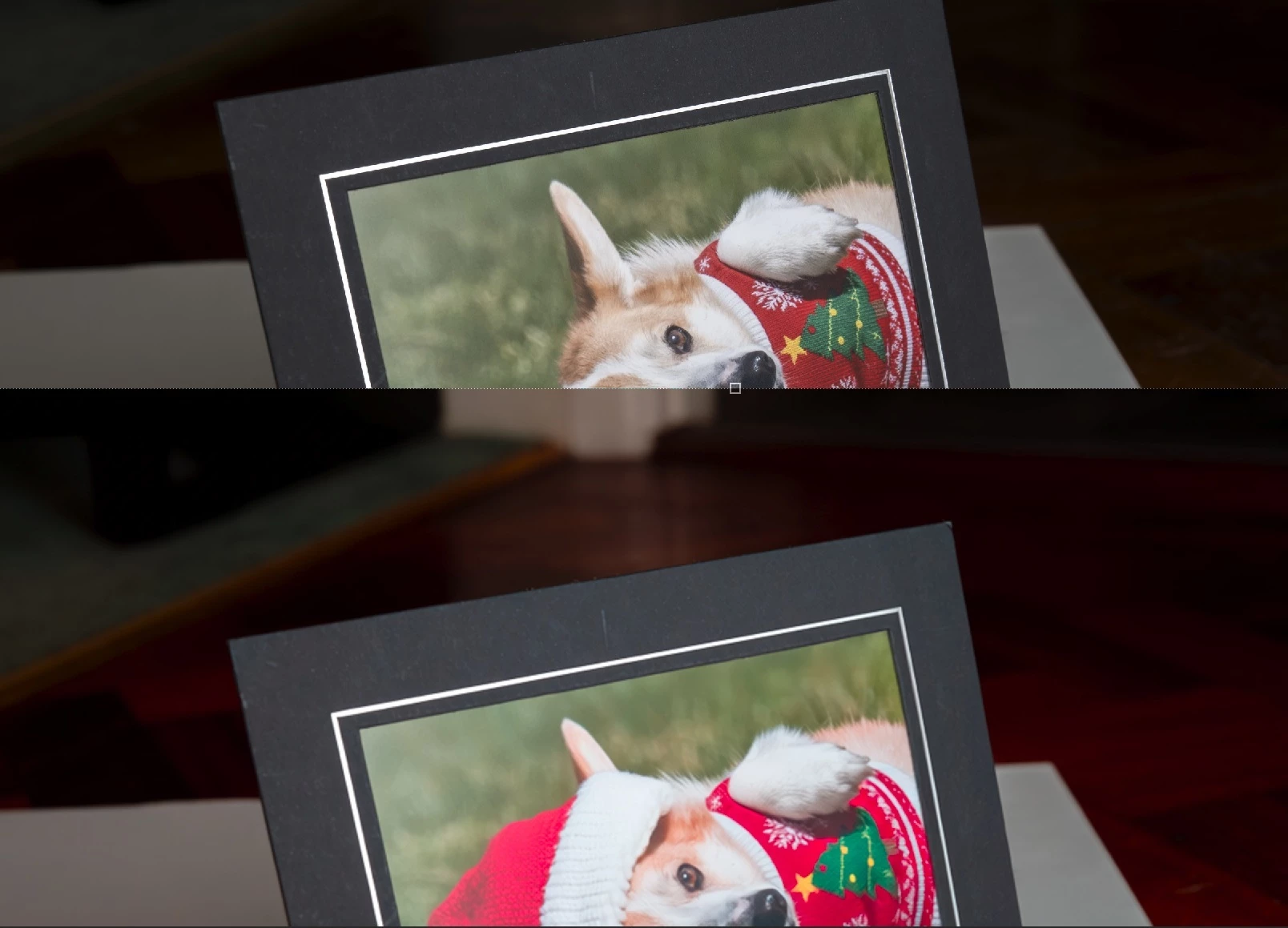
photoshop ai assist returns an image to pro editor with over-saturation, especially on reds
Windows 11
Lightroom Classic 15.5.1
Photoshop 27.10.0
NVIDIA GeForce RTX 5070
Both apps in prophoto RGB
steps:
In lightroom, click ‘edit in photoshop’
select image in photoshop and go to AI Assist
Modify the image
Click Pro Editor to send back to photoshop layers
The image is now over-saturated.
If I had downloaded the image in AI assist, and added it to my photoshop layers using ‘place embedded’ the same distortion occurs.
Initially the distortion also occurred in the transfer from lightroom to photoshop, until I switched off graphics processor. It solved that issue but not this one.
Have tried both assign profile and convert to profile. Neither worked.
Adobe support in a remote session was unable to resolve and suggested I submit a bug report.
 AdChoices