


Open for Voting
InDesign drop shadows are broken.
The InDesign drop shadows have been broken for about 6 months.
You can find a longer forum here:
For a few months I’ve been able to work around it but now it’s gotten to a point where I can’t. I’m trying to export pngs with drop shadows and they are moving during export. So they look fine in InDesign but then the shadows move and in the png they are moved.
Here’s an example:
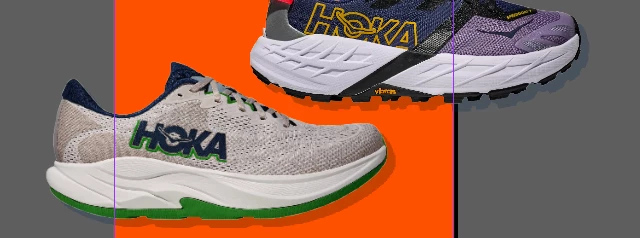

I’ve gone back into InDesign and fixed the shadows and reexported and they continue to export incorrectly making it a pretty big problem.
It’s been months dealing with this bug on a daily basis, having to resize the assets in InDesign to get it to go away and I’m trying to bring some attention to it so we can hopefully get this bug resolved.
Thank you.
 AdChoices