



Participating Frequently
August 7, 2025

Adobe Express not uploading images

  • August 7, 2025
  • 31 replies
  • 1587 views

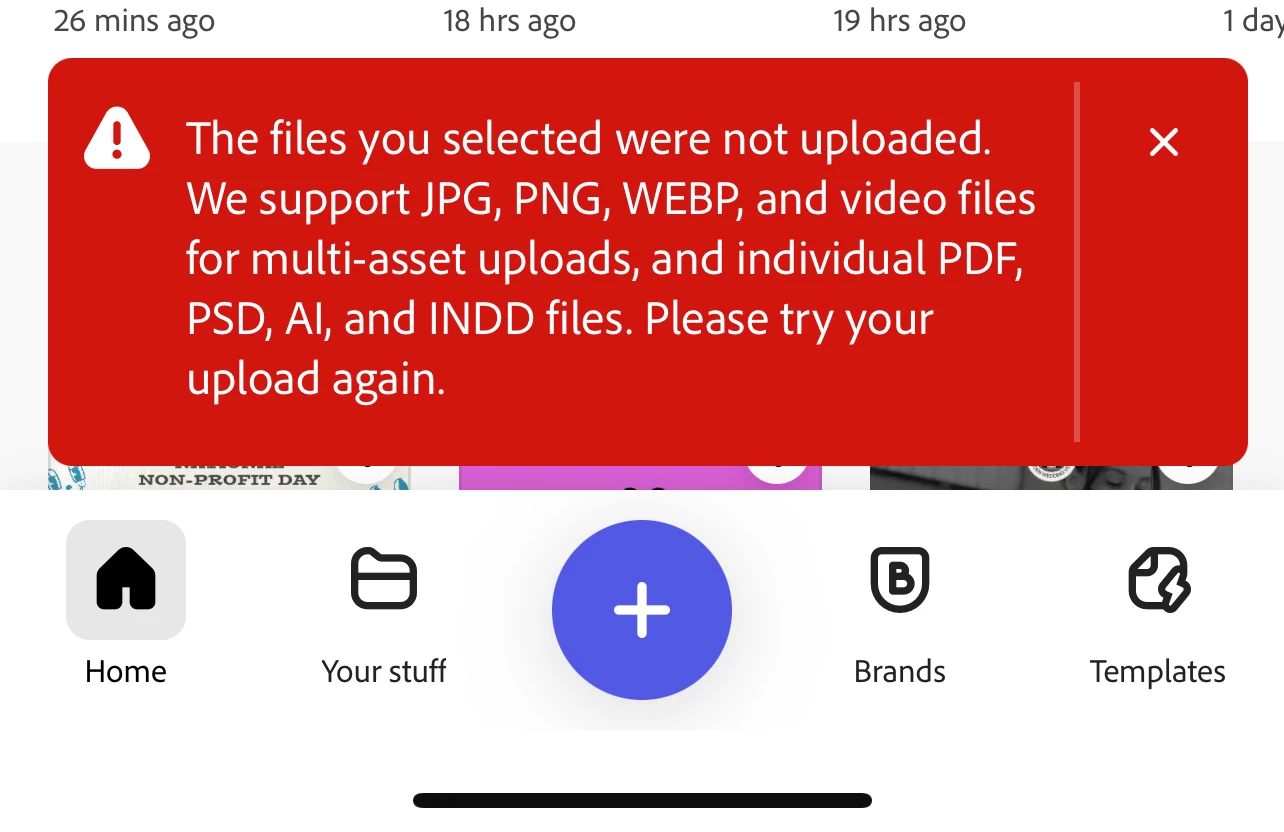
unable to upload any photos into express. I get this error no matter what type image I use. I've restarted my device, checked for updates, even took random photos with my phone. Videos appear to still work but photos are a no go. 
31 replies

Adobe Employee
August 7, 2025

Hello @Dabo318 , I am part of the Product team and am taking a look at this issue. We are troubleshooting this but wanted to ask if you are able to upload your image directly in the editor. You can search the file type that you want to create (e.g. Instagram post, Flyer, etc.) or choose the size of the canvas you need directly from the Plus button. Once you land in the editor, the plus button there should give you the option to upload from your device. Could you let me know if this works?

daboWorksAuthor
Participating Frequently
August 7, 2025

 When I try this way I get no error messages but absolutely nothing happens. 

daboWorksAuthor
Participating Frequently
August 7, 2025

 when I try this way I get the error message.

daboWorksAuthor
Participating Frequently
August 7, 2025

Yes I'm positive that the file types are acceptable. I've even attempted previously saved works from express as well as photoshop mobile. I'm only attempting one image at a time and I've attempted both methods of importing media.

Adobe Employee
August 7, 2025

Hi @Dabo318 


Which option do you select when uploading files: "Photo Library", "Take Photo or Video", or "Choose files".

Are you selecting multiple photos? Does selecting only one help? Are are you sure about the file type (that they only of the supported types listed in that error message)?


Thanks

Abhi G

daboWorksAuthor
Participating Frequently
August 7, 2025

Thank you. I'll just be here waiting.

daboWorksAuthor
Participating Frequently
August 7, 2025

I'll be hanging out here all day because my boss is breathing down my neck because I'm not able to produce content. Please help 


Tarun Saini
Community Manager
Community Manager
August 7, 2025

Hi @Dabo318,


Thanks for sharing detailed information. I've escalated the case with our product team, and I'll keep you posted once I hear anything from them.


Regards,

Tarun

daboWorksAuthor
Participating Frequently
August 7, 2025

Also I'm using the mobile version. I just now updated my software to iOS 18.6. Uninstalled/Reinstalled the app. Also toggled from WiFi to cellular data. Took a new random photo of the ground and Express is still giving the same error.

daboWorksAuthor
Participating Frequently
August 7, 2025

Also I'm using the mobile version. I just now updated my software to iOS 18.6. Uninstalled/Reinstalled the app. Also toggled from WiFi to cellular data. Took a new random photo of the ground and Express is still giving the same error.

daboWorksAuthor
Participating Frequently
August 7, 2025

I'm using iPhone 13 plus max. I will uninstall and reinstall the app and see if it helps. 

Community Manager
August 7, 2025

Hi @sadarien0D4D, thanks for the update. Please let us know if the issue persists afterward.