

Participant
October 8, 2026
Open for Voting

can't edit images using gpt-image-2.5 sunburst
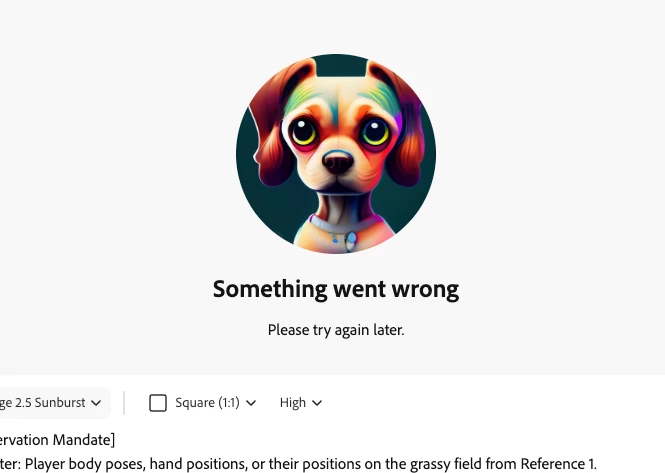
 

Can’t edit image using the mentioned model. It only happened today so far. I can see I have all credits avaiable for me, so it doesn’t seems to be a credits issue. Help please

    3 replies

    Gabriel Grundler Y.
    Community Manager
    Gabriel Grundler
    October 8, 2026

    Hi, magnetic_Swirlccce!


    To help us get to the bottom of this, our team will need a bit more information.


    As a first step, could you try these quick fixes?

    • Clear cache and cookies: Sometimes a simple refresh clears the block.

    • Test in incognito mode: Browser extensions (like ad blockers) often interfere with generations.

    If it's still failing, please share the following details so our team can investigate:

    • A full-screen recording showing exactly what happens from start to finish.

    • What exact error message are you receiving?

    • Please share your exact prompt and the reference images, to understand if it’s within our Guidelines.
       

    Awaiting on more info,

    Best,


    Gabriel

    Translate
    Participant
    October 8, 2026

    HI,

    I cleared cache and used Incognito: it didn;t worked. Screen recording

    Im getting Something went wrong, Please try again later” message.

    Prompt used:

    [Reference Asset Manifest (Consolidated)]

    • Reference 1 (Base Scene): FC26_ENGxCSR_1x1.png (New master scene of the 4 England players).
    • Reference 2 (All Player Faces): consolidated_player_faces_England-team.png (The same 4x2 grid of player faces).
    • Reference 3 (Kit Style): The firas-al-birekan__body-kit__front.png image.
    • Reference 4 (Crest & Background Palette): The saff-crest-flat-solid.jpg image.
    • Reference 5 (Squad Numbers): The corrected consolidated_squad_numbers_England-team.png file.


    [Surgical Core Tasks]

    Using Reference 1 as the absolute baseline for all player poses and positions on the field:

    1. Global Background Replacement:

    • Discard and Replace: Remove the original background from Reference 1 (the England-themed crowd, "FC26" branding, and St. George's Cross flags).
    • Generate New Background: In its place, generate a new, dense, and energetic stadium crowd wearing green and white. Style the new background using Reference 4 as a color and graphics palette, populating the stands with large green banners and flags featuring variations of the SAFF crest and the word "SAUDI".

    2. Global Kit Replacement:

    • Replace the red England jerseys and shorts on all four players with the dark green Saudi Arabia kit style from Reference 3.

    3. Player-by-Player Identity & Number Mapping (Positional Description):

    • Player 1 (Far Left, Profile View):
      • Swap the face with the headshots in the first row of Reference 2 (Firas Al-Birekan).
      • Apply the first number (9) from Reference 5 to their back.
    • Player 2 (Center-Left, Rear 3/4 View):
      • Swap the face with the headshots in the second row of Reference 2 (Salem Al-Dawsari).
      • Apply the second number (10) from Reference 5 to their back.
    • Player 3 (Center, Main Subject):
      • Swap the face with the headshots in the third row of Reference 2 (Mohammed Kanno).
      • Apply the third number (12) from Reference 5 to the chest and shorts.
    • Player 4 (Far Right, Profile View):
      • Swap the face with the headshots in the fourth row of Reference 2 (Saud Abdulhamid).
      • Apply the fourth number (28) from Reference 5 to their back.

    4. Graphic & Badge Application:

    • On the left chest of all visible new jerseys, stamp the crest from Reference 4.
    • All numbers and crests must warp realistically to the fabric folds and match the scene's lighting.


    [Strict Preservation Mandate]

    • Do Not Alter: Player body poses, hand positions, or their positions on the grassy field from Reference 1.
    • Do Not Modify: The players' original socks or cleats.

    • • Preserve and Adapt: Preserve the original camera angle and foreground lighting, adapting the new background's lighting to cast realistic reflections on the new players and kits.


    =======

    Same prompt + reference images worked for me yesterday. Thanks

    Translate
    Gabriel Grundler Y.
    Community Manager
    Gabriel Grundler
    October 8, 2026

    Hi there!


    Thank you for trying the troubleshooting steps (clearing the cache and using incognito mode) and for letting us know this exact workflow was working perfectly yesterday.

    Since the basic steps didn't clear the 'Something went wrong' error, our relevant team needs to look at the backend logs to see exactly what is blocking your generation today. To help us trace your specific error, could you please provide:

    1. Timestamp: The exact date and time (including your time zone) when the generation failed.

    2. Request ID / Session ID: If you have access to the failing generation's Request ID, please share it.

    Also, I want to ask you to get the .HAR file from the failed attemps. 

    Here is a quick guide on how to get the .HAR file.


    best,


    Gabriel

    Translate