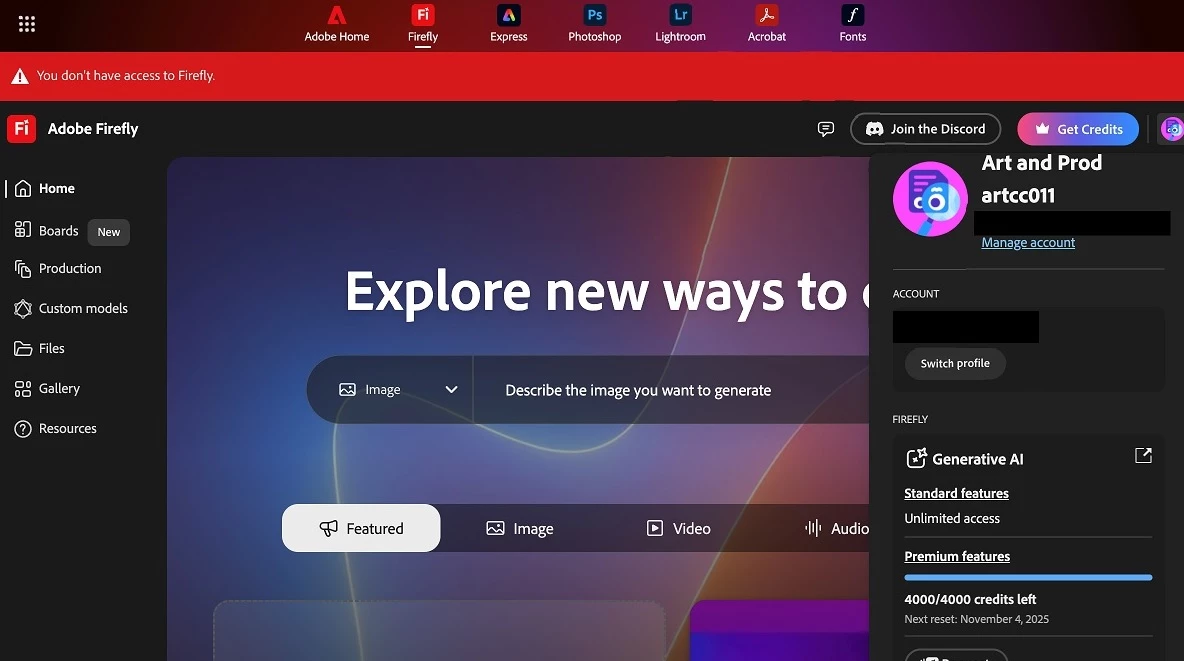
"I am unable to see how many credits I have in my account. Even though I have sufficient credits, I am receiving a 'credits exhausted' notification. I would like to request that this issue be resolved."
Thanks for reaching out. I'm sorry about the issue. There was an AWS outage that affected many services. We are trying to resolve this as soon as possible. Please try again in some time. We appreciate your patience.
I’m unable to reach Adobe support through any channel, and I can’t access Firefly either.
1. Firefly website shows this message:
Can't access Sorry, Adobe Firefly isn't available in your region.
2. Support chat shows this message:
Service Unavailable Please refresh this page or try the options below. Ask our community Find answers on the Adobe Forums. Call us If you have a currentsubscription, paid product, or trial, find your region's number.
3. Phone support — when I call the official support number, the automated message says the number is disconnected.
I’ve already restarted my router and computer, and I’m not using a VPN or any proxy service. I'm on Windows 10 Pro Version 22H2. This issue started recently and persists across different browsers.
Has anyone else experienced the same problem, or is there any official update about support and Firefly access being temporarily unavailable?
Hello, my Adobe Firefly annual plan stopped working today in Kazakhstan. It now says “not available in your region”. Could you please check what happened?
I’m located in Kazakhstan and have an active annual Adobe Firefly subscription that worked perfectly until today. Now I get the message: “Firefly is not available in your region” and can’t use any Firefly features.
My Adobe ID country is set to Kazakhstan, I don’t use VPN or proxies, and my payments are processed officially. Could you please confirm whether Firefly availability for Kazakhstan has changed or if this is a technical issue?
Please help me restore access or advise how to reactivate my subscription.
I've been trying to use my adobe firefly account for over 24 hours now and it's not working. Every time I try to generate anything it says " can't access sorry, Adobe Firefly isn't available in your region. I pay for this every month and that doesn't make sense. I've restarted my computer and updated everything.
Same thing this morning I’m Italian. I did some research and found out it might be a browser update issue. For example, I’m still using macOS Big Sur on a 2017 iMac, and many app updates like Photoshop, Premiere, etc., can’t be installed anymore because the OS is considered obsolete. I also can’t update Google Chrome on Big Sur. If that’s really the case, it’s pretty embarrassing for Adobe, considering I’m paying for the full Creative Cloud package, which isn’t exactly cheap. On top of that, they’re playing the planned obsolescence game, basically forcing me to buy a new Mac now.
I can understand it for apps like InDesign or Photoshop that have AI features and need more processing power, but for web apps, it makes absolutely no sense. I really hope that’s not the case… I just hope it’s a bug and that tomorrow morning I’ll be able to work normally again.
Je rencontre un problème majeur avec mon compte Adobe : toutes les fonctionnalités liées à l’IA sont bloquées, alors que je suis en Belgique sur un compte personnel actif. De plus, le support via le chat ne fonctionne pas, ce qui m’empêche d’obtenir de l’aide par les canaux habituels.
Configuration : • Application : Photoshop (dernière version via Creative Cloud) • Plateforme : Windows (PC à jour) • Compte : Adobe personnel – Belgique • Paiement : Carte bancaire belge
Problème constaté : • Dans Photoshop, le Remplissage génératif affiche “fonction non disponible dans ma région” • Sur https://firefly.adobe.com, Firefly est indiqué comme non disponible dans ma région • Mes crédits IA ne se chargent pas (erreur systématique) • Le chat d’assistance ne se charge jamais, quelle que soit la configuration
Tests déjà effectués (tous sans succès) : • Navigateurs testés : Edge, Chrome • Navigation privée testée • Plusieurs appareils testés • Réseaux différents : Wi-Fi, autre connexion, 4G → Toujours le même résultat : IA inaccessible et chat impossible à ouvrir
Je demande qu’un agent fasse remonter mon cas et procède à un reset des droits Firefly + une resynchronisation de mon Adobe ID, qui semble être la seule solution dans ce type de situation. Je peux fournir mon adresse Adobe ID par message privé si nécessaire.



 AdChoices