


Participant
May 27, 2024

Issue with Adobe Firefly Web Generative Fill: Error when expanding photo
  • May 27, 2024
  • 10 replies
  • 1591 views


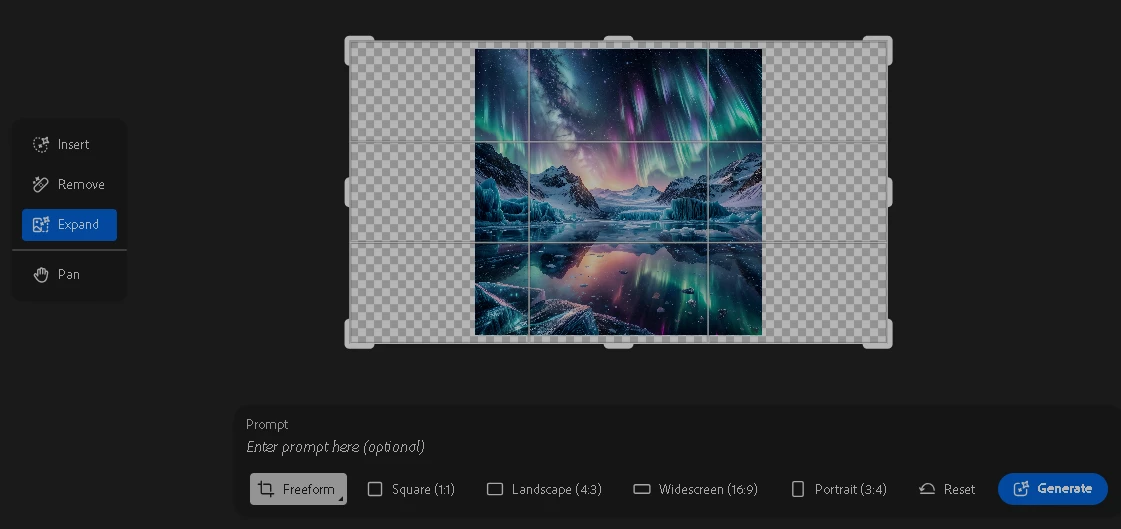
Every time I attempt to expand a photo using the Generative Fill feature, I encounter the following error message: "An unexpected error occurred and we failed to generate an image! Please try again." This issue persists regardless of the browser I use, as I have tried both Google Chrome and Microsoft Edge. Additionally, I have attempted to use different images, but the problem remains. 
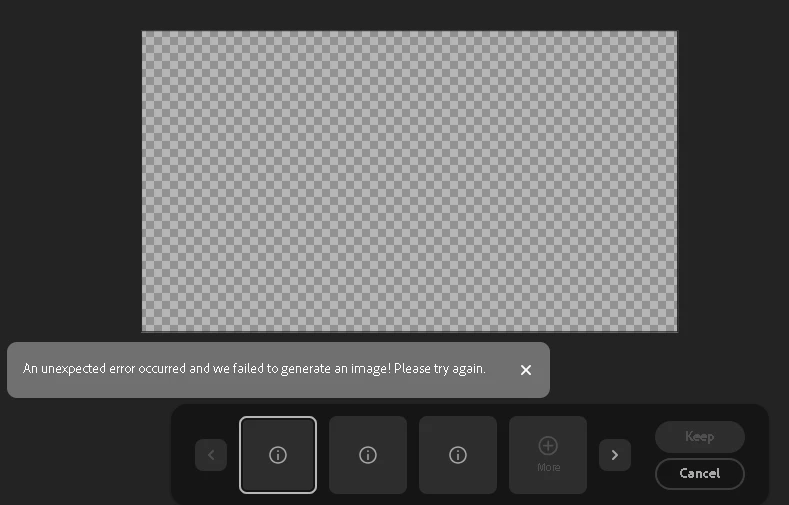
 

This feature was working perfectly fine a few days ago, and I have not made any changes to my system or software that might have affected its functionality. I also still have a lot of credits.
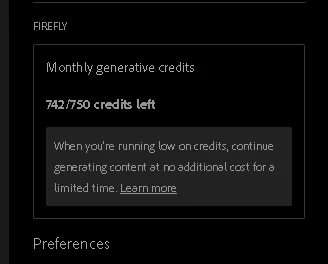
 

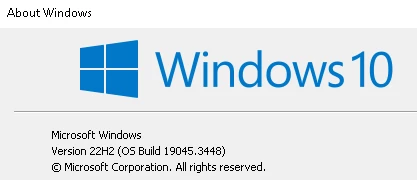
I'm using Windows 10 Pro version 22H2.
 

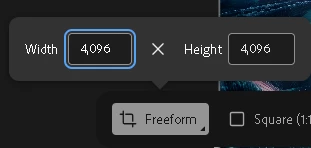
Interestingly, when I use the Generative Fill feature on my smartphone, it works without any issues. However, I encounter a different problem on my smartphone: I am unable to use the freeform option. Whenever I try to set a custom resolution, it always reverts back to the default settings.


10 replies

droopydog500
Community Manager
Community Manager
May 29, 2024

Hi @Clip285322365cob,


Thanks for sharing these.  I tried your test file on MacOS and Windows 11 in Chrome and MS Edge and could not reproduce it. It do not have a Windows 10 machine anymore. So, still a mystery here.  I have submitted these for further review.  Hopefully will figure this out.


My best,

    droopy

Adobe Community Expert (not an Adobe employee)
Participant
May 29, 2024

Screen Record 

I can successfully expand a large .JPG file without any issues. However, when I attempt to upscale a large .PNG file, I encounter problems. Specifically, as demonstrated in the attached video, when I try to upscale the .JPG photo for the second time, the process fails. After this failure, I need to sign out and sign in again to make it work.

This is the .PNG file that I am using for your reference and testing.

droopydog500
Community Manager
Community Manager
May 28, 2024

Hi @Clip285322365cob,


I tested a 64MB image this morning and did not have a problem. I tested a public domain image (to avoid any rights issues). Can you please try to expand this image?  Download the largest resolution file, which is 64.7MB:


File:"Marimba" - Curiosity (28932226176).jpg 


Please let us know if you get the same error expanding this file.


Can you also please do a screen recording of your complete sequence of work that leads to this error being generated? If you do not want to post it here, you can message me the video or link to video.


Thanks,

    droopy


Adobe Community Expert (not an Adobe employee)
droopydog500
Community Manager
Community Manager
May 27, 2024

Hi @Clip285322365cob ,


ok, there might be a limit. I will do some testing tomorrow morning. We might need Adobe to weigh in on this. Is there an intended file size limit?


     droopy

Adobe Community Expert (not an Adobe employee)
Participant
May 27, 2024

Additionally, when I *Upload a photo with a large file size, I can edit it without issues, but the error always occurs when it comes time to expand the photo. I can expand large file images using my smartphone without any issue, but I am still unable to use the Freeform option

Participant
May 27, 2024

I tried this:

  1. When I try to expand an image file larger than 19MB, I receive the error message: "An unexpected error occurred and we failed to generate an image! Please try again."
  2. After this error occurs, any subsequent attempts to expand smaller image files also result in the same error message.
  3. The only way to resolve this issue temporarily is to sign out and sign in again. After doing so, I can expand smaller image files (less than 5MB) without any problems.
  4. However, attempting to expand a large image file (19MB or more) again triggers the same error message, and I have to repeat the sign-out and sign-in process to continue expanding smaller files.


*I was able to successfully expand a photo larger than 21MB once, but this functionality has ceased to work consistently. 

Additionally, when I expand a photo with a large file size, I can edit it without issues, but the error always occurs when it comes time to expand the photo. I can expand large file images using my smartphone without any issue, but I am still unable to use the Freeform option.

Participant
May 27, 2024

ok, I'll try

droopydog500
Community Manager
Community Manager
May 27, 2024

Hello @alpamgabe22,


Can you please review this post: Something went wrong. This image produced an error. Please try again., and see if that is the source of the problem?


Thanks,

    droopy

Adobe Community Expert (not an Adobe employee)
Known Participant
May 27, 2024

Hi droopy and 365 cobb,

I have a MacBookPro (2021) M1, 32g mem, running Sanoma 14.5,on Safari ver 17.5. And am having the same issues. What's up????

droopydog500
Community Manager
Community Manager
May 27, 2024

Hello @Clip285322365cob,


Thank you for your message and your thorough description of the problem. Is this happening with multiple images? I am presuming it is.


I am not a big windows person, but people with similar errors have found the Windows firewall was causing the problem.  Please see: Something went wrong. This image produced an error. Please try again. 


Please let us know if you find this is the issue or not.


    droopy


Adobe Community Expert (not an Adobe employee)