



GermanInColorado
Participant
March 24, 2026
Sticky

P: Problem with Prompt Declined error for generations

  • March 24, 2026
  • 30 replies
  • 171 views

I am confused about the rejection of my prompt.
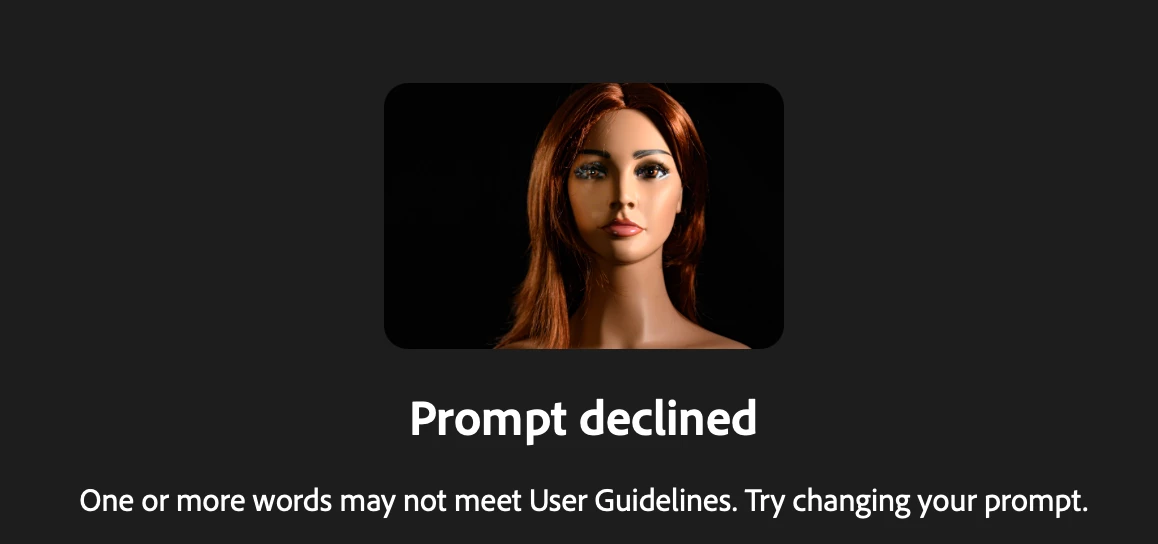
I used Firefly out of Lightroom classic and the new feature of “Edit with Firefly” I have a photo of my manniquin I use for practice light setups and in one photo the eyes are blurry and  with the prompt 
replace  the blurry eyes with realistic looking blue eyes “ I receive the message 

Prompt declined
One or more words may not meet User Guidelines. Try changing your prompt.

Any feedback what I am doing wrong?


    Pinned Reply By Hajar Toutsi

    Hi all,

    Thank you for bringing this issue to our attention.


    We’ve noticed that the error is consistently triggered when using the Firefly Image 5 model with an uploaded reference image. Based on the reports we’ve received, most of the prompts and images affected are within the user guidelines, so we appreciate you reaching out to clarify this.


    The matter has already been escalated to the appropriate team for further investigation. We truly value your patience and proactive engagement while we work toward a fix.


    Hajar

    30 replies

    timestreasuredstudios
    Participant
    March 24, 2026


    Problems with sky replacement today.  Attempting to adjust previously successful attempts are failing today.  Attached is the successful version of what throws an error today.


    E2foto
    Participant
    March 24, 2026

    I was using Firefly yesterday without issue. Today I am trying to retrace my steps using very similar prompts that worked previously, but I every 5out of 5 attempts, I receive the message tthat “Prompt Decline: One or more words may not meet User Guidelines. Try changing your prompt.”  My prompts are not bad. They are things like “create trails of color against a black background that lead to a bar chart visualization.” 

    Manan1816
    Participant
    March 24, 2026

    Firefly Gen 5 Is not working to edit images , when entering even simpler prompt it's saying that's prompt is wrong , Firefly gen 5 is not working to edit image s
    Firefly gen 5 which is used to edit images is not working with prompt , even entering for simpler prompt it's saying that prompt is not right , even asking for background change its saying prompt is not correct, I'm paying For these tools and I'm unable to use these please fix as soon as possible 

    Hajar Toutsi
    Community Manager
    Community Manager
    March 24, 2026

    Hi all,

    Thank you for bringing this issue to our attention.


    We’ve noticed that the error is consistently triggered when using the Firefly Image 5 model with an uploaded reference image. Based on the reports we’ve received, most of the prompts and images affected are within the user guidelines, so we appreciate you reaching out to clarify this.


    The matter has already been escalated to the appropriate team for further investigation. We truly value your patience and proactive engagement while we work toward a fix.


    Hajar

    DannyLB
    Participant
    March 24, 2026

    As a customer I expect the apps I use to function properly. Firefly is giving me the following error message: Prompt declined. I am using my own image and I’m not doing anything different that I have been doing previously. I and other customers would expect to be compensated, we cannot use a feature or function we are paying for.

    Known Participant
    March 24, 2026

    The only thing that changed from the prompt where an image was generated and the one where I was given an error message was the addition of a reference image. Proof that Adobe is using incorrect error messages to try and cover up the fact that their service does not function properly and to try and blame the user when in fact it is not the users issue at all. ONCE AGAIN, I AM ASKING YOU TO ACKNOWLEDGE THE FACT THAT FIREFLY IS STILL VERY MUCH A BETA PRODUCT THAT YOU SHOULD NOT BE ASKING USERS TO PAY FOR

    DannyLB
    Participant
    March 25, 2026

    I totally agree. Additionally our money should be refunded or credits should be given for future use.

    Known Participant
    March 24, 2026

    Proof that Adobe uses LYING error messages to blame the user when it’s not the user’s issue. The only thing that changed from the first prompt to the second where it would not generate anything is the addition of a reference image. If Firefly cannot handle a reference image and it simply shuts down and will not function then DON’T PROVIDE THE OPTION TO ADD ONE. YET ANOTHER EXAMPLE OF HOW FIREFLY IS NOT READY TO BE A SERVICE THAT WE PAY FOR IT IS STILL VERY MUCH A BETA PRODUCT


    March 25, 2026

    Hey ​@Erin32160754kowv 


    There are certain images that may not necessarily work. Busy images. 

    The image below could be an example of a busy image. Firefly may struggle to identify exactly what the main subject is in the image.


    The image below is an example of a clean image. The subject is clear and easy to understand. 


    I look at using these tools as an assistant. AI is still in it’s infancy. Each new model is going to improve.

    Cheers

    Nate​​​​​​

    Known Participant
    March 25, 2026

    Nate, I was not trying to remove the background. I was trying to generate with a reference image. If you scroll to the top of this thread you will see that it indeed is a known problem that is absolutely an Adobe issue. I too see AI as a tool, but when the tools that I pay a lot of money monthly to use are clearly not functioning properly it gets very frustrating, very quickly. I didn’t ask for an AI lesson from a random user, I use these forums as the only avenue available to communicate with anyone at Adobe about the issues that I confront daily while using their products. 

    WeekendWarror
    Participant
    March 24, 2026

    The edit function doesn't work at all it keeps rejecting all of my scripts. Short long it doesn't matter.
    I can create a image but as soon as I go in to edit that image and make changes it tells me “

    Prompt declined

    One or more words may not meet User Guidelines. Try changing your prompt.”


    It doesn’t matter if the edit script is simple like “Change the word it to the”  or if it is complicated.  Nothing works.  

    March 25, 2026

    Hey ​@WeekendWarror 

    For correcting text, AI struggles with text plain and simple.
    To Add Text or Copy: Adobe Express is a much better choice

    Adobe Express is a free app

    Benefits
    Able to change the text at later date.
    Change the font, the size, the colour, the format and much more.

    Let’s say you have an image you like and would consider using again: Adobe Express is a much better choice.
     

    cheers

    Nate


    Known Participant
    March 24, 2026

    Firefly rejects ALL PROMPTS on MULTIPLE DIFFERENT BROWSERS AND MACHINES
    What about this prompt is not allowed Adobe? Or could it just be the fact that ONCE AGAIN YOUR SERVERS ARE NOT WORKING AND INSTEAD OF BEING HONEST ABOUT IT YOU ARE JUST TRICKING PEOPLE INTO SPENDING ALL OF THEIR CREDITS BYT ADJUSTING THEIR LANGUAGE WHICH HAS NOTHING TO DO WITH WHY FIREFLY ISN’T WORKING.


    For the crackpots at Adobe that are inevitably going to reply to this with their favorite distract and deter method “WhAt BrOwSeR aRe YoU uSiNg” Mozilla, but I tried on Chrome as well. 


    March 25, 2026

    @Erin32160754kowv 


    The word “shot” could be triggering the system.
    Remove “shot” and it should work.

    cheers

    Nate

    Participating Frequently
    March 24, 2026

    Using Firefly Image 5 and every prompt using a reference image is getting declined today. It was working yesterday as late as 6pm, but nothing today.

    Participating Frequently
    March 24, 2026

    And I need to stick with Firefly, not partner models 

    Kevin Stohlmeyer
    Community Expert
    Community Expert
    March 24, 2026

    Can you share an example of the reference image and prompts used so we can troubleshoot?