


GermanInColorado
Participant
March 24, 2026
Sticky

P: Problem with Prompt Declined error for generations

  • March 24, 2026
  • 30 replies
  • 171 views

I am confused about the rejection of my prompt.
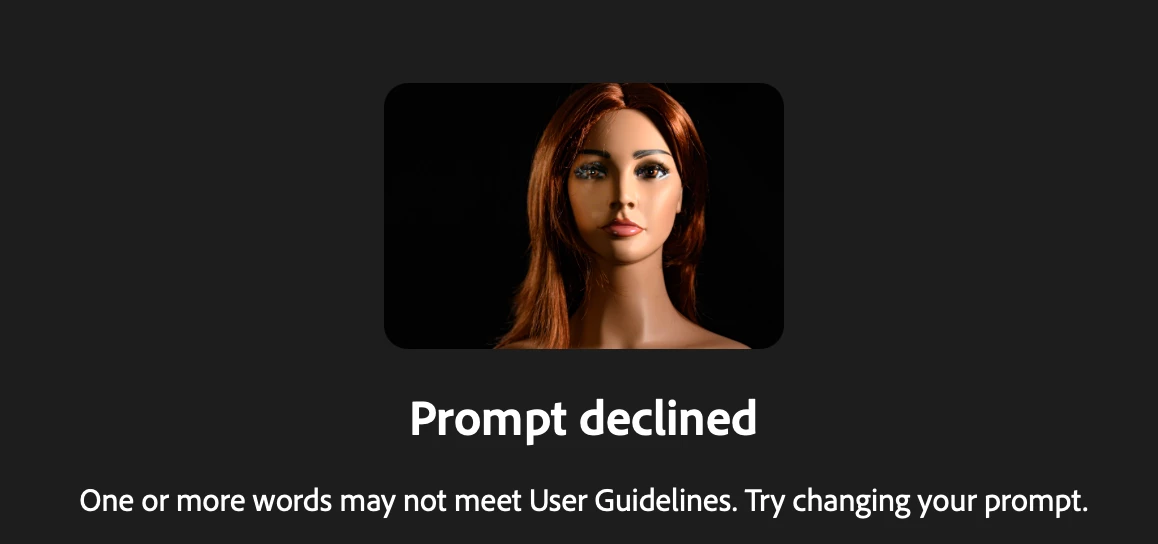
I used Firefly out of Lightroom classic and the new feature of “Edit with Firefly” I have a photo of my manniquin I use for practice light setups and in one photo the eyes are blurry and  with the prompt 
replace  the blurry eyes with realistic looking blue eyes “ I receive the message 

Prompt declined
One or more words may not meet User Guidelines. Try changing your prompt.

Any feedback what I am doing wrong?


    Pinned Reply By Hajar Toutsi

    Hi all,

    Thank you for bringing this issue to our attention.


    We’ve noticed that the error is consistently triggered when using the Firefly Image 5 model with an uploaded reference image. Based on the reports we’ve received, most of the prompts and images affected are within the user guidelines, so we appreciate you reaching out to clarify this.


    The matter has already been escalated to the appropriate team for further investigation. We truly value your patience and proactive engagement while we work toward a fix.


    Hajar

    30 replies

    luke_0805
    Participant
    March 24, 2026

    When using Firefly Image 5, and using ANY reference image, all Prompt are declined 

    March 25, 2026

    Hey ​@luke_0805 

    Could you provide us with an example of the Reference image? This helps us help you.
    What about the other models? Does the image work?

    Cheers

    Nate

    peterl82656149
    Participant
    March 24, 2026

    I´m having the same issues with Image Model 5, no prompts work, it gets
    Prompt declined
    One or more words may not meet User Guidelines. Try changing your prompt.

    I´ve tried lots of different prompts and none of them works

    peterl82656149
    Participant
    March 24, 2026

    I´m having the same issues all day as well.
    I´m using this prompt with Firefly Image 5.

    Top-down view of duckweed floating densely on a freshwater lake surface. Many small round bright green fronds in pairs and clusters, covering most of the frame. Some gaps between fronds reveal turquoise/teal water surface below. Viewed from directly above. Flat graphic illustration, not watercolor, not painterly.

    Style: Clean modern 2D flat graphic board-game/children's book card illustration: soft simplified shapes with thin even outlines where needed, large flat color areas with smooth airbrush-like gradients, low–medium contrast, bright cheerful palette, subtle grain/speckle texture, neat graphic finish, no harsh shadows, not photorealistic. Clear slightly thicker dark outline around main subject (comic-style linework), consistent line weight, crisp edges.”


    It worked once when I didn´t upload a reference image. But now nothing works, not even a shorter prompt. I´ve tried all kinds of variations

    March 25, 2026

    Hey ​@peterl82656149 

    Remove the word “Children”. Firefly will not generate anything related to children.
     

    Common problems

    • Trademarked / Copyright
    • Political figures / Celebrities 
    • if it has children or child like images (an absolute no/ firefly will not generate anything that even resembles a child/ even childlike)

    or

    - the prompt has words associated with children example: boy, girl, kid, kids, child, children and so on...
    Many Generation Models will not generate anything to do with children.

    Cheers

    Nate

    March 24, 2026

    Hey ​@Ocean_Conceptz 

    In cases like this I use Adobe Express
    How to Add Text to Video in Adobe Express

    Benefits: Free option
    Adding text

    change the font, the colour, the size, the layout just to name a few things: at anytime in the future.
    There is the option to animate the text or assets.
    Add additional elements.


    As mentioned, there is a free option for using Adobe Express.

    Cheers

    Nate

    Ocean_Conceptz
    Participant
    March 24, 2026

    I have tried several times to get an apostrophe and it keeps telling me its not allowed. 


    Hajar Toutsi
    Community Manager
    Community Manager
    March 24, 2026

    Hi GermanInColorado,

    I ran a quick test using your reference image and prompt, and was able to generate successfully with partner models.


    While we continue investigating, please try using partner models as a temporary workaround, since they don’t trigger the warning.


    Thanks for bringing this to our attention.


    Hajar

    March 24, 2026

    Hey ​@pnwlife 

    Could you provide a screenshot and your prompt?

     Could you provide a few more details by what you mean?


    Common problems

    • Trademarked / Copyright
    • Political figures / Celebrities 
    • if it has children or child like images (an absolute no/ firefly will not generate anything that even resembles a child/ even childlike)

    or

    • - the prompt has words associated with children example: boy, girl, kid, kids, child, children and so on...
      Many Generation Models will not generate anything to do with children.
    • Nudity


    Cheers

    Nate


    Participant
    March 24, 2026

    I generated an image of a kid in pajamas outside on her lawn at night gazing at the stars with no issue. This is a test image of a very short whimsical film idea. It would not take the Edit prompt, though, of turning off the house’s interior lights (which I didn’t ask for interior house lights in the first place). Edit: This is using Firefly 5 as the generator.

    March 24, 2026

    Hey ​@pixel orders 


    Thank you for your message. 

    We need additional information to understand what is happening. Can you please reply with the following information:

    What model(s) are you using?
    Could you provide a screenshot and your prompt?

    Could you provide a few more details by what you mean?

    Essentially, could you provide a bit more context.


    Cheers

    Nate

    March 24, 2026

    Hey ​@MonDak 

    Thank you for your message. 

    We need additional information to understand what is happening. Can you please reply with the following information:

    What model(s) are you using?
    Could you provide a screenshot and your prompt?

    Could you provide a few more details by what you mean?

    Essentially, could you provide a bit more context.


    Cheers

    Nate

    MonDak
    Participant
    March 24, 2026

    After the initial image is made, the only thing I can do to improve my image is to erase, nothing else, or I am shut with PROMPT DECLINED.

    March 26, 2026

    Hey ​@MonDak 

    Could you provide us with an example of your prompt and any images that you were using? 
    This helps us help you.

    Cheers

    Nate

    MonDak
    Participant
    March 26, 2026

    I found that if I close down Adobe completely and come back in, I don’t get the Prompt Denied as much. I have attached what I wrote a few times now, can’t you use that? Once I am denied, a cat with sad eyes pops up, and nothing much can be done once that happens. I could take a screenshot, but not sure where to put the attachment. It is bad enough that I am wasting much of my time on this issue, but then I get charged 10 credits each time I try to change anything after the original charge to make an image. Adobe is great in many ways in the first attempt. If you need to make changes, that's where a person is screwed. You can only do one change at a time, and even then, you have to be careful because it will change something else somewhere in the image that you have to be careful about. If you tell it you only want to make one change, it won’t make any change, or it will do multiple changes anyway. Very frustrating.