


GermanInColorado
Participant
March 24, 2026
Sticky

P: Problem with Prompt Declined error for generations

  • March 24, 2026
  • 31 replies
  • 257 views

I am confused about the rejection of my prompt.
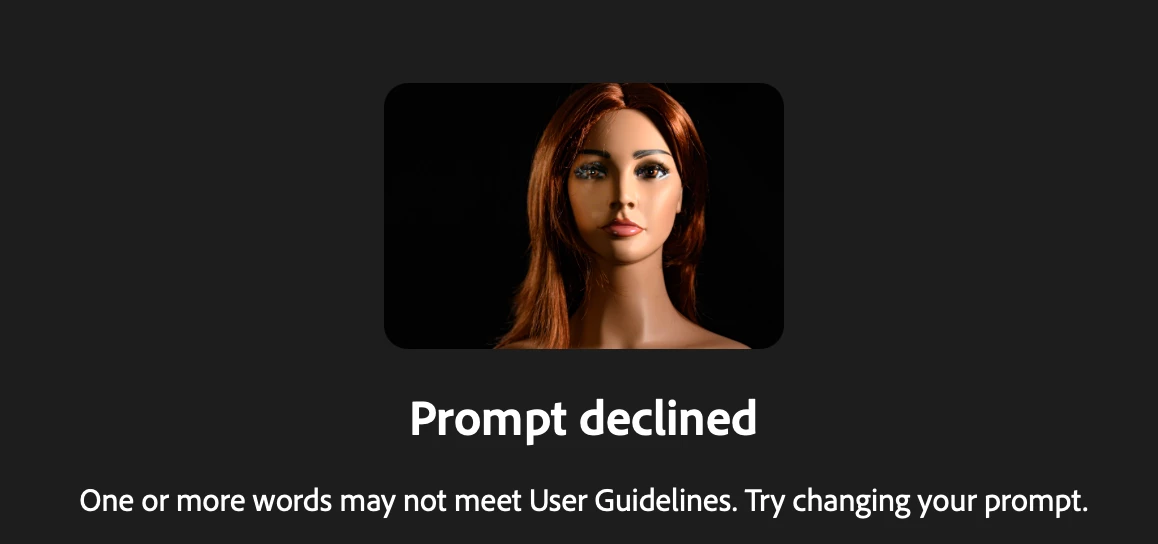
I used Firefly out of Lightroom classic and the new feature of “Edit with Firefly” I have a photo of my manniquin I use for practice light setups and in one photo the eyes are blurry and  with the prompt 
replace  the blurry eyes with realistic looking blue eyes “ I receive the message 

Prompt declined
One or more words may not meet User Guidelines. Try changing your prompt.

Any feedback what I am doing wrong?


    Pinned Reply By Hajar Toutsi

    Hi all,

    Thank you for bringing this issue to our attention.


    We’ve noticed that the error is consistently triggered when using the Firefly Image 5 model with an uploaded reference image. Based on the reports we’ve received, most of the prompts and images affected are within the user guidelines, so we appreciate you reaching out to clarify this.


    The matter has already been escalated to the appropriate team for further investigation. We truly value your patience and proactive engagement while we work toward a fix.


    Hajar

    31 replies

    MonDak
    Participant
    March 24, 2026

    After the initial image is made, the only thing I can do to improve my image is to erase, nothing else, or I am shut with PROMPT DECLINED.

    March 26, 2026

    Hey ​@MonDak 

    Could you provide us with an example of your prompt and any images that you were using? 
    This helps us help you.

    Cheers

    Nate

    MonDak
    Participant
    March 26, 2026

    I found that if I close down Adobe completely and come back in, I don’t get the Prompt Denied as much. I have attached what I wrote a few times now, can’t you use that? Once I am denied, a cat with sad eyes pops up, and nothing much can be done once that happens. I could take a screenshot, but not sure where to put the attachment. It is bad enough that I am wasting much of my time on this issue, but then I get charged 10 credits each time I try to change anything after the original charge to make an image. Adobe is great in many ways in the first attempt. If you need to make changes, that's where a person is screwed. You can only do one change at a time, and even then, you have to be careful because it will change something else somewhere in the image that you have to be careful about. If you tell it you only want to make one change, it won’t make any change, or it will do multiple changes anyway. Very frustrating.

    KhD19
    Participant
    March 24, 2026

    I’ve tried all day and can’t even have 1 prompt to work with reference image in adobe firefly 5. If i generate the prompt it self then it work, but if i add any reference image => Prompt declined. So frustrating right now.

    March 24, 2026

    Hey ​@KhD19 

    Thank you for your message. 

    We need additional information to understand what is happening. Can you please reply with the following information:

    What model(s) are you using?
    Could you provide a screenshot and your prompt?

    Could you provide a few more details by what you mean?

    Essentially, could you provide a bit more context.


    Cheers

    Nate

    MonDak
    Participant
    March 24, 2026

    Every time I try to make a change, I get PROMPT DECLINED. There is nothing in my wording that should go against your policy.  Here is the latest message declined: mow the grass around the building

    pixel orders
    Participant
    March 24, 2026
    we got same every prompt


    pnwlife
    Participant
    March 24, 2026

    i just signed up today, supposedly unlimited images, haven't created that many and i keep getting prompt declined one or more words may not meet user guidelines, try changing your prompt, which i have done a half dozen times, and so we are clean this is an animated book graphic, there is nothing risque or remotely inappropriate, so far not a good user exeperience at all

    Kevin Stohlmeyer
    Community Expert
    Community Expert
    March 23, 2026

    Can you share an example of the image you uploaded? 

    lidiane_cristina9454
    Participant
    March 21, 2026

    Prompt Declined for “Restore and add colour, do not change image. Remove stains and borders. Adjust the lighting to be less bright or dark.” Apparently this doesn’t follow guidelines. 

    Birddog51
    Participant
    March 20, 2026

    Having similare issues with firefly. No clue what is wrong with either photo or wording. Just old family photos trying to clean up and add names


    Hajar Toutsi
    Community Manager
    Community Manager
    March 20, 2026

    Hi Birddog51,
    Thank you for reaching us about this.


    As you can see from this thread, we’re seeing a spike in prompt warning messages when using Firefly models, and we’re collecting as much data as possible to help the product team identify the cause.


    I tested your first prompt using a Partner model (GPT Image 1.5) and received a successful generation. If you encounter this error and aren’t sure why, please double‑check by trying a Partner model.

    Successful generation using Partner model

    Regarding the second reference image, it cannot be processed due to nudity, as this violates the AI user guidelines.

    Thanks again for flagging this issue. Please feel free to come back with any other questions, we’re here to help.


    Hajar
     

    stephenw125
    Participant
    March 18, 2026

    Why does Firefly hate the US Marines? It refuses to generate an image for the side of a boat that represents service as a US Marine. 

    Prompt refused when I add “US Marine Corps”.  If I remove the word “Corps” it then worked.  However If I add in “USMC” it blocks the request again.  


    Hajar Toutsi
    Community Manager
    Community Manager
    March 18, 2026

    Hi stephenw125,
    Thanks for calling this out.


    As mentioned earlier in this thread, there are certain words that trigger a warning message when using Firefly models, while the same prompt with Partner models generates successfully.

    We’re collecting as many keywords as possible to escalate to the product team. In the meantime, please continue using a Partner model.


    We really appreciate the details you’ve provided.


    Hajar

    [Moved to bug reports]

    Ocean_Conceptz
    Participant
    March 13, 2026

    Prompt declined?
    Not sure I understand how any of the words in the prompt are against user guidelines 


    Hajar Toutsi
    Community Manager
    Community Manager
    March 16, 2026

    Hi Ocean_Conceptz,

    Thank you for bringing this to our attention.


    I tested your prompt using Firefly models and consistently received the same warning message. When I changed “lessen amount” to “reduce the number,” the edit worked successfully. Interestingly, I was also able to generate a successful edit using partner models without changing the original prompt.


    I’m not yet certain what’s causing this error, but we’ll continue looking into it. In the meantime, please try using partner models, as they don’t trigger the warning.


    Thanks again for flagging this issue.

    Hajar