
Bruno Quintin
Inspiring
September 28, 2022

3D Gizmo

  • September 28, 2022
  • 9 replies
  • 1190 views
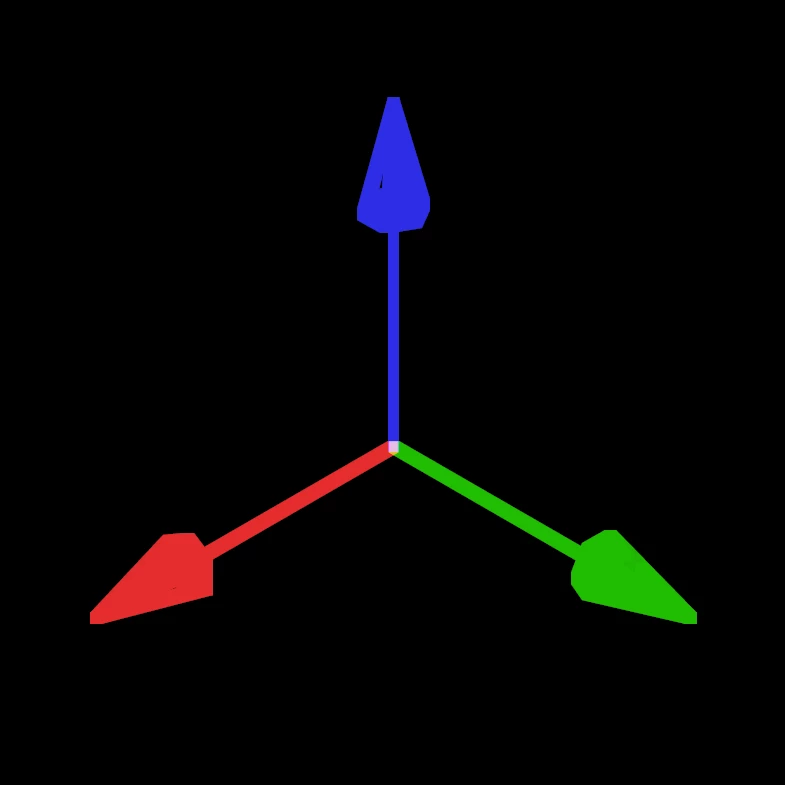
L'utilisation des touches de raccourcis 4,5 et 6, comme spécifié dans les préférences 3D ne fonctionne pas avec un clavier AZERTY. Je trouve le widget Universal pas si pratique et j'utiliserai plutôt les widgets Position, Echelle, Rotation.

Les raccourcis 1, 2 et 3 ne fonctionnent pas non plus pour la navigation entre les outils caméra mais c'est moins gênant puisque l'on à les 3 boutons de souris avec Alt enfoncé ou appuyer plusieurs fois sur C.
This topic has been closed for replies.

9 replies

PECourtejoie
Community Expert
Community Expert
November 14, 2022

Parfois l'émotion nous submerge, c'est humain... Tu t'es aussi bien excusé!

si tu vois d'autres problèmes  de l'aide en ligne à corriger, tu peux m'envoyer un MP.

Je crois que pour la traduction l'interface, Yenaphe/ @Sébastien Périer17107209 est un bon contact, mais je peux faire suivre.

Bruno Quintin
Inspiring
November 13, 2022

@PECourtejoie J'ai été assez pénible comme ça. Je vais plus en rajouter avant longtemps.
A+

PECourtejoie
Community Expert
Community Expert
November 10, 2022

Bonjour, @Bruno Quintin you cannot even imagine the number of basic shortcuts we cannot use in Photoshop because of the Azerty keyboard. Indeed, everything is mapped to the numbers, and users of a laptop without a keypad are suffering.

I did log the localization issues of the Code snippets in all the localized help files, to the team working on it.

Bruno Quintin
Inspiring
November 8, 2022

We would have liked a small sign from Adobe teams to tell us that this problem has been seen. It's just a text file that needs to be fixed to have access to the new shortcuts when not using the US version.

Bruno Quintin
Inspiring
October 30, 2022

A proof that translation problems are no longer taken into account (and this was not the case a few years ago)
In the Bezier Warp effect several property names are identical in the French version which prevents the use of expressions. Problem that I communicated in September 2021.

Bruno Quintin
Inspiring
October 22, 2022

I have opened another discussion here:

https://community.adobe.com/t5/after-effects-bugs/faster-timeline-navigation-whith-shift-j-and-shift-k-azerty-keyboard/idi-p/13282364


but it concerns exactly the same problem regarding the AZERTY keyboard shortcut file.


For my not very nice remark about the location of the documentation (I'm sorry for my bad mood that day) here is an example:

Look at the text boxes with code for expressions that must be readable and copyable.


US:
https://helpx.adobe.com/after-effects/using/expressions-text-properties.html


FR:
https://helpx.adobe.com/fr/after-effects/using/expressions-text-properties.html


(And by the way, the Tracking text attribute is "Approche" in French, , and not "Suivi".)


- And reduce the size of the Gizmo -


please

JohnColombo17100380
Community Manager
Community Manager
October 19, 2022

@Bruno Quintin Please observe the Community guidelines on keeping the discourse kind and respectful.


I've merged your duplicate post back into your original thread to the conversation can be tracked. There is currently a bug in the forums that posts in the Bugs and Ideas section can only have a single thread i.e. no direct replies to replies. This is something we've brought up to the forum team and hopefully will be fixed soon.


Cheers,

- John, After Effects Engineering Team 

TimKurkoski
Community Manager
Community Manager
October 17, 2022

@Bruno Quintin , thank you for reporting these issues. We are tracking them as bugs to fix with the 3D gizmo.

Bruno Quintin
Inspiring
October 18, 2022

I can't add anything to this discussion.

https://community.adobe.com/t5/after-effects-bugs/3d-gizmo/idc-p/13274089#M826


I continue here.

nothing has been corrected on the 23 to use the 3d gizmo shortcuts with an azerty keyboard.

I see the quality of the adaptation decreasing every year.
And the documentation translated into French is almost a gag. Stop trying to translate your software if you do it like this. But we still have our *** azerty keyboard...


Bruno Quintin
Inspiring
October 18, 2022

TFG
Too Fat Gizmo
:*)

Bruno Quintin
Inspiring
October 3, 2022

Il faut corriger le fichier des raccourcis.

Dans le fichier d'origine il y a ça:

["CEggAppTool"]
"ToolArrow" = "(V)"
"ToolCamera" = "(C)"
"ToolCameraDolly" = "(3)"
"ToolCameraDollyToggle" = "(Maj+3)"
"ToolCameraOrbit" = "(1)"
"ToolCameraOrbitToggle" = "(Maj+1)"
"ToolCameraPan" = "(2)"
"ToolCameraPanToggle" = "(Maj+2)"
"ToolCameraToggle" = "(Shift+C)"
"ToolHand" = "(H)"
"ToolMagnify" = "(Z)"
"ToolMask" = "(Q)"
"ToolMaskToggle" = "(Shift+Q)"
"ToolPaint" = "(Ctrl+B)"
"ToolPan" = "(Y)"
"ToolPen" = "(G)"
"ToolPenToggle" = "(Shift+G)"
"ToolPin" = "(Ctrl+P)"
"ToolRotate" = "(W)"
"ToolRotoBrush" = "(Alt+W)"
"ToolText" = "(Ctrl+T)"
"WidgetModeActivationD"E9"sactivation" = "(Maj+V)"
"WidgetModeH"E9"rit"E9 = "(Ctrl+Maj+1)"
"WidgetModePosition" = "(4)"
"WidgetModeRotation" = "(6)"
"WidgetMode"C9"chelle" = "(5)"


Je le corrige comme ça :

["CEggAppTool"]
"GizmoModeLegacy" = "(Ctrl+Shift+&)"
"GizmoModePosition" = "(SingleQuote)"
"GizmoModeRotate" = "(LParen)"
"GizmoModeScale" = "(-)"
"GizmoModeToggle" = "(Shift+V)"
"ToolArrow" = "(V)"
"ToolCamera" = "(C)"
"ToolCameraDolly" = "(DoubleQuote)"
"ToolCameraDollyToggle" = "(Shift+DoubleQuote)"
"ToolCameraOrbit" = "(&)"
"ToolCameraOrbitToggle" = "(Shift+&)"
"ToolCameraPan" = "(Acute_E)"
"ToolCameraPanToggle" = "(Shift+Acute_E)"
"ToolCameraToggle" = "(Shift+C)"
"ToolHand" = "(H)"
"ToolMagnify" = "(Z)"
"ToolMask" = "(Q)"
"ToolMaskToggle" = "(Shift+Q)"
"ToolPaint" = "(Ctrl+B)"
"ToolPan" = "(Y)"
"ToolPen" = "(G)"
"ToolPenToggle" = "(Shift+G)"
"ToolPin" = "(Ctrl+P)"
"ToolRotate" = "(W)"
"ToolRotoBrush" = "(Alt+W)"
"ToolText" = "(Ctrl+T)"