


saladdreesing
Participant
August 10, 2023

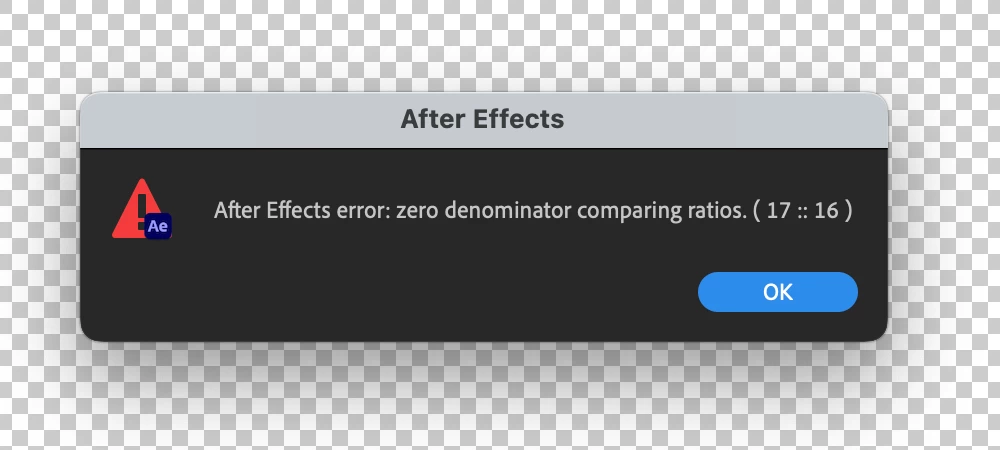
After Effects Error - Zero Denominator comparing ratios (17 :: 16) error in Ae version 23.6

  • August 10, 2023
  • 82 replies
  • 32798 views

Hey y'all, I'm really stuck.


This error keeps popping up for me and I have no idea how to solve it. It'll appear as I'm trying to play a sequence with an image in it. I made other sequences with images in them a few hours ago and rhey're all fine. But now when tryong to add anything new, it gives me this error and doesn't go away at all - no matter how many times I hit 'okay'. Any ideas?


Thanks!


Title edited by Mod.
 

82 replies

Participant
September 23, 2023

I had this issue and solved it by going back to Classic 3D (in composition settings>3D Renderer).

I had some compositions that use cinema 4D. Those I had to replace with an exported version with alpha.

Participant
September 20, 2023

I don't know what I'm doing wrong but I tried to edit the speed graph in after effects for my little animation and I get this error code that I cannot close unless I restart after effects. I am using shapes from illustration and imported them to affect effects. What am I doing to cause this error? Please help me, I don't know what to do

Jenkmeister
September 20, 2023

This is a bug in 23.6. You can roll back to 23.5 in CCD, you can install the Beta of AE which has a fix, you can try switching from the Cinema 4D renderer back to Classic 3D or the fix will be available in a couple of weeks when 24.0 is released. 

Jenkmeister
September 19, 2023

@Jeffrey3113140136mh even without 3D layers in the comp, your render engine may still be Cinema 4D. Please check if that's the case. Comp Settings -> 3D Renderer. 

Participant
September 19, 2023

I and my colleagues are getting this error in projects without any 3D layers at all, so for us, the 3D render engine is not the issue.

Jenkmeister
September 19, 2023

@Clubhouse There is a fix in the Beta builds if you want to use that. Otherwise, yes, we have not released 24.0 yet (just a couple of weeks) which also has the fix in it. Or return to 23.5. Or if you can use Classic 3D renderer, use that. We are sorry for the issue.

Participant
September 19, 2023

Obviously it's not ideal but you can downgrade/roll-back to the previous version 23.5.
In the Creative Cloud app choose "All Apps"

Participant
September 19, 2023

Over a month and still no fix, not being able to play video in video editing/compositing software makes it pretty much useless. What am I even paying for every month?

Once this is patched, I'm going to stop updating my software, because Adobe cannot be trusted to support their own products, and couldn't care less when they break them, which happens every single version.

The only reason Adobe still exist is because they've cornered the market and created a pseudo-monopoly, the company itself is run like absolute garbage and couldn't care less about their user base.

Participant
September 18, 2023

I work with your latest version of After Effects (23.6) and I'm encountering this annoying bug. Sometimes when I press "space" (play) a window with the text: After effects error: zero denominator comparing ratios ( 17 :: 16 ) (see attachment) pops up. As said, sometimes it pops up, sometimes don't. It feels that this occurrs at random.

First I thought it happened because I worked with a large .psd file within AE, but then it happened also when I worked with a much simpler FullHD comp with only text layers. To get rid of the window I have to press the "OK" button from anywhere between 5-20 times, which is very annoying.

The only way for me to watch through my timeline is to use the numpad space (0) instead of the space bar, which notably slows down my work.


I work with:

Processor AMD Ryzen 9 3900X 12-Core Processor 3.79 GHz
Installed RAM 16,0 GB
System type 64-bit operating system, x64-based processor

Edition Windows 10 Home
Version 22H2


Hope you could find a solution to the annoyance!

Jenkmeister
September 18, 2023

Thanks for the report. There is a fix in 24.1 beta builds and a fix will be in 24.0 when it releases in a few weeks from now. If you don't need to use the Cinema 4D renderer, switching to Classic 3D should also resolve this issue. 

Participant
September 15, 2023

I had the same issue... When ever I put a .wav stem into the timeline it would come up with this error. 

SOLUTION **
I placed the layer underneath my 3d comp layers . now works fine. at elast for now

Jenkmeister
September 14, 2023

@frannie g Install 23.5 or use the 24.1 Beta of AE where the bug doesn't exist/is fixed.