


saladdreesing
Participant
August 10, 2023

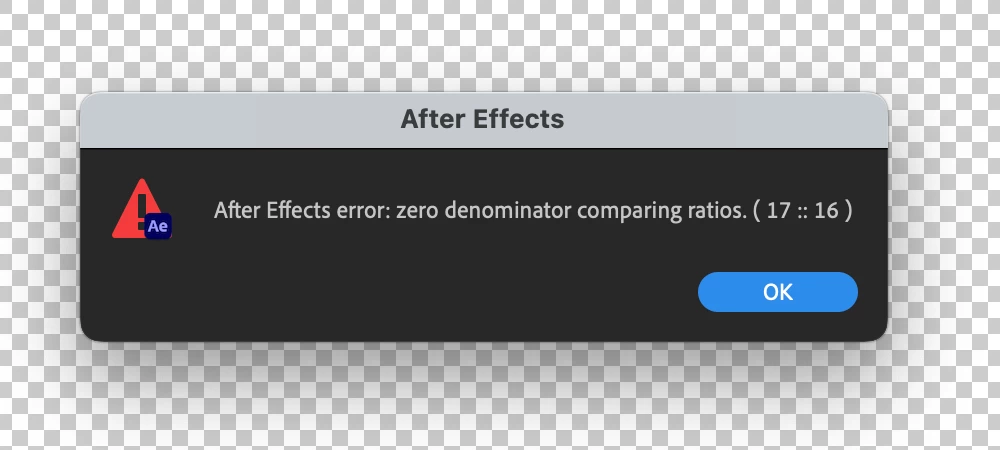
After Effects Error - Zero Denominator comparing ratios (17 :: 16) error in Ae version 23.6

  • August 10, 2023
  • 82 replies
  • 32798 views

Hey y'all, I'm really stuck.


This error keeps popping up for me and I have no idea how to solve it. It'll appear as I'm trying to play a sequence with an image in it. I made other sequences with images in them a few hours ago and rhey're all fine. But now when tryong to add anything new, it gives me this error and doesn't go away at all - no matter how many times I hit 'okay'. Any ideas?


Thanks!


Title edited by Mod.
 

82 replies

Participant
September 14, 2023

But what do you do when you are animating in 3D because you need the cinema 4D renderer on to extrude the shape?

ACRMCPR
Participant
September 14, 2023

After Effects 23.6

Mac 13.5.2

I keep getting an error that says After Effects error: zero denominator comparing ratios (17 :: 16). The app freezes and I have to force quit to get out of it. It seems to happen when pressing the space bar to play. I have an audio file in the project. I copy and use the same file every month and have not had a problem in the past. 

Jenkmeister
September 14, 2023

The issue is coming from using the Cinema 4D renderer. If you can switch back to Classic 3D that will resolve the issue. Or install 23.5 or the 24.1 Beta where the issue doesn't exist/is fixed. It will also be fixed in 24.0 when that is released in a few weeks from now.

Jenkmeister
September 11, 2023

If you need the Cinema 4D renderer, you can install the previous version of AE (and media encoder if you're using that - it needs to stay on the same version). The fix for the error is going into the Beta this week and will be in the next non-beta release in a few weeks from now. 

Melanie Stirner
Participating Frequently
September 11, 2023

I did not use any environment layers 😕😕

Participant
September 11, 2023

Can you check to see if its related to Environment Layers in C4D Renderer...I delete that and the error goes away.

Melanie Stirner
Participating Frequently
September 11, 2023

Hi 🙂

Thank you very much, was going crazy with that error message. It seems to disappear when I change the renderer from Cinema 4D to Classic 3D. So it helps for now to work fluent in AE again, but I need to switch back to C4D render for rendering, because it does not fit with the look with Classic 3D. My AE is up to date btw. 😕😕

Participant
September 9, 2023

But what if that feature is required? I am asking this because i have to turn each word of the text around in the comp and turning it to Classical 3D doesn't make it seem 3D. Classical 3D makes it look flat

Participant
September 9, 2023

OS: Windows 10 Pro


Deleted cache files inside AE, played comp in quarter view


Error displayed when converting text layer to 3D using Cinema 4D renderer. It is crucial to convert it to that or else the desired 3D eefect won't be applied. Had seen the old forums dating 2017 and it says to click on Classical 3D or revert to the prev version of AE. But I can't as I bought the app 5 days ago. Is it possible to get it fixed any other way?

Jenkmeister
September 11, 2023

You can definitely install older versions of AE via the Creative Cloud Desktop app.


23.6 does have a bug around this error with the Cinema 4D renderer. It will be fixed in the 24.0 release coming soonish. 


Jenkmeister
September 6, 2023

Yeah, I'll admit, this was a dumb bug to let slide in by us. It will be fixed in 24.0, and in the 24.1 beta we push out later this week. Sorry for the issues. 

upslon
Participating Frequently
September 6, 2023

Hi. Having the same problem. But the change to Classic 3D Rendere didn't fix the issue. Tring to downgrade to 23.5... 🥴 Adobe being adobe...