


saladdreesing
Participant
August 10, 2023

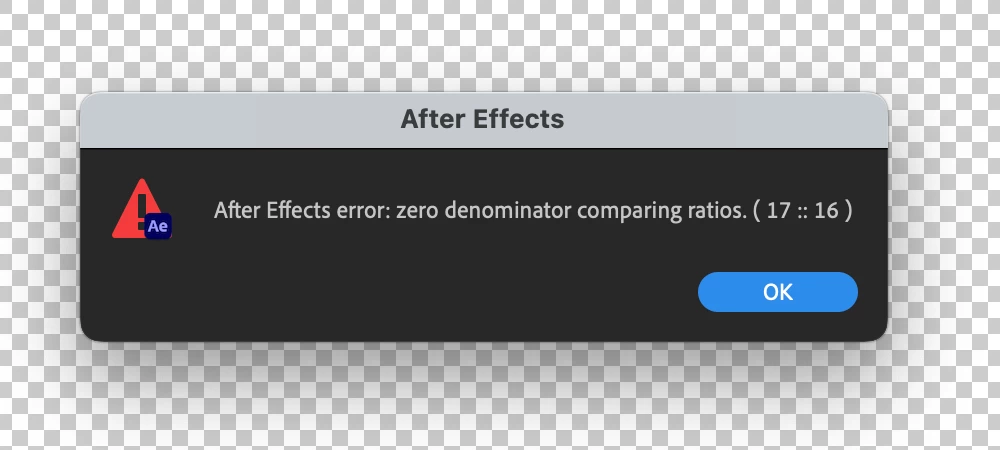
After Effects Error - Zero Denominator comparing ratios (17 :: 16) error in Ae version 23.6

  • August 10, 2023
  • 82 replies
  • 32798 views

Hey y'all, I'm really stuck.


This error keeps popping up for me and I have no idea how to solve it. It'll appear as I'm trying to play a sequence with an image in it. I made other sequences with images in them a few hours ago and rhey're all fine. But now when tryong to add anything new, it gives me this error and doesn't go away at all - no matter how many times I hit 'okay'. Any ideas?


Thanks!


Title edited by Mod.
 

82 replies

Participant
September 6, 2023

If you're using an Environment Layer (in C4D renderer), try deleting it. Thats how I fixed the same issue. Of course, now I don't have an envirnment layer 😕😕

Participating Frequently
September 1, 2023

The good old Zero Denominator-error ... I know that switching to Classic 3D renderer solves the issue but I'm working on a project where I need to extrude and bevel a shape layer so using it is not an option.


What is the solution to this??

Jenkmeister
September 1, 2023

A fix will be available in Beta builds next week, and when 24.0 releases closer to Adobe MAX. You could also go back to 23.5 if you aren't using specific features from 23.6 until those builds are available. 

Participant
August 31, 2023

This workaround worked for me... I could even delete that extra layer once I hit play once and keep using Cinema 4D renderer.

It seems like this error is an update bug... 

Juniperf
Inspiring
August 30, 2023

Unsure what's going on, but an error I've never seen before has been making frequent appearances over the last couple weeks. 


I understand the source of the error to be that somewhere in the project, some script is attempting to divide by zero. I'm not sure where this could be occuring, as this error even appears in new projects where I do not add any scripts. 


Is this a common experience? Every project seems of mine seems to be unsafe from this error. Could it be caused by an outdated plug-in?

Jenkmeister
August 30, 2023

It's a bug in 23.6. 24.0 will have a fix for it. The 24.0 beta that drops later today should also have the fix for it.


A workaround some people have found is to switch away from the Cinema 4D renderer back to the Classic 3D renderer. 

Participating Frequently
August 29, 2023

Scratch that. My memory is still being obliterated with the last version. Couldnt edit my last post

Participating Frequently
August 29, 2023

This new version of AE has also been maxing out my memory for some reason (64gb) which Ive never seen happen, and previewing has been a nightmare in general. I installed the last version 23.5 and now my project is running smooth so far and memory is not even half used up.

Participating Frequently
August 29, 2023

I have been getting the same issue among many projects. Ive noticed it only happening if I tried to preview the comp while a keyframe was selected. But now it is just stuck. Classic Renderer didnt help me.

Participant
August 29, 2023
I've noticed that as well
Participant
August 29, 2023

Also experiencing this issue, not using any 3D elements. All footage is from a source that has never caused issues, getting issues on media that I know worked before the app was updated.


Yet another case of Adobe updating their software and breaking it, happens every single update. Absolutely useless.

Participating Frequently
August 29, 2023

Had the same issue. Had the Classic renderer and everything. But then I realised that it only happens when I hit the "spacebar" to playback, but didnt happen when pressing "play" button on the top right. I figure it has something to do with framerates. Because it gived this error box many times in a row, it could be the number of footage that has the strange FPS. And in this project I have every framerate possible; 24 , 25,  30,  59.94 etc. But somehow it is gone now. Purged the history and restarted... hopefully not coming back.