


saladdreesing
Participant
August 10, 2023

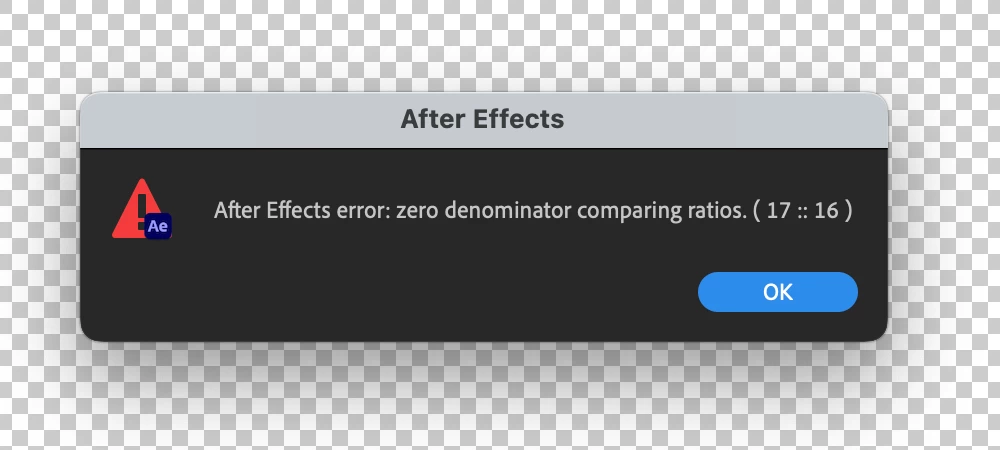
After Effects Error - Zero Denominator comparing ratios (17 :: 16) error in Ae version 23.6

  • August 10, 2023
  • 82 replies
  • 32798 views

Hey y'all, I'm really stuck.


This error keeps popping up for me and I have no idea how to solve it. It'll appear as I'm trying to play a sequence with an image in it. I made other sequences with images in them a few hours ago and rhey're all fine. But now when tryong to add anything new, it gives me this error and doesn't go away at all - no matter how many times I hit 'okay'. Any ideas?


Thanks!


Title edited by Mod.
 

82 replies

Participating Frequently
August 29, 2023

Also, if I drag the timeline handle I get no error - it just happens when hitting the spacebar.

Participating Frequently
August 29, 2023

Hi. Having the same problem. But the change to Classic 3D Rendere didn't fix the issue. I was working on a project and then After Effects was updated - continued working on the same project after the update and every time I hit the spacebar to begin playing a sequence the error will appear. Once the error message disappears - after hitting the enter button repeatedly - the sequence just plays normally. I'm assuming something is null or 0 somewhere but just can't quite find where. 

Participant
August 28, 2023

I've been fighting this error every day for a couple weeks now, there is no consistent cause or characteristic to any of the comps causing the error. My latest error occured in a 2D comp with one layer, a mov with alpha. No 3D layers at all. Very frustrating.

Jenkmeister
August 28, 2023

We've identified the bug that's causing this. For now, the "fix" is to switch back to Classic 3D, but we do expect a fix to go into 24.0 beta builds this week to allow you to use C4D Renderer again.

Participant
August 28, 2023

Struggling with the same problem. Zero denominator comparing ratios. Reinstalled After effects and alteady rebooted the system.

Participating Frequently
August 26, 2023

Classic 3D render fixed it for me. Thanks!

Tom Olsen
Community Manager
Community Manager
August 24, 2023

Thanks for reporting this issue. We are aware of the problem, and are working on a fix.

Hein Schultz
Participant
August 24, 2023

Holding down the ESC key until the error goes away works. But the pinned comment below solved it for me.  In another project I switched to a Cinema4D renderer and AE kept that as default when starting a new project and a new comp.  I had to change it back to Classic3D then the error got resolved.  Perhaps, for Adobe, can the "create new comp" default back to Classic3D when starting a new project?

Participating Frequently
August 24, 2023

Mac M1 Ultra Studio 128GB RAM here.
Choosing the Classic 3D renderer didn't work, but downgrading AE to the previous release seems to be working.

(This tracks with the timing of the emergence of this new error.)

Marco.Z
Participating Frequently
August 23, 2023

Hello, i have the same issue

Change from Cinema 4D to Classic 3D solve the error but i have some animation that require Cinema 4D for working,

so i turned back to previous version (23.5.0 Build 52) and now it works fine.