Known Participant
April 14, 2025

Colorspace clipping using add blend modes in OCIO v25.2.2

  • April 14, 2025
  • 52 replies
  • 4083 views

Hi,

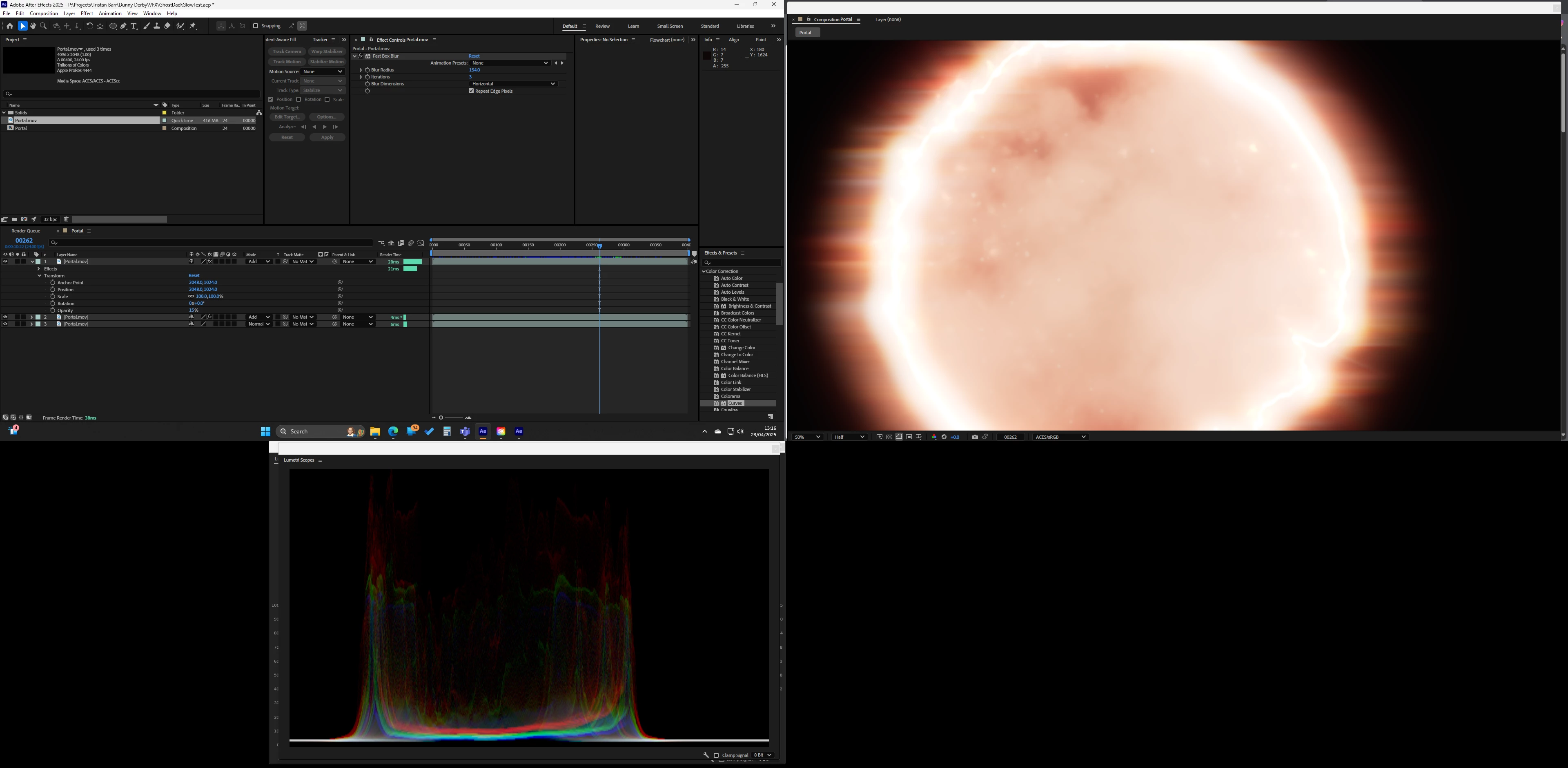
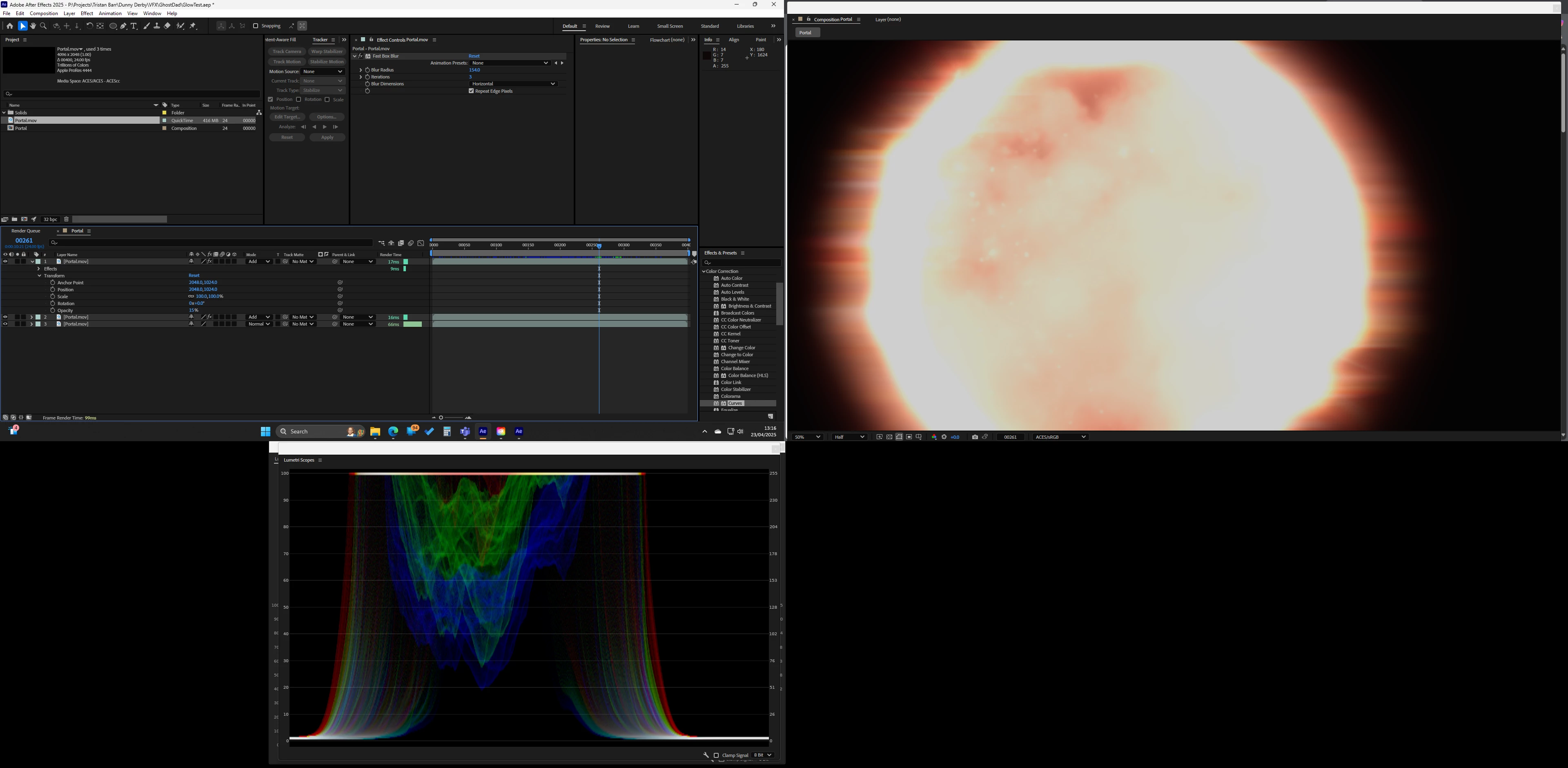
Just upgraded to 25.2.2 and I am having a strange issue with adding layers its like it randomly clips or switches color space from one frame to the next. Only started happening after upgrading AE and NVIDIA.

The screenshots are from the same project just different frames, as you will see it also affects the scopes. Only effect used is 'Fast Box Blur'

Switching to 'Software Only' fixes the issue
52 replies

CallumBedwardJask
Participant
February 26, 2026

I appreciate that this might be very difficult to solve, and that the team has their hands full juggling multiple things. 

So as an alternative, do you think any of the staff could suggest any workarounds or temp fixes that we as users can implement? At the moment compositing in anything past AE 25.1.0 is a no-go for me.

jordanc75789874
Known Participant
March 12, 2026

Hi

If you turn off hardware acceleration that fixes it for me. 


malcolmmoore
Participant
February 23, 2026

This is still happening in v26.0. Is there any plan on fixing this? 

jordanc75789874
Known Participant
March 12, 2026

Im not even sure they bother reading these to be honest. 

Known Participant
November 19, 2025

Bug still present on AE 25.6. Easier to trigger using Looks.

Rolling back to 25.1


Participating Frequently
November 11, 2025

I'll try rolling back to that, ty!

Lucenti.Studio
Participant
November 11, 2025

On 25.1.0 it's working fine. It's the last version I was able to make it working

Participating Frequently
November 11, 2025

@NRowe Have you found a version that is not affected by this, or is the only solution to disable hardware accelleration?  It's been driving me nuts lately, somehow it didn't start appearing until we tried the built-in OCIO management but it doesn't disappear when reverting to the old colorspace workflow.

Lucenti.Studio
Participant
September 27, 2025

Unbelieveble, still a bug

jordanc75789874
Known Participant
September 23, 2025

STILL A BUG...

Known Participant
September 3, 2025

Does anyone know if there will be a fix soon? We've been stuck with After Effects 25.1.0 for a while now...

Participant
August 31, 2025

Omg, the issue is still there.

Participant
August 26, 2026

It’s still not fixed almost a year later.. unbelievable.