Known Participant
April 14, 2025

Colorspace clipping using add blend modes in OCIO v25.2.2

  • April 14, 2025
  • 24 replies
  • 3766 views

Hi,

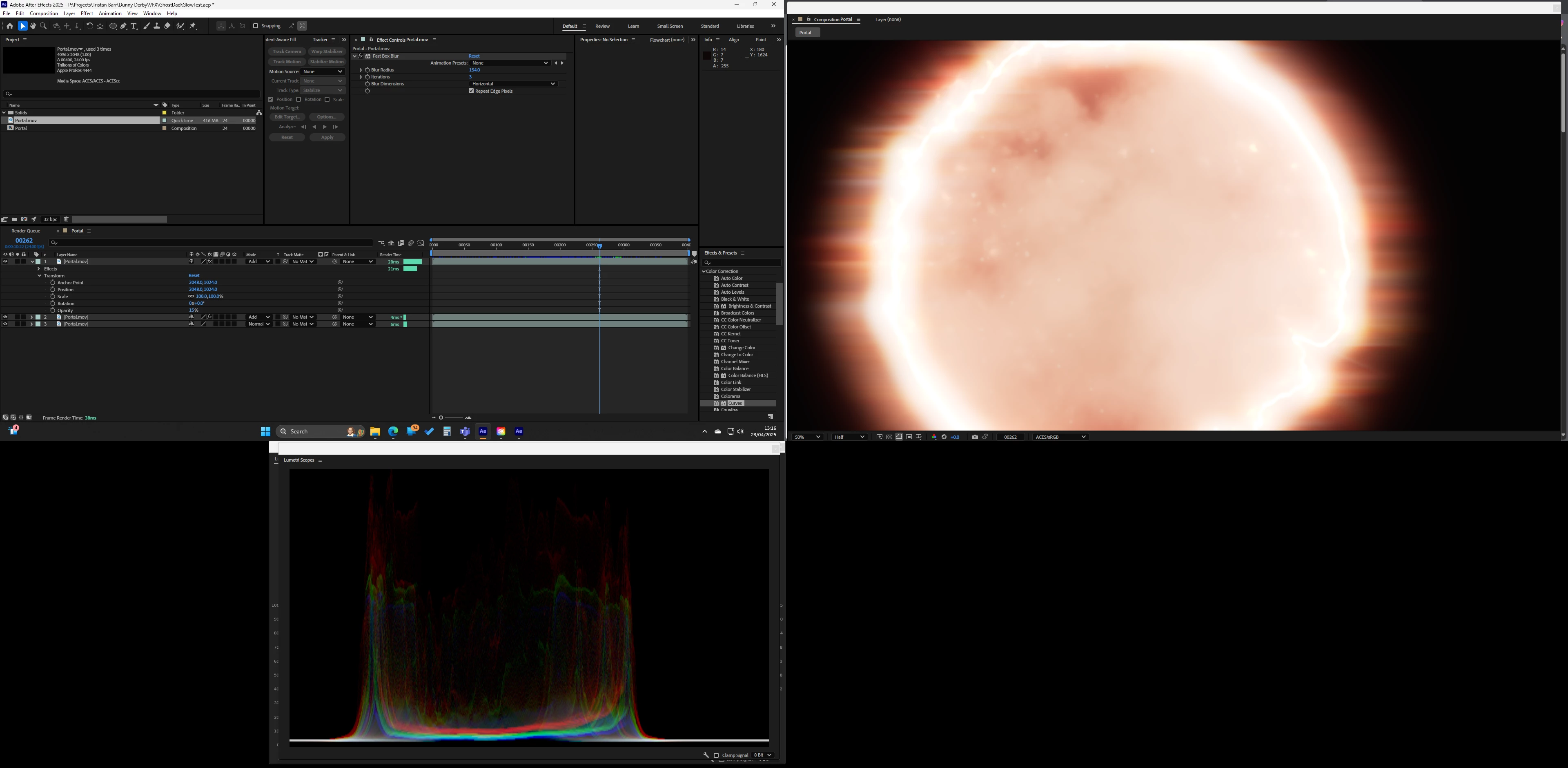
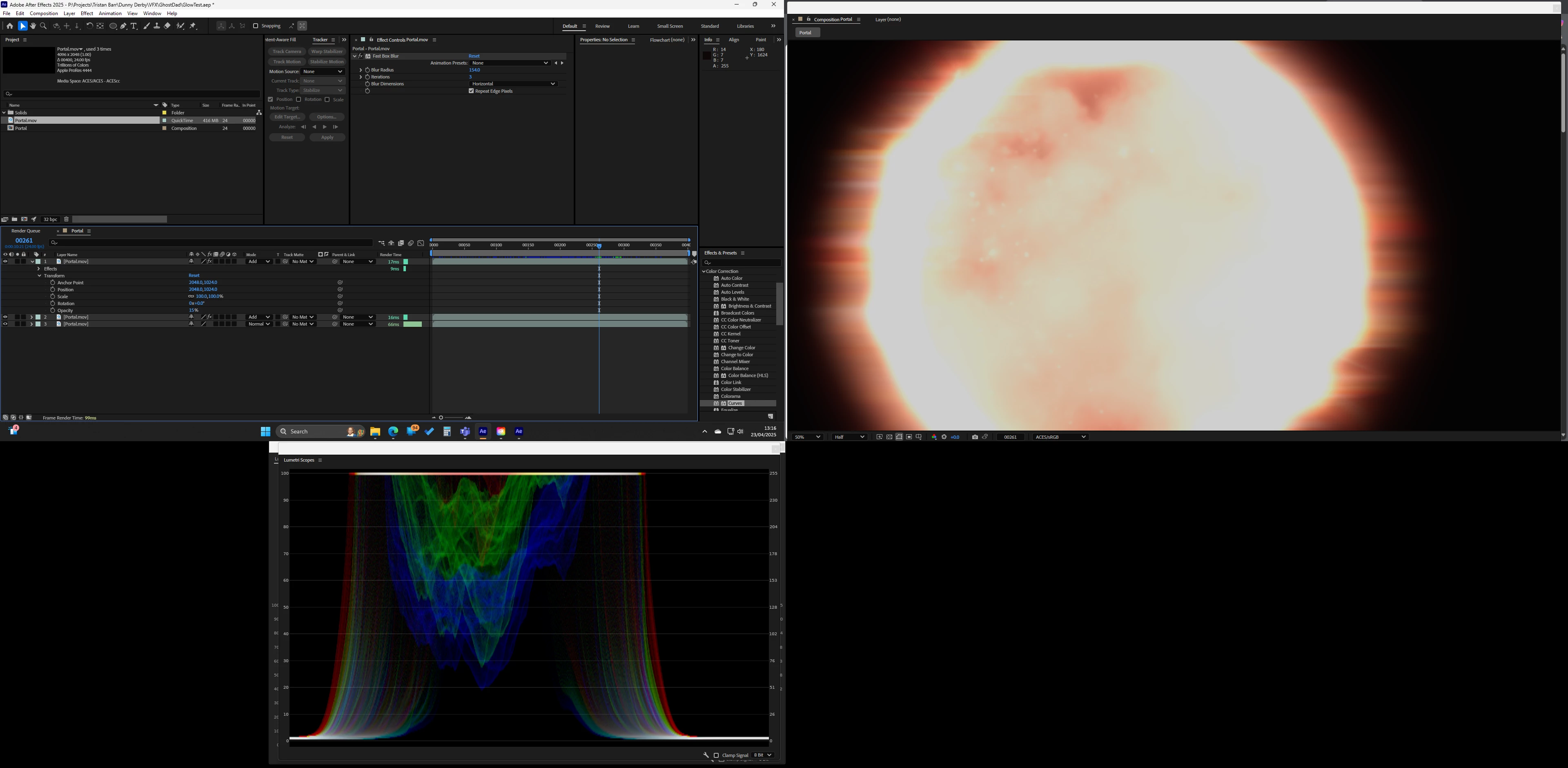
Just upgraded to 25.2.2 and I am having a strange issue with adding layers its like it randomly clips or switches color space from one frame to the next. Only started happening after upgrading AE and NVIDIA.

The screenshots are from the same project just different frames, as you will see it also affects the scopes. Only effect used is 'Fast Box Blur'

Switching to 'Software Only' fixes the issue
24 replies

Known Participant
May 5, 2025

Thank you Nishu!

NRoweAuthor
Known Participant
April 28, 2025

Thanks Nishu

Good to know its not just me!

NRoweAuthor
Known Participant
April 23, 2025

Thanks Nishu,

My system Spec


Processor 12th Gen Intel(R) Core(TM) i9-12900K 3.20 GHz
Installed RAM 64.0 GB (63.7 GB usable)
Edition Windows 11 Home
Version 24H2


GeForce RTX 3080
NVIDIA Studio 576.02


I will DM you the AE file and asset


Thanks again,

Neil

jordanc75789874
Known Participant
April 14, 2025

I am getting an issue when using add blend mode in aces, it makes the comp clip at 1, seem to be present in the beta too.


1. 25.2.0

2.Windows 11

3. Project file included

4. It clips the image, the expected result if a aces linear work flow


jordanc75789874
Known Participant
April 14, 2025

seems to also be an issue with a couple other blender modes too

NRoweAuthor
Known Participant
April 23, 2025

Here is a better representation on the scopes with the signal clamped. Its clearly clipping on 1, this happens randomly as I scrub the timeline.

nishu_kush
Legend
April 23, 2025

Thanks for reaching out.

Do you mind sharing your system specifications and details of the media? If possible, please share a sample media and After Effects project file for testing. Feel free to share via DM if you do not want to share publicly.

Looking forward to your response.


Thanks,
Nishu