


Participating Frequently
February 3, 2025

Error while importing .glb files

  • February 3, 2025
  • 17 replies
  • 1433 views


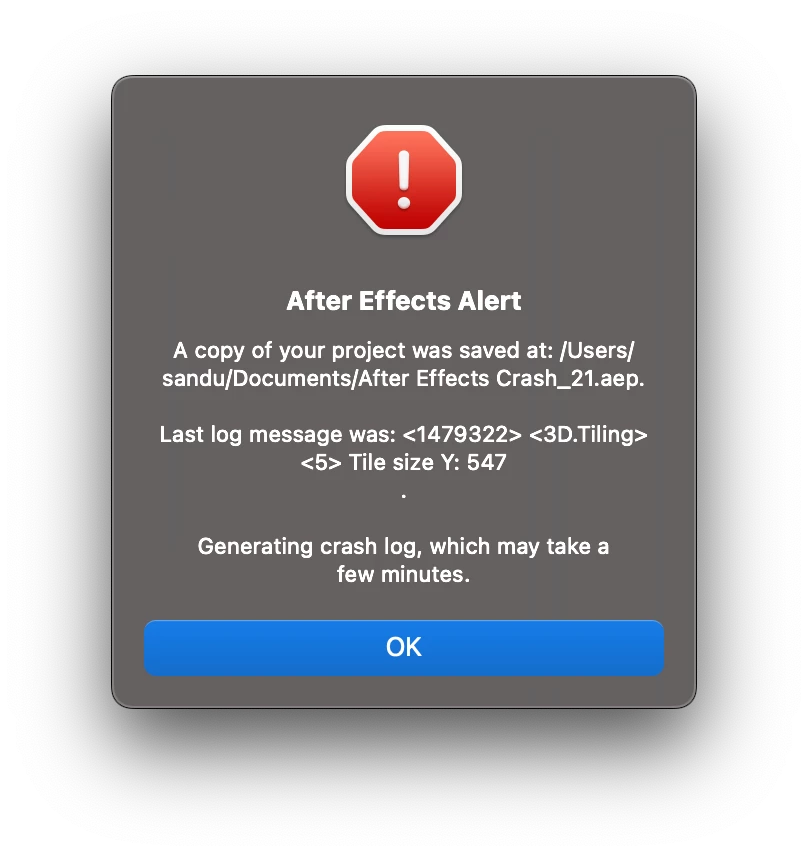
Good morning everyone, I have this problem with AE both 2025 and 2024 and I have the latest versions and updates. While importing any .glb file it crashes immediately.

However, if I import the same files onto my friends' PCs, everything works.

I have a MacBook m3 pro 18gb ram.


17 replies

David.Arbor
Community Manager
Community Manager
February 19, 2025

@sandu.solo thank you so much! I just sent this to one of our devs and it does tell us where the failure is coming from (which is very helpful), but we still need more info to find out why this is happening. Could you also DM me the project and model that are crashing as-is? If you can package this project, open it up, and still repro the crash, that would be a massive help to our devs.


Thanks!

- David, After Effects Engineering Team

Participating Frequently
February 19, 2025

@David.Arbor, Hi David, unfortunately the problem has returned. Opening any of my projects or importing any GLB file After Effects crashes, any version. I sent you the file ''After Effects Log.txt'' privately and I also sent the report after the crash.

nishu_kush
Community Manager
Community Manager
February 7, 2025

Changing thread status to Investigating.


Thanks,

Nishu

Participating Frequently
February 5, 2025

Hi @David.Arbor 

The versions I have: v25.1 and v24.6.4


My MacBook: MacBook Pro M3 PRO 18GB RAM with MacOs Sequoia 15.3 (24D60)

The strangest thing just happened to me. I tried to open the project I sent you but AE v25.1 no longer loaded so I decided to force quit. After installing AE BETA, strangely the projects (for now) work without any kind of problem. I am referring to all versions, 24, 25 and BETA. In any case, I sent you the latest log privately.


David.Arbor
Community Manager
Community Manager
February 5, 2025

@Hani ElTiby understood. If the issue happens again and it's not specifically a crash with a GLB, please feel free to start a new thread with as much detail as possible so we can try to get to the bottom of the problem.

Inspiring
February 5, 2025

Unfortunatly I deleted the old glb files and I couldn't regenerate the issue although I followed the same previous steps. I guess it was some kind of cache issue.
Thanks David for your concern. 

David.Arbor
Community Manager
Community Manager
February 5, 2025

@Hani ElTiby absolutely. Feel free to DM me about this.


- David, After Effects Engineering Team

Inspiring
February 5, 2025

Thanks David, I didn't have a crash, I've started using the advanced renderer in production and I'm curoious to know all the possible issues I may face.
I had another issue with an object with multiple submaterials applied. But I'm still not calling it a bug. If you are interested I can DM you with files and details.
 

David.Arbor
Community Manager
Community Manager
February 5, 2025

Hi @Hani ElTiby and @sandu.solo, I know I wrote a lot here, but we haven't been able to reproduce this issue in-house, so it would be incredibly helpful if both of you are able to provide all the info below.


@Hani ElTiby do you have also have crashing models or projects that you can also DM me? The more cases we have, the closer we can get to finding a fix or a potential workaround while a fix is being developed.


@sandu.solo I did just download your project and opened it in AE 25.1.0x68 and AE Beta 25.2.0x98, but the project didn't crash for me in either version on macOS. I will keep working on this.


So a few more questions for both of you that can help narrow this down:

1) What exact version of AE are you running. You can find this info in After Effects > About Adobe After Effects. Please list the version like I did above including the dot release and the build number (the number after the "x").

2) If you are trying in the release version (25.1) can you try in the Public Beta? You can install both alongside each other without a problem.

3) Please provide specs and OS version for your Macs. I'm on a MacBook Pro with a M4 Max and 48 GB RAM running macOS Sequoia 15.2.


One thing that would be really helpful is to Enable Logging and then send us the log. To do this:

  1. Open After Effects, but don't open any projects.
  2. Go to Help > Enable Logging.
  3. You will be prompted to restart After Effects.
  4. After AE reopens, go to Help > Reveal Logging File. A couple folders might open up, but you want the one called "logs."
  5. Now open your project that crashes.
  6. As soon as AE crashes, there should be a text file called After Effects (Beta) Log-last.txt in the "logs" folder.

It would be very helpful if you can each send us this file, as our developers will be able to see more clearly what happened before the crash. After you collect your log file, you can disable logging from the Help menu again.


I respect both of your time as working artists, and I know it can be tricky to pause mid-project to gather information like this. I really appreciate anything you can provide.


- David, After Effects Engineering Team

Inspiring
February 5, 2025

Hi David, I hope you'd update the community with the cause of the crash or the workaround to avoid it.